
Emergent AI Review 2026: I Built a SaaS App With It for a Week
I built a mobile feedback app with Emergent AI over 7 days. Honest review covering build quality, credit math, iteration speed, and separate scorecards for PMs vs designers.

Most Emergent AI reviews show you a first build and call it done.
That's not enough. The first build is always impressive. Every AI app builder looks good on draft one. The real question is: what happens when you iterate, customize, and try to hand it off to someone else?
I built a mobile customer feedback app with Emergent AI — a tool I called FeedLoop — and used it across a full week. Three distinct stages: day one ideation, day three iteration, and day seven dev handoff and deployment. Here's the honest breakdown of what I found at each stage, the exact credit math that most reviews skip over, and separate scorecards for PMs and designers — because what impresses one group often frustrates the other.
What Is Emergent AI?
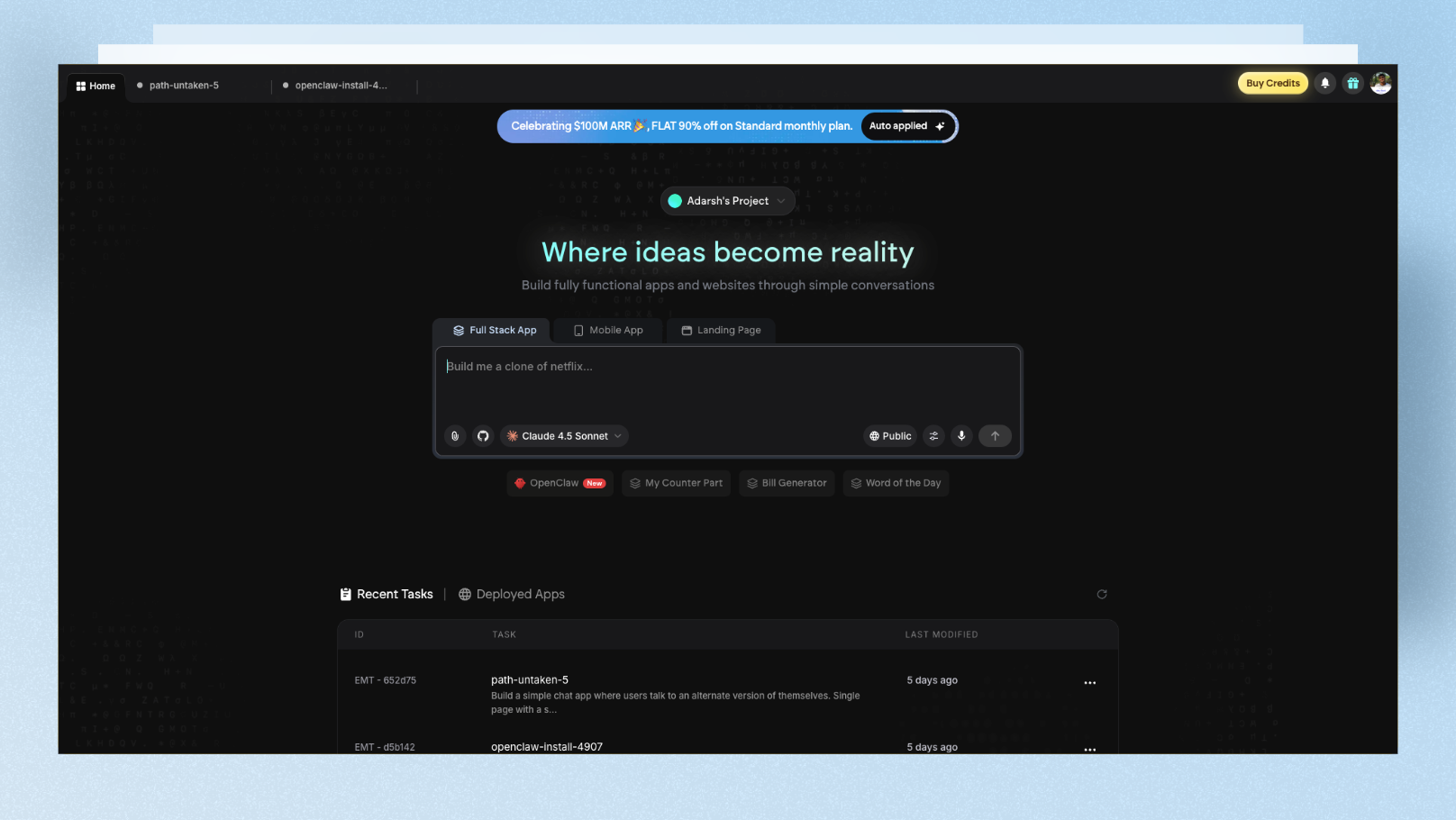
Emergent AI is a full-stack AI app builder that converts plain English into deployed web and mobile apps. What makes it different from tools like Lovable or Bolt is its multi-agent framework — instead of one AI model handling everything, specialized agents work in parallel:
- •One agent for app architecture and planning
- •One for frontend (React or Next.js)
- •One for backend (Node.js or FastAPI)
- •One for database (MongoDB)
- •One for deployment and hosting
- •One for QA — it takes screenshots of the built app to verify the output matches the prompt
Emergent reached $100M ARR just eight months after launch — one of the fastest ARR growths in the vibe coding space. The LLMs powering it include Claude Opus 4.5, GPT 5.4, and Gemini 3 Pro, which means it draws on multiple frontier models depending on the task.
What you can build:
- •Full-stack web apps (React/Next.js + Node.js/FastAPI + MongoDB)
- •Mobile apps (React Native + Expo, testable via QR code on real devices)
- •Landing pages
- •Internal tools and dashboards
Key features most reviews miss:
- •Voice input — describe your app or iteration verbally instead of typing
- •Credit budget per project — set a spending limit before building to avoid runaway costs
- •Browser-based VS Code IDE — full code access right in the platform
- •GitHub export — full code ownership, not locked to Emergent's platform
- •Third-party integrations — Shopify, Airtable, Google Sheets, Zendesk, Stripe (Pro plan)
My Test Build: FeedLoop (Customer Feedback SaaS)
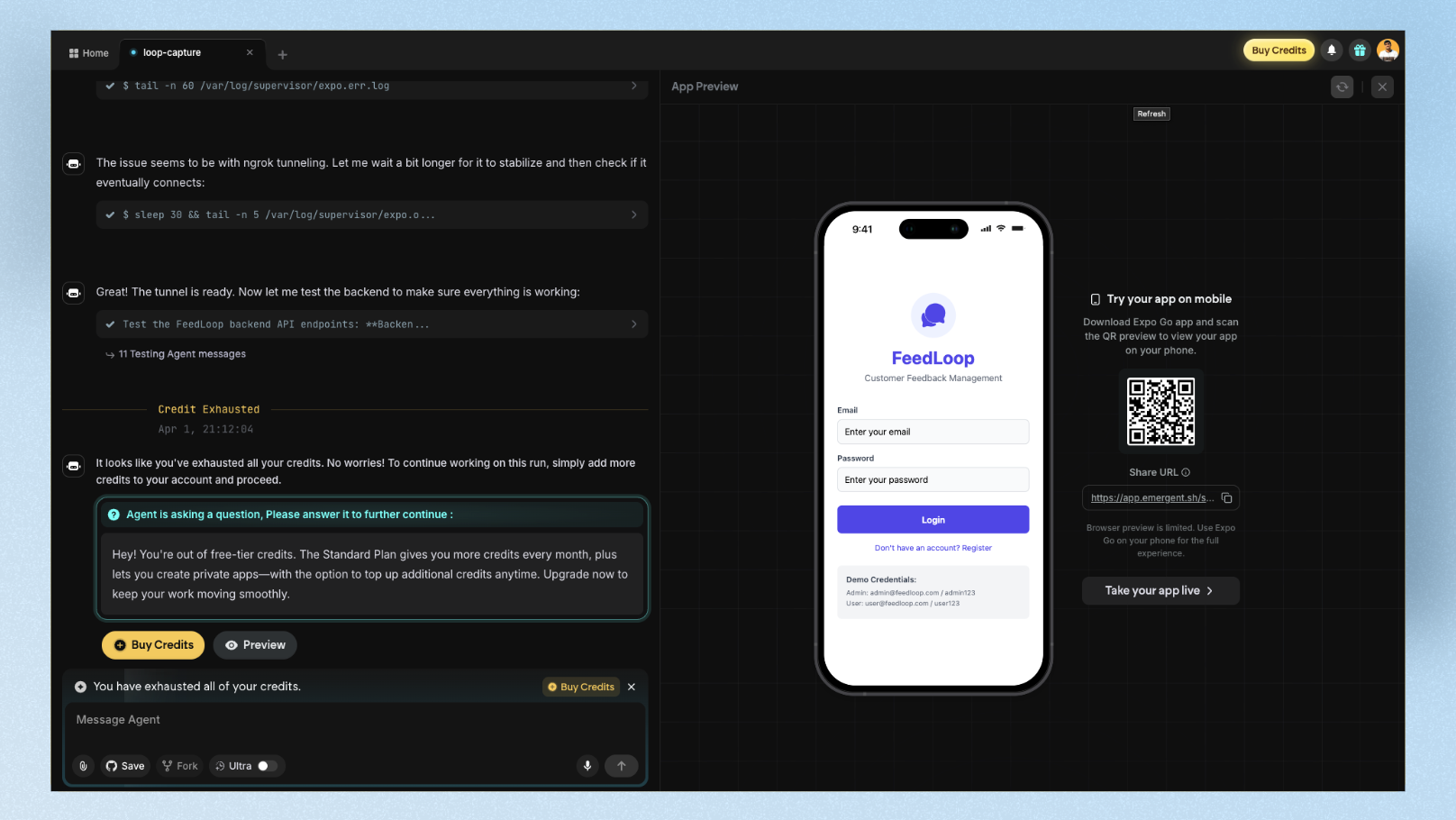
I picked a use case that's close to what real PMs and startup founders actually build: a mobile app for collecting and organizing customer feedback on the go. Not a generic to-do list — something with real business logic and mobile-native patterns.
My Build Prompt (Day 1)
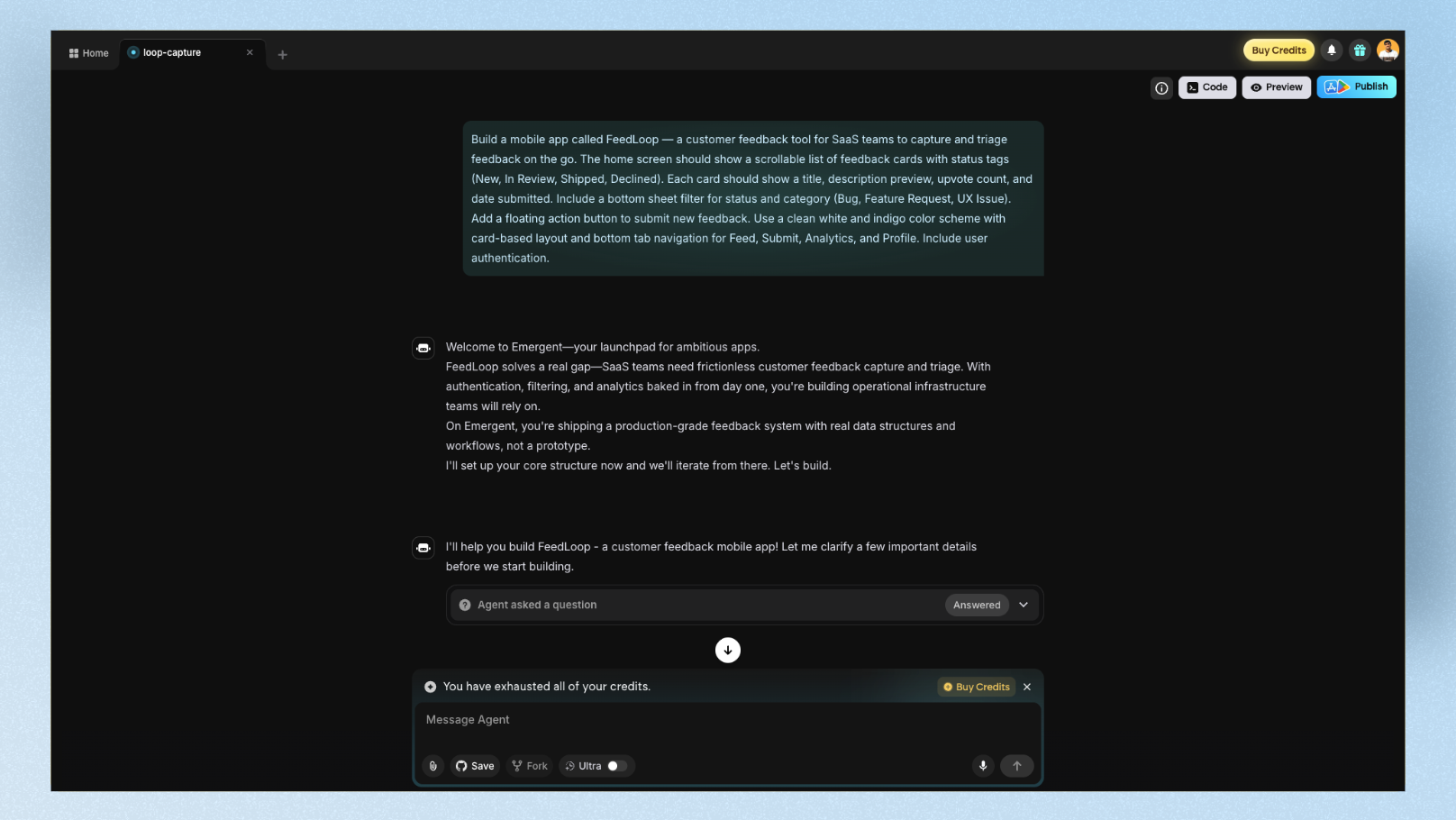
"Build a mobile app called FeedLoop — a customer feedback tool for SaaS teams to capture and triage feedback on the go. The home screen should show a scrollable list of feedback cards with status tags (New, In Review, Shipped, Declined). Each card should show a title, description preview, upvote count, and date submitted. Include a bottom sheet filter for status and category (Bug, Feature Request, UX Issue). Add a floating action button to submit new feedback. Use a clean white and indigo color scheme with card-based layout and bottom tab navigation for Feed, Submit, Analytics, and Profile. Include user authentication."
Stage 1: Day One — First Build
What happened:
Emergent started by asking three clarifying questions before writing a single line of code:
- •Should feedback submissions be public or private to the team?
- •Do you want email notifications when new feedback is submitted?
- •Should upvotes be limited to one per user?
This is one of Emergent's genuinely impressive behaviors. The AI asks clarifying questions for steps that are not clear in the prompt or need your permission before proceeding. For PMs who have ever watched a developer build the wrong thing after a vague brief, this feels significant.
I answered all three, and the build began. During processing, I could watch every agent step in real time — package installations, file creation, API route setup, database schema generation, even frontend component builds. The platform takes screenshots of the app during building to self-verify the output matches the prompt, then self-diagnoses and fixes issues it spots before surfacing the result.
Build time: ~12 minutes
First build result: Strong. The feedback card list was clean and well-structured. Status tags rendered with correct color coding. The bottom sheet filter worked. The floating action button for new submissions was present. Bottom tab navigation rendered correctly across all four tabs. User authentication (sign up / sign in) was functional — and testable on a real device via Expo QR code.
The design problem: The color scheme was close but not precise. The indigo accents landed more as generic purple — the same default Tailwind palette you see in most AI-built mobile apps. The card spacing felt like a web layout squeezed onto mobile rather than a mobile-native design. Touch targets on the filter chips were too small. Typography was readable but unremarkable.
For PMs: First build is demo-ready. Stakeholders can interact with real navigation and data flow. The auth system alone saves a developer a day of work.
For designers: First build needs significant visual iteration before it looks like a designed product rather than a generated scaffold.
Stage 2: Day Three — Iteration and Customization
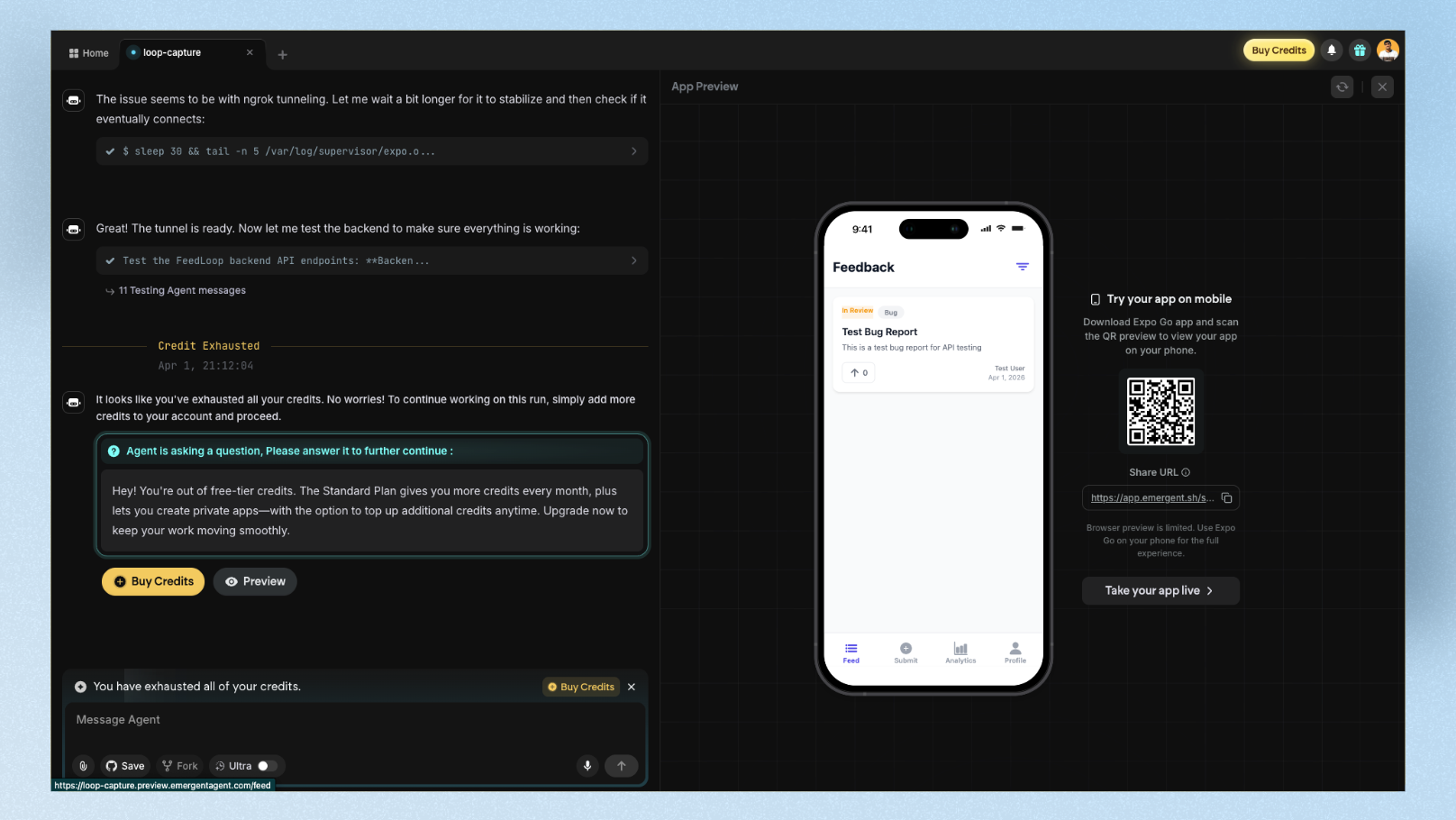
What I changed:
- •Adjusted the color scheme to true indigo (#4F46E5) with white backgrounds
- •Increased touch targets on filter chips and cards for proper mobile UX
- •Replaced placeholder avatars with initials-based user circles
- •Added a "Most Upvoted" sort option to the bottom sheet filter
- •Requested a dark mode toggle
The iteration experience:
This is where Emergent diverges sharply from tools like Bolt or Lovable. Iteration in Emergent is conversational but slow. Each change goes through the full agent cycle — even small visual tweaks trigger multiple agents to re-evaluate the build.
Requesting the dark mode toggle took 4 minutes and consumed ~8 credits. Adjusting the exact indigo shade took 3 prompts across 15 minutes because the first two iterations didn't apply the change correctly to every component.
One of the most common user complaints on Trustpilot is that "it nearly works but then gets stuck on certain issues and the credits just start to burn". I experienced this directly: one debugging loop on the dark mode toggle consumed 12 credits before it resolved — which at the Standard plan rate, represents a meaningful chunk of a day's allocation.
The credit budget feature is essential: Before any significant iteration session, set a credit budget in Advanced Controls. This is the single most effective way to prevent runaway costs. I set a 30-credit budget for day three — it forced me to write more precise prompts instead of iterating casually.
The voice input feature: I tested Emergent's voice input for two of the day-three changes. Speaking "add a sort by most upvoted option in the sidebar, and make sure it filters the cards in real time" produced a better result than my typed equivalent had. Voice input seems to pass more natural context — worth using if you're comfortable with it.
Stage 3: Day Seven — Dev Handoff and Deployment
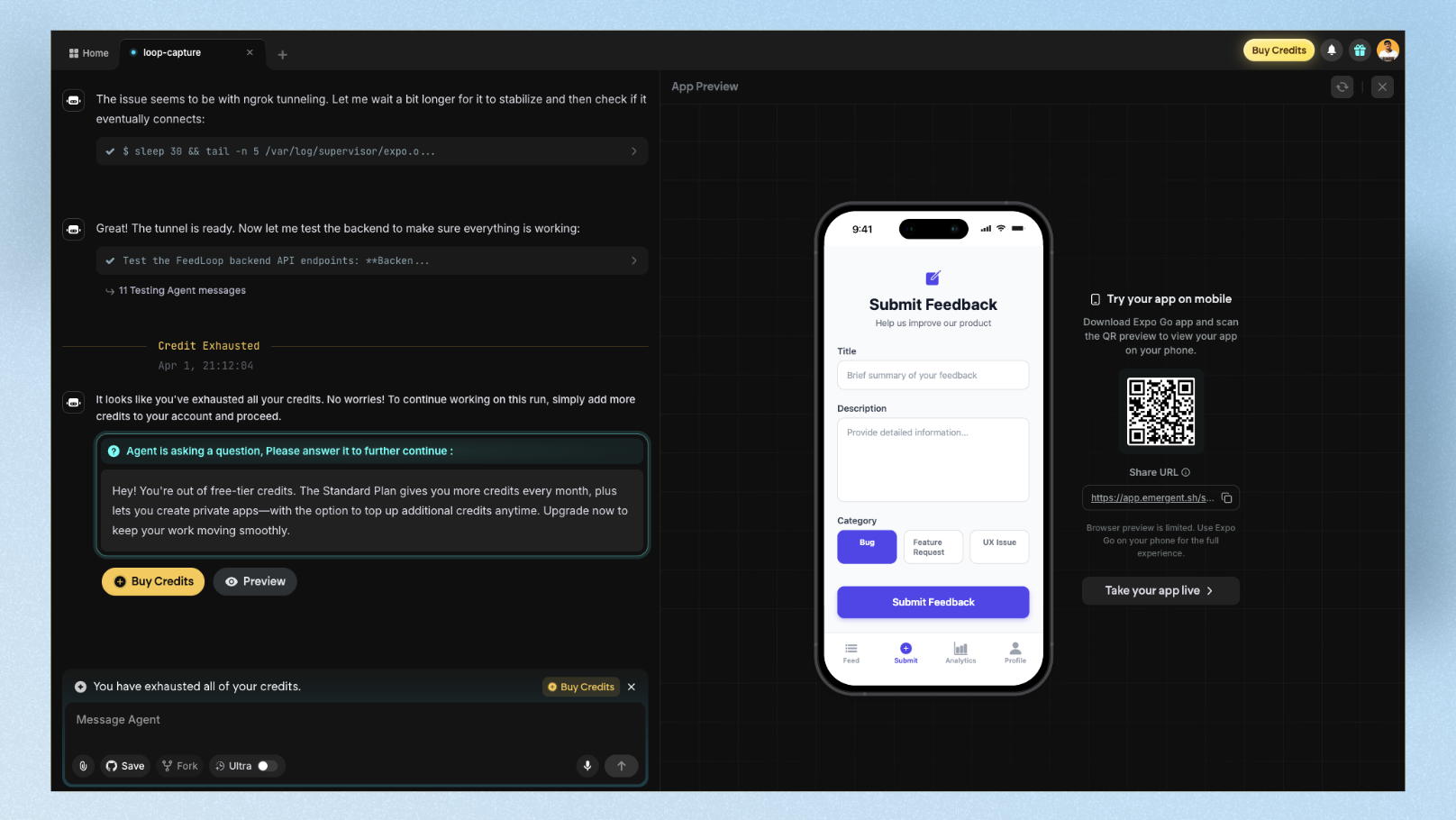
GitHub export: Clean and complete. Full code ownership — export the entire project to GitHub with no lock-in. A developer I shared the repo with confirmed the React/Node.js structure was standard and readable — not the kind of AI-generated spaghetti that makes engineers groan.
Deployment: One-click on Emergent's hosted infrastructure. FeedLoop was live and testable via Expo QR code within 90 seconds — I scanned it on my phone and the full app loaded with working navigation, authentication, and data. The backend, database, and auth all worked correctly in production.
The production issue: Three days after deployment, a bug appeared in the upvote count — double-counting votes on page refresh. Fixing it required two prompts and ~15 credits. When the AI gets stuck in debugging, credits keep flowing — there's no credit protection for failed attempts. The fix took 3 attempts before it resolved cleanly.
For PMs: Deployment is genuinely one-click. You can give stakeholders a live URL that works, not just a Figma prototype.
For designers: The gap between what Emergent ships and what a designed product looks like is still visible. Real design polish requires exporting to GitHub and working with a developer or dedicated UI design tool before going live.
The Credit Math (What Most Reviews Skip)
This is the most important section for anyone considering Emergent. Here's the honest breakdown:
Emergent AI pricing (March 2026):
| Plan | Price | Monthly Credits | Daily Credits |
|---|---|---|---|
| Free | $0 | 5 | 10 |
| Standard | $20/month ($204/year) | 100 | 10 |
| Pro | $200/month ($2,004/year) | 750 | Unlimited |
The credit reality per action type (approximate):
| Action | Credits consumed |
|---|---|
| Initial full app build | 20–40 credits |
| Small visual change | 3–8 credits |
| Feature addition | 8–15 credits |
| Debugging loop (failed attempt) | 5–12 credits per attempt |
| Deployment | 5–10 credits |
| Large refactor | 15–30 credits |
What this means in practice:
On the Standard plan (100 credits/month), a realistic first week — first build, 5–6 iterations, one deployment, one bug fix — can consume 80–100 credits. The jump from $20/month to $200/month leaves a significant gap for serious users who need more than Standard — there's no mid-tier option.
The free plan is not a real trial. Five monthly credits is a preview, not enough to complete one meaningful build. Plan to spend at least $20 before you can properly evaluate the tool.
Credit-saving strategy from power users: Use ChatGPT or Claude to write your full prompt list first — then feed those prompts to Emergent one by one. This method significantly reduces bugs, cuts failed debugging attempts, and stretches credits much further than casual iterative prompting.
PM Scorecard vs Designer Scorecard
This is the dual perspective most Emergent reviews skip. PMs and designers care about fundamentally different things — so here are two separate ratings:
For Product Managers:
| Dimension | Score | Notes |
|---|---|---|
| Speed to working demo | 9/10 | ~12 min first build is genuinely fast |
| Stakeholder-share readiness | 8/10 | Scannable QR code on a real phone beats any wireframe |
| Non-technical usability | 7/10 | Voice input helps; credit system is confusing |
| Credit predictability | 4/10 | Debugging loops burn credits unpredictably |
| Dev handoff quality | 8/10 | Clean GitHub export, standard codebase |
| PM Overall | 7.2/10 | Strong for MVP validation, risky for tight budgets |
For Designers:
| Dimension | Score | Notes |
|---|---|---|
| First-draft visual quality | 5/10 | Generic Tailwind defaults, mobile spacing feels like web squeezed onto phone |
| Custom UI precision | 4/10 | Visual iteration is slow and credit-heavy |
| Design system integration | 3/10 | No design system import; can't match existing brand |
| Code quality for handoff | 8/10 | React/Node.js is clean and developer-friendly |
| Figma export | 2/10 | Not supported natively |
| Designer Overall | 4.4/10 | Poor fit as a primary design tool; better as a backend scaffold |
Emergent AI vs Lovable vs Replit vs Base44
| Emergent AI | Lovable | Replit | Base44 | |
|---|---|---|---|---|
| Best for | Complex full-stack apps | Fast full-stack MVPs | Developer-first coding | Non-technical founders |
| Multi-agent build | Yes | No | No | No |
| Mobile app support | React Native + Expo | Web only | React Native | Web only |
| Design quality | Low | Medium | Low | Medium |
| Code ownership | GitHub export | GitHub export | Full access | Full export |
| Free plan | 5 credits/month | 5 credits/day | Generous (limited compute) | Free tier available |
| Paid from | $20/month | $25/month | $25/month | $49/month |
| Debugging risk | High (credit burns) | Medium | Low | Low |
| Best UI output | Functional scaffold | Polished UI | Developer UI | Clean UI |
When to pick Emergent over Lovable: You need mobile app support via React Native, or you want the multi-agent transparency of watching each build step in real time.
When to pick Lovable over Emergent: You prioritize UI quality and need a more polished first-draft visual output. Lovable consistently generates cleaner interfaces from the first build, and its credit system is more predictable.
When to pick Replit over Emergent: You're a developer who wants a full coding environment with multiple language support, not just a JavaScript stack.
When to pick Base44 over Emergent: You're a non-technical founder who wants the simplest possible path from prompt to working app, without the complexity of Emergent's multi-agent system.
What Real Users Say
The praise pattern:
Users on Trustpilot consistently call Emergent a "game-changer" for non-technical founders who can finally build without hiring developers. One reviewer described building four applications with two already generating monthly revenue from paying customers. Another specifically praised the product-background-friendly workflow — the tool is designed around the way PMs think, not how developers code.
The consistent complaints:
The most common frustration across Trustpilot, SourceForge, and community forums is the credit system. When the AI gets stuck in a debugging loop, it continues consuming credits on every failed attempt — with no credit protection or refund. Multiple users report that credits "vanish within a few prompts" without producing a working result when debugging gets complicated. The absence of a mid-tier pricing plan between $20/month and $200/month is another common pain point.
The constructive insight from power users:
The users who report the best experience treat Emergent as a collaboration, not a vending machine. Prepare your full prompt list in another tool first, then feed prompts to Emergent one by one. Set a credit budget per project. This approach consistently produces better results with fewer debugging loops and less credit waste.
Is Emergent AI Worth It in 2026?
For PMs: Yes — with conditions.
If you need a working, deployed prototype to show stakeholders or investors — not a wireframe, not a Figma link, a real app with live data — Emergent delivers that faster than almost any alternative. The multi-agent system, voice input, and GitHub export are genuinely valuable. The credit unpredictability is the real risk. Budget 30–40 extra credits beyond what you expect to spend, and use the credit budget feature before every session.
For designers: No — as a primary tool.
Emergent is not built for design — and mobile UI is where this gap hurts the most. Emergent supports React Native for mobile apps, but the generated mobile screens look generic and iterating on mobile UI burns credits fast. Floow is built specifically for mobile app UI design — generate and refine your mobile screens with AI first, then hand the visual spec to Emergent to build. Mobile UI is where Emergent is weakest and where Floow is purpose-built. The two tools complement each other: design your mobile screens first, build second.
For founders: Probably yes.
One reviewer built a live product being used by real customers entirely through Emergent, coming from a product background with no coding experience. That's the real-world ceiling of what's possible with this tool today.
FAQ: Emergent AI Review 2026
How many credits does Emergent AI use per build?
A typical first build of a simple web app consumes between 20 and 40 credits. More complex apps with authentication, database logic, and multiple views can use 40–60 credits for the initial build. Debugging loops are where credits disappear fastest — each failed attempt charges credits regardless of whether the fix succeeds. The best protection is setting a per-project credit budget in Advanced Controls before starting any build session.
Does Emergent AI support mobile app development?
Yes — Emergent supports React Native with Expo for mobile app development, and you can test on a real device via QR code. This is a significant advantage over tools like Lovable, which only creates web apps. That said, React Native expertise is helpful for iteration and debugging, as mobile-specific issues are harder for non-technical users to resolve through prompts alone.
Can I export my Emergent AI app to GitHub?
Yes, and full code ownership is one of Emergent's strongest selling points. Every project can be exported to GitHub as a complete, standard React/Node.js codebase. Unlike some no-code tools that lock you into their platform, Emergent's output is code that any developer can read, modify, and deploy independently.
How does Emergent AI compare to Lovable for UI design quality?
Emergent's UI output is functional but generic — it defaults to standard Tailwind component styles that produce a similar look across most builds. Lovable consistently produces cleaner, more polished interfaces from the first draft and is better suited when design quality matters for the first impression. For a mobile app that needs to look designed rather than generated, use Floow — built specifically for mobile app UI design — for the visual layer, then hand off to Emergent for the build layer.
Is the Emergent AI free plan enough to test the tool properly?
No. The free plan includes only 5 monthly credits, which is enough to see the interface but not enough to complete a meaningful first build. A realistic first test — one complete app build with one or two follow-up changes — requires 30–50 credits minimum. Budget at least $20 for the Standard plan before evaluating whether Emergent fits your workflow.
Pricing and features verified March 2026. Always check emergent.sh for current credit rates before subscribing.
Design your mobile app with AI.
Generate pixel-perfect iOS and Android screens in seconds, then export to Figma or code.
You might also like…
 Comparisons28 March 2026MagicPath Alternatives for Product Managers in 2026, RankedI tested 8 MagicPath AI alternatives against 5 real PM scenarios. Ranked by stakeholder speed, ease of use, dev handoff quality, and pricing predictability for product managers.By floow.design, Editorial
 Insights2 October 2026Wix vs Squarespace for Small Business WebsitesChoose Wix or Squarespace based on editing control, brand consistency, bookings, commerce, blogging, domains, and who maintains the site.By floow.design Team, Web Design
 Insights2 October 2026Wix Alternatives When You Have Outgrown the TemplateCompare Wix alternatives by the constraint you have outgrown: templates, design control, publishing, ownership, or commerce needs.By floow.design Team, Web Design