
Carrd Alternatives for When One Page Is Not Enough
Compare Carrd alternatives by the point your site needs more pages, reusable content, and structure—not just more design controls.

The best carrd alternatives are Typedream for a quick, clean multi-page creator site, Wix for a small business that needs broader site functions, Framer for visual marketing polish, and Webflow for advanced content structure. Pick Typedream for most people outgrowing one page without wanting a steep learning curve. Do not switch from Carrd if a single focused page still does the job.
The short version
Our pick: Typedream
Best for: Creators, consultants, and early-stage teams building a straightforward multi-page site without Webflow-level setup.
Skip it if: Do not pick it if you need highly bespoke interactions, deep content modelling, or a broad set of small-business functions.
Key takeaways
- •Carrd is still the right tool for a focused link hub, profile, waitlist, or single campaign page.
- •Move beyond Carrd when navigation, repeatable page types, and ongoing updates matter more than keeping everything on one canvas.
- •Typedream is the best default replacement for a clean multi-page site built quickly; Webflow and Framer win for more specialised needs.
- •A free plan is only useful if its publishing, branding, domain, and page limits match the site you actually plan to launch.
- •Test any replacement with a four-page site map before migrating your real content.
What's on this page
- •Do you actually need to replace Carrd?
- •The best Carrd alternatives, compared by the job ahead
- •How the main options compare after page two
- •For artists, make the work easy to browse
- •Free plans are not the same as a usable launch plan
- •Run a four-page test before you move your real site
- •The gap between a one-page builder and a full visual platform
Do you actually need to replace Carrd?
Carrd remains a strong choice when the whole job is one focused, lightweight page. A link hub, personal profile, waitlist, event announcement, simple campaign destination, or one-off product teaser does not become better because it was rebuilt in a larger platform.
A good Carrd page has one primary action, a short scroll, and little content that changes after launch. In that situation, fewer controls are an advantage. You can publish the page, revise the copy, and leave it alone rather than maintaining a full site.
The breaking point is structural, not aesthetic. You have likely outgrown one page when you need:
- •Navigation that helps visitors choose between services, projects, resources, or locations.
- •Separate service or portfolio pages that deserve their own URLs.
- •A repeatable layout for case studies, posts, project details, or team members.
- •Frequent updates that become awkward in one long scrolling document.
- •A consistent header, footer, and page hierarchy across the site.
Do not migrate merely because competitors call themselves more powerful. Switch because your visitor can no longer find what they need without scrolling past unrelated material. A consultant with three offers and five proof points often needs a small site. A musician with two links and one release date may still need only one page.
The best replacement is therefore not the biggest builder. It is the one that makes your next five pages easy to add without turning a simple publishing job into a design-system project.
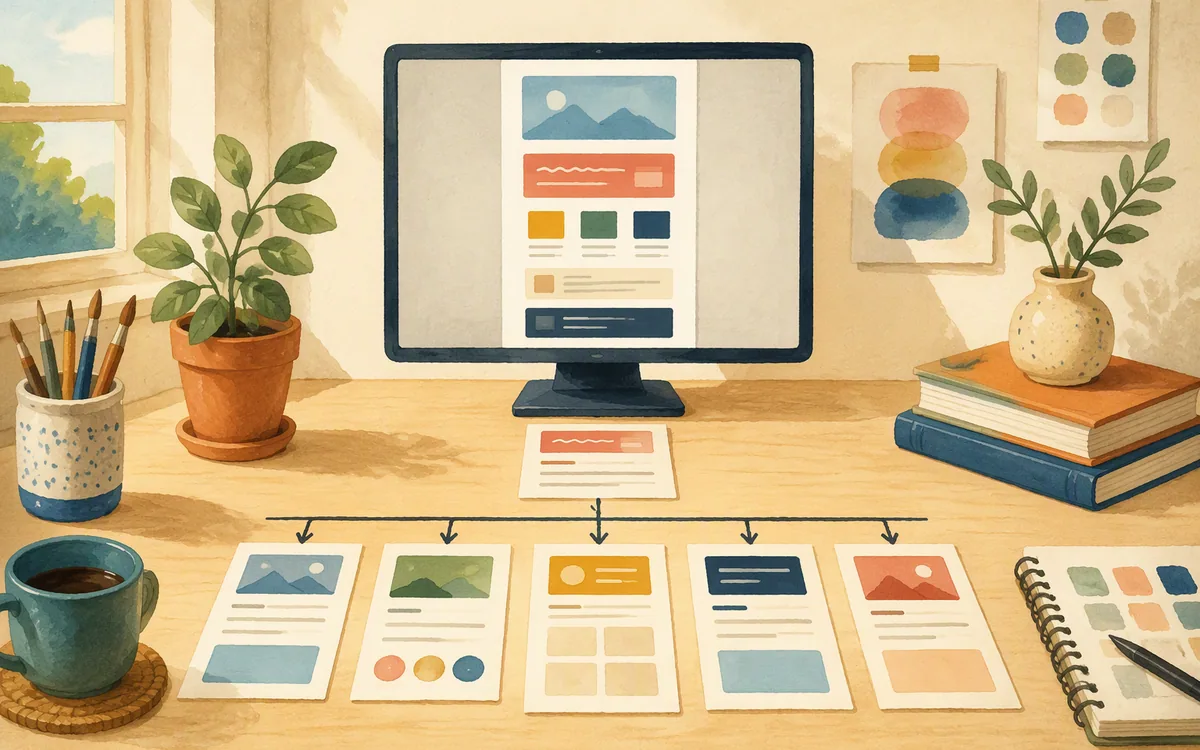
The best Carrd alternatives, compared by the job ahead
Typedream is the recommendation for most people who need to move from one page to a small, orderly site. Its appeal is practical: you can assemble a home page, services pages, a contact page, and basic supporting content without taking on the amount of configuration associated with a more technical visual builder. Its document-like editing approach suits creators who want to get copy and pages live quickly.
Framer is the stronger choice when the marketing site itself is a design asset. Teams that care about visual control, polished motion, and presentation should evaluate it first. It can be more tool than a personal site or simple consultant site needs, particularly if the work is mostly writing sections, adding a few pages, and publishing.
Wix fits small businesses that need a broad site-building package and may add business functions over time. That breadth has a cost: more choices, more setup decisions, and more opportunities to configure something you do not yet need.
Webflow is the better option for teams requiring granular layout control and a more sophisticated content-driven marketing site. It is also a materially steeper learning curve than Carrd. Choose it because your requirements demand it, not because you expect a quick one-page migration.
Carrd itself remains the baseline. It wins when a single canvas is a feature rather than a limitation. These are not like-for-like replacements; they solve different stages of site growth.
How the main options compare after page two
Use the comparison below to identify the point at which each platform starts making sense. The important question is not whether a builder can produce a handsome home page. Most can. The question is whether page three, page ten, and the next update remain manageable.
Typedream is the winner for the middle ground: more than a one-page profile, less than a heavily engineered marketing operation. It loses to Webflow where detailed layout systems and sophisticated content-driven builds are essential, and to Framer where interaction design is central to the brief. It also loses to Wix for a small business that wants a broader collection of built-in business-oriented capabilities.
If you are comparing webflow alternatives or wix alternatives because those tools felt too large for your first site, do not overcorrect by picking another one-page tool. Build the smallest useful site structure instead. A five-page site with a home page, two offer pages, an about page, and contact is often easier to maintain than a single page containing every answer, testimonial, portfolio item, and update.
For any alternative Carrd.co or Carrd.co alternative search, separate two needs: visual freedom and information architecture. Framer and Webflow give you more of the first. Typedream gives many buyers enough of the second with less initial friction. Wix gives you more general-purpose room. Your choice should follow the constraint that is actually slowing you down.

For artists, make the work easy to browse
The best Carrd alternative for artists depends on how much work a visitor needs to evaluate. A single scrolling Carrd page works for a small selection: an artist statement, six to ten representative images, social links, and a clear contact route. It is especially effective when the goal is to direct people to an existing shop, music platform, gallery listing, or booking email.
As the body of work grows, visitors need paths rather than a longer scroll. Give them a portfolio index, project detail pages, an about page, and a contact page. A project page should hold the work, its title, date, medium or role where relevant, a short description, and links to related projects. That structure helps a curator, client, or collaborator spend five minutes exploring rather than hunting through a feed.
Typedream is a practical fit for artists who want to assemble that small multi-page structure quickly. Framer is worth considering if art direction and motion are part of the portfolio experience itself. Webflow is appropriate where the portfolio needs unusually controlled layouts or a larger, more structured collection of projects.
Do not choose based on a template thumbnail. Test the update path. Add one new project, place it in the portfolio index, update navigation if needed, and check the mobile page. If that takes too many manual edits, the portfolio will become stale. The winning tool is the one you will still update after the exhibition, launch, or client project is over.
Free plans are not the same as a usable launch plan
Searches for carrd alternatives free often produce an unhelpful answer: a list of products with a free tier. “Free” does not tell you whether you can launch the site you planned.
Compare four limits before you invest time building:
- •Publishing address: Can you publish only on the builder’s branded subdomain, or can you connect your own domain?
- •Branding: Will the published site display provider branding that is unacceptable for your client work or business?
- •Page and content allowance: Does the free tier allow the number of pages and recurring items you need, rather than just one showcase page?
- •Editing and growth limits: What changes when you add a second editor, more traffic, more content, or a new section of the site?
A free branded page can be an excellent test. It is not automatically a permanent business website. Conversely, a paid plan can be cheaper in practice if it prevents a rebuild after you have written ten pages and shared the link everywhere.
Published pricing, allowances, and feature boundaries change, so check each vendor’s current pricing page before buying. Read the limits for the plan you will use at launch, not the headline of the lowest tier. Include domain renewal and any separate services you expect to need in your own budget.
For a simple comparison, write down the exact site: five pages, one custom domain, and a portfolio or updates section. Then see which plan actually supports that specification.

Run a four-page test before you move your real site
Do not begin by copying your existing Carrd page. That only proves a new builder can recreate one page. Instead, make a small site map that represents the site you expect to have six months after launch:
- •Home page: a clear proposition and one primary next step.
- •One repeatable detail-page type: a project, service, case study, article, or location.
- •Contact page: a direct route to enquire, book, or send a message.
- •One future page: the page you know you will add later, such as a resources page, FAQ, pricing explainer, or second service.
Build this test with placeholder copy. Check whether the header and footer stay consistent, whether navigation works on mobile, and whether the detail-page structure can be repeated without rebuilding the layout. Add unique page titles and meta descriptions, use real HTML heading order, and make sure each page has a clean, readable URL slug. Those are the basics a builder can control for search: crawlable HTML, page structure, speed, canonical URLs, sitemaps, and indexable content URLs where available. None of them guarantees rankings.
The domain connection is also part of the test. Confirm whether you need to add DNS records, whether the old site remains live during the change, and where redirects will be set if existing links point to your Carrd URL. Migration day often fails because the design is ready but the domain, email-related DNS records, or old links were not checked.
This exercise reveals the real fit faster than a feature checklist.
The gap between a one-page builder and a full visual platform
There is a useful middle path if you have outgrown Carrd but do not want a full Webflow-style build process. floow.design fits buyers who want to generate a cohesive multi-page marketing site from a plain-English prompt, then iterate by chat instead of assembling every section from a template.
Its built-in CMS is intended for repeated content such as blog posts, case studies, or locations: you bind a collection to a page template so each item becomes its own page. That matters when your site needs a consistent case-study layout or a growing resource section, not a manually duplicated page every time you publish.
It also publishes to a hosted subdomain or a custom domain configured through DNS in the app, without requiring a separate host. Teams that want to self-host can export React and Tailwind. For search fundamentals, the relevant promise is construction rather than ranking: real HTML headings, fast static pages, page-level titles and meta descriptions, and CMS items that can exist as indexable pages.
floow.design is newer to the web than Wix, Webflow, Framer, and WordPress. Do not buy it for a plugin ecosystem, advanced interaction work, conversion testing, ecommerce, or the depth of a mature web platform. Consider it when the job is a designed multi-page marketing site with repeated content and a direct route to publishing.
That is the handoff point: you need more than one canvas, but you do not need every control that a specialist platform exposes.
Which Carrd replacement fits the size of site you are building?
| Builder | Best fit | What changes after one page | Choose another option if |
|---|---|---|---|
| Carrd | Link hubs, profiles, waitlists, and focused campaign pages | Keeps the site intentionally simple and lightweight | You need navigation, many pages, or recurring content |
| Typedream | Creators and small teams building a clean multi-page site quickly | Makes it practical to add core pages without a heavy build process | You need highly custom interactions or deep layout control |
| Framer | Visually led marketing sites and teams prioritising polished presentation | Adds greater visual design control and marketing-site interactions | Your site is mostly straightforward content and you want minimal setup |
| Wix | Small businesses wanting broad site-building capabilities | Provides more room to add business-oriented functions and pages | You want a leaner editing experience with fewer choices |
| Webflow | Teams building sophisticated, content-driven marketing sites | Supports granular layout control and more advanced site structure | You need a quick, low-learning-curve replacement for a simple site |
What it costs
Compare tiers by what they permit at launch: branded versus custom-domain publishing, page allowances, content or CMS limits, traffic allowances, and collaboration needs. Carrd and competing builders may offer different free, entry, site, or higher-capacity tiers, but published prices and limits move. Check each vendor’s own pricing page before committing, especially if your site needs a custom domain or regularly updated content.
Mistakes that cost you the most
Migrating because the existing page feels long.
List the content that truly needs its own destination. If there is no navigation, repeatable detail page, or regular update cycle, keep the focused one-page site.
Choosing from a home-page template.
Build a home page, one detail-page type, contact page, and future page with placeholder content before importing real copy and assets.
Treating a free tier as the full cost comparison.
Check branded publishing, custom-domain access, page limits, content limits, and the plan required after launch.
Connecting the domain at the last minute.
Plan DNS changes, preserve required email records, keep the old site available until the new domain resolves, and map redirects for old shared URLs.
Frequently asked questions
What are the best Carrd alternatives?
The best Carrd alternatives depend on why one page stopped working. Typedream is the best default for creators and small teams wanting a clean multi-page site with low setup overhead. Framer is better for highly visual marketing sites, Wix for broad small-business needs, and Webflow for granular design control and sophisticated content-driven sites. Carrd remains best for one focused page.
What is a good free alternative to Carrd?
A good free alternative to Carrd is one whose free publishing limits match your actual test site. Compare whether it requires a branded subdomain, includes provider branding, permits enough pages, and allows the content structure you need. A free tier can be useful for prototyping, but a custom domain and multi-page site often require a paid plan. Check current vendor limits before building.
What is the best Carrd alternative for artists?
The best Carrd alternative for artists is Typedream for a straightforward portfolio with a home page, project index, project detail pages, and contact page. Framer is a stronger choice when visual art direction and motion are central to the portfolio. A single Carrd page still works for a small selected portfolio, but multi-page browsing makes a growing body of work easier to explore.
What is an alternative to Carrd.co for a multi-page website?
Typedream is a practical alternative to Carrd.co for a multi-page website because it suits creators who need to publish a home page, supporting pages, and repeatable content without taking on a highly technical visual build. Wix is better for broader small-business needs, while Webflow is better for teams needing granular control over a sophisticated marketing site.
Is Framer better than Carrd?
Framer is not universally better than Carrd; it is better for a different job. Framer suits teams that need high visual control and polished marketing-site interactions across multiple pages. Carrd is better for a fast, focused, lightweight one-page site such as a link hub, profile, waitlist, or campaign destination. Choose based on site complexity, not feature count.
Should I use Wix or Carrd for a small business website?
Use Carrd for a small business website only when one focused page can answer the main questions and drive one action, such as calling, booking, or joining a waitlist. Use Wix when you need a broader site, more pages, and room for additional business functions. Wix brings more setup choices, so it is less efficient for a simple single-page presence.
Is Webflow a good Carrd alternative?
Webflow is a good Carrd alternative for teams that have outgrown a one-page site and need granular layout control, reusable structures, and a more sophisticated content-driven marketing site. It is not the best replacement for everyone because its learning curve is materially higher than Carrd’s. Pick Webflow when its control is necessary, not merely because you need three or four pages.
Where this leaves you
Typedream is the best starting point once your Carrd site needs a real page structure but not a complex production workflow. Keep Carrd for the focused one-page job. Move to Framer for visual marketing polish, Wix for broader small-business needs, and Webflow for advanced control. If you want prompt-led multi-page generation, a built-in CMS for repeated content, and direct publishing without a full visual-platform build, evaluate floow.design.
Design the page before you commit to a builder
You have outgrown a one-page Carrd site and want to generate a cohesive multi-page marketing site from a prompt, keep repeated page content in one built-in CMS, and publish without taking on a full Webflow-style build process.
If that is roughly your situation: describe the page in plain English and floow.design designs it as a full-height desktop layout, takes your changes by chat, keeps repeatable content in a built-in CMS, and publishes it to a floow.design subdomain or your own domain. You can still export the result to React and Tailwind if you would rather host it yourself.
Design your landing page now →
Free tools you can use right now
- •Font Pairing Tool — free, no sign-up
- •CSS Grid Generator — free, no sign-up
- •Gradient Generator — free, no sign-up
Related reading
Design your mobile app with AI.
Generate pixel-perfect iOS and Android screens in seconds, then export to Figma or code.
You might also like…
 Insights2 October 2026Webflow CMS Alternative Options for Landing PagesChoose a Webflow CMS alternative by your real bottleneck: landing-page speed, publishing depth, structured content, hosting control, or developer needs.By floow.design Team, Web Design
 Insights2 October 2026Webflow Alternatives for SEO-Ready Designed PagesCompare Webflow alternatives by publishing model, editing burden, CMS needs, SEO controls, and the real test to run before migrating.By floow.design Team, Web Design
 Insights2 October 2026Relume Alternatives: From Sitemap to Live SiteCompare Relume, Webflow, Framer, Figma, and Durable by the full route from AI sitemap to a live, editable marketing site.By floow.design Team, Web Design