
Lovable app what does it do: Honest Review
Lovable can turn prompts into working web apps fast. See where its visual output holds up, where code takes over, and who should choose a design-first tool.

lovable app what does it do? Lovable turns a written product brief into a working web application, including interface code and app logic rather than an editable design file. It is my pick for founders and developers who need a usable web-app starting point quickly. Do not choose it as your primary mobile UI design tool if screen-level visual control, design review, or Figma handoff matters.
The short version
Our pick: Lovable for prompt-to-working web app builds
Best for: Founders and product teams who want to validate a web product with generated code, then keep building from that codebase.
Skip it if: Do not pick Lovable as your main tool if you need a mobile screen design system, editable design files, or precise visual iteration before implementation.
Key takeaways
- •Lovable is an AI web-app builder: its main deliverable is working code and a deployed application, not a Figma-style source file.
- •Its generated interfaces can look credible in an early demo, but visual decisions are expressed in code, which changes the review and revision process.
- •Lovable is browser-based. Treat it as an online service, not a downloadable desktop design application with offline editing.
- •A custom domain is a publishing and DNS task after an app is ready to deploy; it does not turn a project into a native iOS or Android app.
- •For teams designing mobile screens first, a design-first workflow is usually cheaper than repeatedly asking an app builder to restyle already-generated code.
What's on this page
- •Lovable is an app builder first, not a design-file generator
- •What happens on a mobile app screen brief
- •The third-day problem: visual changes are baked into implementation
- •Lovable app download, offline use, and the browser confusion
- •Custom domains: publishing work, not a design feature
- •Lovable vs Bolt.new, v0 by Vercel, and Figma
- •Lovely vs Lovable: do not buy based on a name match
- •Who should buy Lovable—and who should design first
Lovable is an app builder first, not a design-file generator
Lovable takes a plain-English request and produces a web application you can run, inspect, and continue changing through prompts. In practical terms, that means it aims to create interface code alongside the application structure needed to make a product behave like an app: screens, forms, data flows, authentication or backend connections where the project calls for them, and deployment-oriented output.
That is a materially different job from creating a design deliverable. A design deliverable gives a product designer a controlled source of truth: artboards or frames, components, spacing tokens, states, annotations, and a place to inspect every decision before engineering begins. Lovable's source of truth is the application and its code.
This distinction matters around screen 12, not screen one. A generated dashboard can make a sharp first impression. Then a stakeholder asks for a denser table on desktop, an empty state on mobile, a different error pattern, and a separate permission state. In a design tool, you review those as visible variants. In an app builder, you are revising implementation that happens to render a screen.
My recommendation is clear: buy Lovable when the thing you need to validate is a working web product. Do not buy it expecting an editable mobile UI package that a designer can own independently of the code. It can generate a visual interface; that does not make it a design-system workspace.

What happens on a mobile app screen brief
A useful test brief is specific enough to expose weak visual judgment: “Design a three-screen iOS and Android personal-finance flow: account overview, transaction detail, and a transfer confirmation. Show safe-area spacing, a bottom navigation state, an empty transaction state, and an error after a failed transfer.”
Lovable can turn that request into a convincing app-like interface quickly. The first pass will usually communicate hierarchy: page title, balance or primary metric, action buttons, cards, inputs, and navigation. That is enough for a founder to click through a concept or show a pilot to early users.
The design quality is less dependable as the brief becomes more native and more brand-sensitive. Mobile work is full of decisions that are easy to miss in a generic web implementation:
- •iOS versus Android navigation conventions
- •touch-target size and thumb reach
- •keyboard, loading, empty, error, and permission states
- •type scale and truncation on smaller devices
- •component consistency across 20 or 40 screens
The result can resemble a mobile product without being a complete mobile design specification. It is especially easy to get a polished “hero” screen and a thin set of edge states.
That does not make the output useless. It makes it appropriate for an implementation-led prototype. If your next meeting is about whether the transfer flow works, it helps. If your next meeting is a design critique with iOS and Android requirements, you will want a screen-first artifact before code becomes the thing everyone is afraid to touch.

The third-day problem: visual changes are baked into implementation
The first day in Lovable is fast because a prompt replaces a blank repository. The third day is where teams learn what they bought.
Suppose the generated account screen uses cards with large rounded corners, a muted gray background, and a prominent blue call to action. A design lead decides the product needs flatter surfaces, a tighter information density, an amber status color, and a reusable transaction row that works in six contexts. Those are not merely cosmetic edits. They affect markup, style rules, components, responsive behavior, and sometimes the assumptions behind generated interactions.
You can ask for changes in chat, and you can work with the generated code. But that is not the same as selecting three frames, adjusting an auto-layout rule, reviewing a component variant, and handing a stable visual spec to engineering. Prompt revisions can also solve the requested problem while changing something adjacent. That is manageable for a small prototype; it gets expensive when several people are approving visual details.
This is where Lovable loses to Figma. Figma is not an app builder, but it remains better for deliberately controlling a mobile interface, documenting a component library, and getting agreement before implementation. It also loses to a dedicated mobile screen generator when you need rapid visual exploration plus exportable design and mobile code artifacts.
Use Lovable after you are comfortable committing to an implementation direction. Do not use it to avoid making design decisions; it simply moves those decisions into code sooner.

Lovable app download, offline use, and the browser confusion
Searches for “lovable app download” often assume there is a native desktop or phone application to install. Lovable is used through the web, so the practical workflow is browser-based rather than a downloadable offline design environment. You should plan on having an internet connection for prompting, generation, project access, and hosted deployment work.
That matters more than it sounds. Offline mode is useful when you are on a train, in a secure client environment, or simply want to work through a screen review without depending on a hosted service. A browser-based app builder is not built around that use case. You may be able to work with code after exporting or connecting a project to your own development workflow, but that is different from using Lovable itself offline.
Also separate three things that get conflated:
- •The Lovable workspace: where you generate and revise the project online.
- •The project source code: code you may work with through the project’s available development and integration options.
- •The shipped product: a hosted web app users open through a URL, potentially on your own domain.
None of those automatically creates an App Store or Google Play app. A responsive web app can be excellent for a product launch, but it is still a web app unless you take separate steps to package or build native mobile applications.
If offline-first design is a requirement in your buying decision, rule Lovable out early rather than treating offline access as a setting you will find later.
Custom domains: publishing work, not a design feature
A Lovable app domain is the web address people use to reach a published project. Connecting one is a deployment and DNS exercise, not a way to download the app or make it native.
The usual sequence is straightforward:
- •Publish or deploy the project through the hosting flow available for that project.
- •Open the project’s domain or deployment controls and add the domain or subdomain you own.
- •Add the DNS record the service requests at your domain registrar or DNS provider.
- •Wait for verification and TLS/HTTPS provisioning, then set the intended production domain.
- •Test both the root domain and
www, redirects, login callback URLs, emails, and any backend environment variables.
The exact menu names and record type can change, so use Lovable’s current domain documentation and the instructions shown for the specific project. Do not copy a DNS value from an old tutorial.
The failure point is usually not the domain form. It is the surrounding application configuration. A sign-in provider may still point at a preview URL. An API allowlist may reject the new origin. A transactional email link may use the wrong host. Budget an hour to test the real user path after DNS verifies, not five minutes to paste a record.
For a marketing site, custom-domain setup is routine. For an authenticated product, treat it as a release checklist. This is another reason Lovable is best evaluated as a web-app delivery tool rather than a design tool.
Lovable vs Bolt.new, v0 by Vercel, and Figma
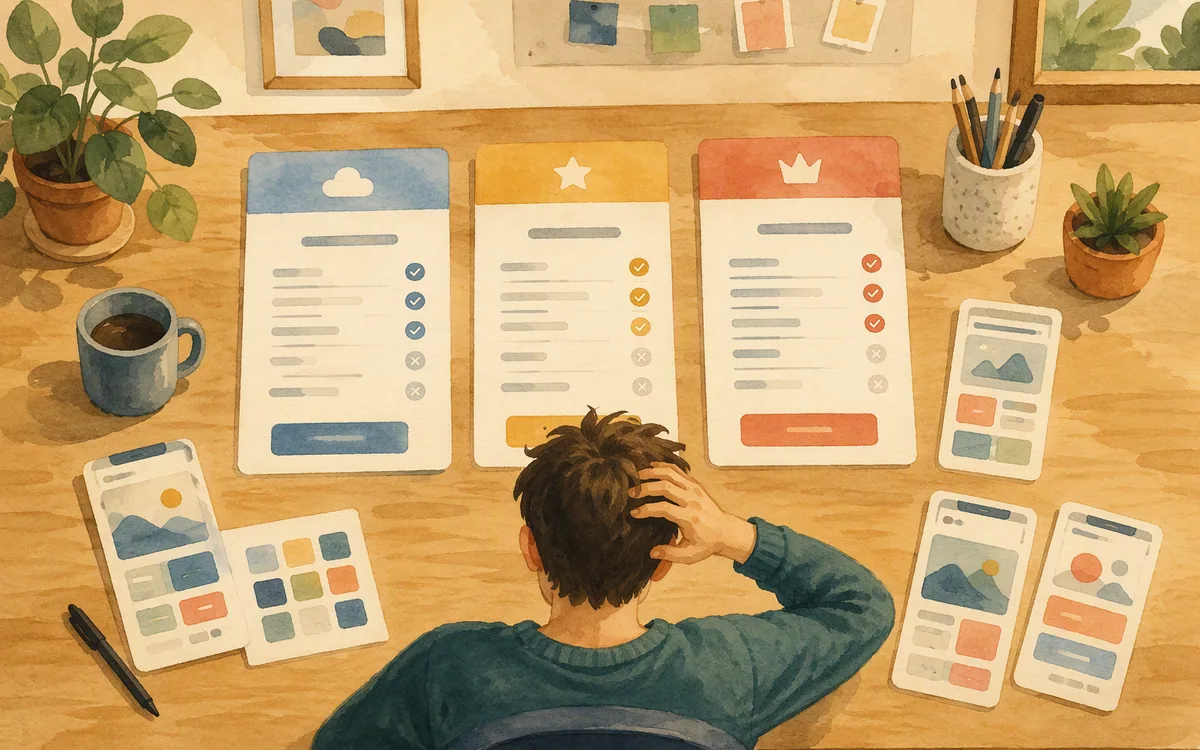
These products overlap at the prompt box, then diverge in what they optimize for.
Lovable is the strongest choice in this group for a non-engineer or small product team that wants to move from an app idea to a working, hosted web-product direction. Its pitch is not “make the perfect screen”; it is “make the application real enough to keep building.”
Bolt.new is also an AI-powered application-building environment. It is a better fit for buyers who want an implementation workspace and are comfortable being closer to the technical build. Evaluate it on your actual stack, integrations, and code workflow rather than assuming one prompt-to-app product is interchangeable with another.
v0 by Vercel is particularly useful for generating and iterating on web UI and application code in a Vercel-centered workflow. It is a poor substitute for native mobile interface design, even if a responsive page looks good in a narrow browser window.
Figma wins the design contest. It gives designers and product teams an editable visual artifact, component discipline, and reviewable screen states. It does not replace Lovable if you want a functioning full-stack prototype by the end of the afternoon.
So the winner depends on the job, but the purchase recommendation does not need to be vague: choose Lovable for a working web-app prototype; choose Figma for design ownership; choose Bolt.new or v0 by Vercel when their development workflow better matches your team. None is the right primary tool for a team whose deliverable is a polished native mobile app design system.
Lovely vs Lovable: do not buy based on a name match
“Lovely vs Lovable” is usually a search-intent problem, not a meaningful product comparison. Product names are easy to mishear, autocomplete can steer you to a similarly named service, and an app-store listing may have no relationship to the browser-based AI builder you meant to evaluate.
Before you enter a card number, check four things:
- •the product’s official website and publisher name;
- •whether the plan buys a hosted web-app builder, a mobile app, or a design tool;
- •where your project code, data connections, and domain settings live;
- •the cancellation, export, and collaboration terms for the plan you are considering.
For Lovable specifically, assess the workflow, not the adjective in the name. Create one representative project before committing: include an authenticated state, an empty state, a mobile-width view, and one real data operation. Then ask someone else to change the visual hierarchy without rewriting the brief from scratch. That 30-minute exercise tells you whether your team is comfortable treating implementation as the design surface.
If the answer is no, start with a design-first tool. floow.design is aimed at that earlier stage: describe iOS or Android screens, iterate on them by chat, and export the result to Figma or mobile code formats once the screen direction is approved. It is not an alternative for building a full-stack web application; it is an alternative to locking UI choices into generated app code too early.
Who should buy Lovable—and who should design first
Buy Lovable if you are a founder, product manager, or developer with a web-product hypothesis and a short path to testing it. You get the most value when a functioning flow is more important than perfect visual control: an internal operations tool, a lightweight customer portal, an early SaaS proof of concept, or a demo where real data behavior matters.
Do not buy it as your central interface-design tool if your team needs to approve 30 mobile screens before implementation, maintain iOS and Android conventions, or hand a durable visual system across design and engineering. The cost is not the subscription alone. The cost is revisiting a generated application every time the visual system changes.
A better sequence for mobile-heavy work is to settle the screen architecture first: navigation, key flows, component states, density, type, and platform differences. Then generate or write code from an approved direction. That reduces the familiar loop of “make it look like the mockup” after a prototype already has logic attached.
For that sequence, floow.design is the better starting point for teams that want mobile screens from a plain-English brief, visual iteration by chat, and export to Figma, Flutter, React Native, SwiftUI, or Jetpack Compose. It is not free beyond its trial and it is not a full prototyping suite or IDE. But it addresses the gap Lovable intentionally skips: screen design before implementation.
The final call: choose Lovable for app-building momentum. Choose a design-first workflow when the mobile UI itself is the product decision you need to get right.
Which tool fits the deliverable you actually need?
| Tool | Primary deliverable | Best use | Main limitation for mobile UI work |
|---|---|---|---|
| Lovable | Working web application and generated code | Validating a web-product flow quickly | Not an editable design-file workflow; fine-grained visual revisions happen through implementation |
| Bolt.new | AI-assisted application code and development workspace | Technical teams building and iterating on an app | Evaluate stack fit and code workflow; it is not a dedicated mobile design system tool |
| v0 by Vercel | Generated web UI and application code | Web UI work, especially in a Vercel-oriented workflow | Responsive web output is not the same as native iOS or Android screen design |
| Figma | Editable design files, components, and prototypes | Designing, reviewing, and documenting interfaces | Does not itself produce a working full-stack application |
| floow.design | Mobile app screens with exports to Figma and mobile code formats | Designing iOS and Android screens before implementation | Not a full-stack app builder, IDE, or complex interaction-prototyping suite |
What it costs
Lovable, Bolt.new, v0 by Vercel, and Figma each use their own plan structures, typically combining an entry tier with paid usage, editor, or team options; enterprise terms may also apply. floow.design has a trial and paid plans rather than a permanently free product. Published prices, included usage, and domain or deployment allowances change, so check each vendor’s current pricing page before comparing totals. Compare the cost of the role you need: design seats for Figma, generation and build capacity for app builders, and deployment or infrastructure charges separately where applicable.
Mistakes that cost you the most
Treating a generated web interface as a finished mobile design specification.
Test iOS and Android states, keyboard behavior, empty and error cases, and component consistency before committing engineering time.
Assuming a custom domain means the product is a native mobile app.
Treat custom-domain connection as web deployment. Plan a separate native or packaging path if App Store or Play distribution is required.
Buying on the strength of a single attractive home screen.
Generate one complete user flow with loading, empty, error, and permission states. Review the tenth screen, not just the first.
Waiting until deployment to test authentication and redirects on the production domain.
Use a release checklist covering DNS, HTTPS, allowed origins, callback URLs, email links, and environment variables.
Frequently asked questions
What does the Lovable app actually do?
Lovable is a browser-based AI app builder that turns written requests into a working web application and lets you keep revising it through prompts. Its central output is application code and a runnable product, not an editable Figma-style design file. It suits teams validating a web-product idea; it is less suitable as the main workspace for detailed native mobile UI design.
Can I use Lovable offline or download it as an app?
Lovable is used through the web, so you should treat it as an online browser service rather than a downloadable desktop app with offline editing. Project code and external development workflows are separate from using the Lovable workspace itself. A published Lovable project is also a web app, not automatically an installable native iOS or Android app.
How do I set up a custom domain in Lovable?
To set up a custom domain in Lovable, first publish the project, then add your domain in the project’s current domain or deployment settings and create the DNS record requested by the service at your registrar. After verification, test HTTPS, redirects, authentication callback URLs, emails, and API origins. Follow Lovable’s current documentation because DNS instructions and interface labels can change.
Is Lovable good for designing mobile app screens, or just building them?
Lovable can generate app-like screens that are useful for testing a product flow, but it is primarily built for building a working web application. It is not the best primary tool for designing a large set of native iOS and Android screens with controlled components, platform-specific variants, and visual review before implementation. Use a design-first tool for that stage.
What's the difference between Lovable and other app builders like Bolt.new?
Lovable and Bolt.new both use AI to help create applications from prompts, but the right choice depends on how your team wants to work with generated code, integrations, and deployment. Lovable is a strong fit for moving quickly toward a working web-product prototype. Bolt.new may fit teams wanting a more technical app-building workflow. Neither replaces Figma for detailed design ownership.
Where this leaves you
Lovable is not “just” a screen generator, and that is its value: it gets you to a working web product faster than a design-only workflow. But its code-first nature is also the boundary. If your real decision is how a mobile product should look and behave across dozens of screens, design that system before implementation. Teams that need that step should start with floow.design, then export an approved direction into Figma or mobile code rather than trying to redesign a generated app after the fact.
Design the screens before you commit to a tool
Readers who want to design and iterate on screens visually before locking in code realize Lovable skips straight to implementation, and look for a design-first alternative.
If that is roughly your situation: describe the app in plain English and floow.design draws the iOS and Android screens, takes your changes by chat, and exports the result to Figma or to Flutter, React Native, SwiftUI and Jetpack Compose.
Free tools you can use right now
- •CSS Grid Generator — free, no sign-up
- •px to rem Converter — free, no sign-up
- •Phone Mockup Generator — free, no sign-up
Related reading
Design your mobile app with AI.
Generate pixel-perfect iOS and Android screens in seconds, then export to Figma or code.
You might also like…
 Roundups24 September 2026What is v0 by Vercel used for? ReviewSee where v0 by Vercel excels at React UI generation, where native mobile work breaks down, and which tool to choose for iOS and Android screens.By floow.design Team, Mobile Design
 Guides24 September 2026Lovable alternative free Reddit: Leaving LovableLeaving Lovable? Keep your content and screen inventory, then rebuild web-shaped UI as iOS and Android screens without carrying over the wrong navigation.By floow.design Team, Mobile Design
 Roundups24 September 2026Best AI app builder by prompt for mobile UICompare prompt-driven AI app builders by mobile UI quality, iteration, and export options before you pay for a web-first prototype.By floow.design Team, Mobile Design