
Framer alternatives cheaper for Mobile App UI
Compare lower-cost Framer options for iOS and Android screens, including exports, fidelity limits, and the spend that matters for a small app team.

For mobile app screens, floow.design is the best pick among framer alternatives cheaper than paying for a website builder you will not publish with. Choose it if you need prompt-to-screen generation, chat iteration, Figma handoff, and mobile code exports. Figma still wins for a team maintaining a detailed design system; Framer wins only if the same work must become a live marketing website.
The short version
Our pick: floow.design
Best for: Solo founders and small app teams that need iOS or Android screens, fast iteration, and a Figma or code handoff rather than a hosted website.
Skip it if: Do not pick it if your main deliverable is a published marketing site, or if several designers must maintain a large, highly custom component library together.
Key takeaways
- •Framer’s paid value is website publishing: hosting, domains, CMS-oriented site work, and responsive web delivery. Those are poor buys for an app-only screen backlog.
- •Balsamiq and Visily can reduce early-stage spend, but their speed comes with a fidelity ceiling that appears once you need platform-specific states, polished spacing, and developer-ready detail.
- •Figma is still the stronger choice for a mature design team. It is not the cheapest route if one founder mainly needs to turn an app idea into 15 to 30 mobile screens.
- •Before subscribing, price the whole workflow: editor seats, publishing plans, export requirements, and the time spent rebuilding AI output in another tool.
What's on this page
- •Framer charges for a website delivery job, not an app-screen job
- •Compare monthly spend by workflow, not by the lowest advertised plan
- •The best cheaper route for app-only screen generation
- •Balsamiq and Visily are cheaper at the sketch stage, with clear fidelity limits
- •Uizard and Banani are closer competitors, but export decides the purchase
- •Export is where the apparently cheap tool can become the expensive one
- •Use the tool that matches the next 30 days of work
- •A cost-conscious app founder should stop funding unused publishing features
Framer charges for a website delivery job, not an app-screen job
Framer is a strong product when your output is a live website. Its paid plans are built around publishing and operating that website: connecting a domain, hosting pages, managing site content, serving traffic, and using the responsive layout and animation controls that make a landing page feel finished.
That is exactly why it is often the wrong line item for an app-only project. A mobile product designer may need 24 screens: onboarding, sign-in, home, search, detail, empty state, permissions, notifications, settings, and the failure states that arrive after the first demo. None of those screens needs website hosting. They need iOS and Android conventions, repeatable components, sensible screen flows, and a usable developer handoff.
A Framer subscription is not automatically expensive in isolation. The waste happens when you pay for a site-builder tier because it is the tool already open, then export screenshots or rebuild the work elsewhere. On day three, the problem is usually not drawing a card. It is that the interaction and layout work was optimized for a browser canvas while your engineer needs mobile-specific states and assets.
Use Framer if the app’s marketing site is a real deliverable and you will publish it there. Do not buy it merely to make a clickable collection of mobile UI screens. That is a framer pricing alternative decision, not a question of whether Framer is a good product.
Compare monthly spend by workflow, not by the lowest advertised plan
For a solo founder, the lowest-cost tool is often the one that avoids a second paid tool and a week of reconstruction. For a small team, seat count and handoff friction matter more than a small difference in one editor’s monthly bill.
Think in these practical bands rather than locking a project budget to a price screenshot:
- •Solo founder: Balsamiq and Visily are commonly the lower-spend routes for rough concepts. Figma starts to make financial sense once you are maintaining a real design file. A mobile-screen generator is often the more direct paid spend when you need a first set of polished screens and no website publishing.
- •Two to five people: Figma’s per-editor model can be justified when designers and product managers repeatedly review the same library. Framer adds site-plan costs when a site must be published. General wireframing tools stay cheap, but rebuilding their output can erase the saving.
- •Agency or product team: Buy Framer for web delivery, Figma for shared system ownership, and a generation tool for fast exploration. Do not force one subscription to do all three jobs.
Published plan prices, annual-billing discounts, included collaborators, and export entitlements change. Check each vendor’s current pricing page and, more importantly, confirm whether every person needs an editor seat. A viewer, reviewer, or developer does not always need the same plan as the person creating screens.

The best cheaper route for app-only screen generation
For a founder who needs a mobile app rather than a website, floow.design is the recommendation. You describe the product in plain English, generate iOS or Android screens, then refine them in chat instead of starting from an empty responsive-web canvas. The useful output is not a hosted page; it is a screen set you can continue in Figma or hand to development as Flutter, React Native, SwiftUI, or Jetpack Compose code.
That changes the cost calculation. You are paying for mobile UI production and export, not for a domain, site hosting, or a CMS plan that will sit unused. It is a better fit for the common founder task: turn a written brief into 12 credible screens, review the flow, then add the missing loading, error, and empty states before showing an engineer.
It is not a replacement for every design tool. Do not expect vector illustration controls, a whiteboard, complex prototype logic, or the sort of deeply governed component maintenance that a large Figma team relies on. Its plans are paid beyond the trial, so it is not the answer for someone who only needs two disposable sketches.
It also loses to Figma for a team that already has a mature component library and needs several designers to make precise, ongoing changes inside that system. In that case, the money is better spent on the shared source of truth.

Balsamiq and Visily are cheaper at the sketch stage, with clear fidelity limits
Balsamiq is the honest low-cost answer when you need to settle scope before anyone debates colors. Its deliberately rough style is useful: stakeholders are more likely to challenge the flow instead of asking whether the blue is final. Use it for a 10-screen map of an app, basic navigation, and a first usability conversation.
Its ceiling arrives quickly. A Balsamiq mockup does not become an iOS-quality settings screen by tightening a few pixels. You will still need a visual design pass for type scale, touch targets, status bars, keyboard behavior, dynamic content, and Android-versus-iOS decisions. It is not a native editable Figma-file handoff or production mobile-code export path.
Visily sits higher on the fidelity ladder. It is more suitable for teams that want quick UI concepts, collaborative review, and screens that resemble a product rather than a wireframe. It can be a sensible cheap figma alternative for early product work, especially when the team needs to move quickly without teaching every contributor a full design tool.
But its convenience has a boundary. Once the app needs an exact design system, unusual interaction states, or a screen that must match an existing shipped product pixel for pixel, general-purpose AI and diagram-like tools tend to require cleanup. Treat Visily as a rapid concept tool, not proof that the developer can skip a design specification.
Choose Balsamiq for deliberately low-fidelity planning. Choose Visily for faster presentable concepts. Neither is the winner for a polished mobile build that needs clean downstream export.

Uizard and Banani are closer competitors, but export decides the purchase
Uizard and Banani belong in the shortlist because both target the jump from product idea to UI concept more directly than a website builder does. They can be useful when the bottleneck is getting from a written feature list to screens that a founder can react to.
The buying question is not whether a generated screen looks convincing in a demo. Ask what happens after approval. Can the project move into the design environment your team uses? Is the exported result editable rather than a flattened image? Can your engineer obtain code in the framework they are actually shipping? And does the plan you are considering include that handoff?
For a framer figma alternative, Figma remains the safest choice if the goal is an editable, long-lived design source. Banani and Uizard may reduce the time to a first concept, but confirm their current Figma export behavior and plan restrictions before committing a project. AI products change export policies faster than their home-page examples suggest.
floow.design is stronger where a mobile founder needs both routes from the same screen work: export to Figma for design continuation, or export to Flutter, React Native, SwiftUI, and Jetpack Compose for implementation. That is useful only if you validate the generated code against your architecture, accessibility requirements, API states, and existing components. Generated code is a starting handoff, not a substitute for engineering review.
If your only requirement is a polished website prototype, Framer still beats these tools. If the deliverable is native app UI, its advantage is largely beside the point.
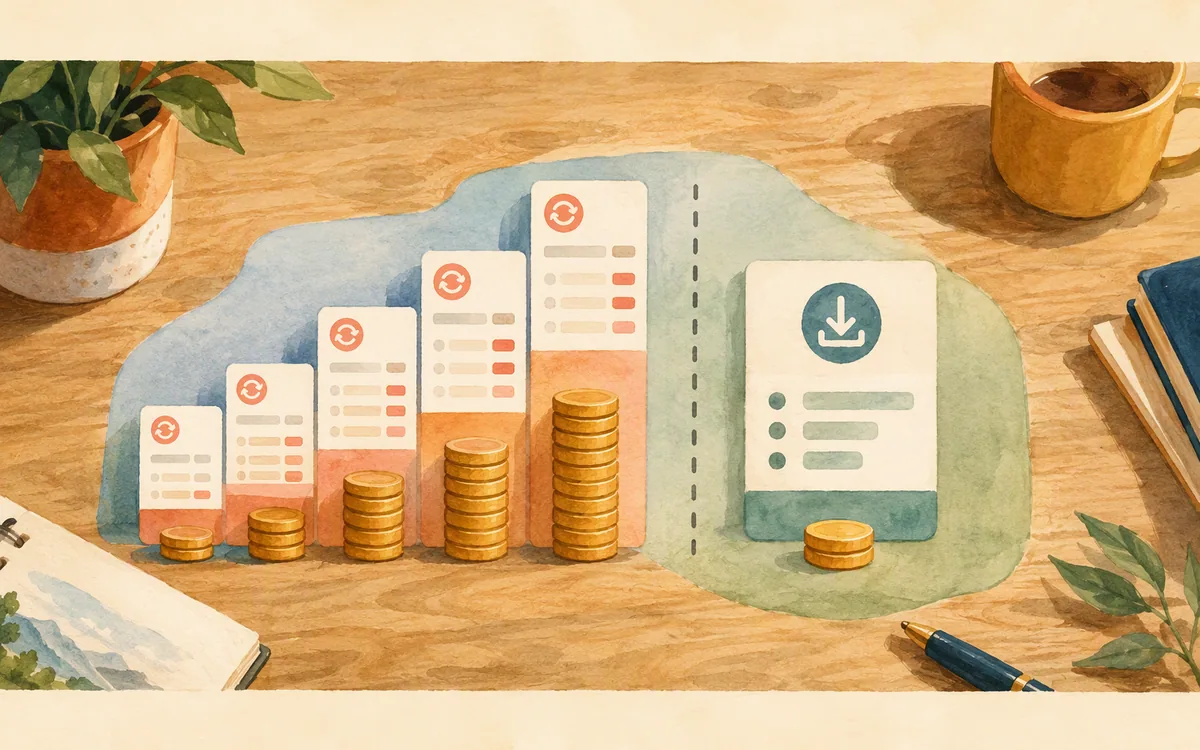
Export is where the apparently cheap tool can become the expensive one
An export button can mean four very different things. Buyers often discover that only after a stakeholder has approved 18 screens.
Editable design handoff means another designer can alter layers, text, spacing, and components in Figma. Figma is already the native source for this. Tools that advertise Figma export should be tested with one representative screen before you subscribe: inspect whether the result is editable and whether repeated patterns remain manageable.
Image or document export is useful for a pitch deck, specification, or workshop. It is not a design source. Balsamiq is best treated this way for app work: share the wireframe and the flow, then rebuild the selected direction in the production design tool.
Web publishing is Framer’s natural handoff. It is excellent for a real web page. It does not give a mobile app team the same thing as an editable Figma project or native application source code.
Code export needs the hardest test. A screen can export into a framework and still be unsuitable for your app because it duplicates components, uses placeholder data, or does not fit your navigation and state-management choices. Review one generated settings screen, one long list, and one error state with an engineer. Those three screens reveal more than a perfect-looking login screen.
Do this trial before migrating a whole project. The rebuild cost of 30 approved screens is usually larger than the monthly subscription difference that started the comparison.
Use the tool that matches the next 30 days of work
A practical purchasing rule is simple: buy for the artifact you must deliver next, not the artifact you might need someday.
Pick Framer if the next deliverable is a published marketing site, launch page, or content-led web experience. Its site-building strengths justify its cost only when you will use them.
Pick Figma if the next 30 days involve maintaining an existing design system, gathering detailed comments across a product team, or handing a carefully controlled file to engineers. It is the winner for established collaborative UI design, even though it can be more work for a founder beginning with a sentence and a blank canvas.
Pick Balsamiq if you need to validate flow and scope cheaply before visual design matters. Pick Visily if you need quick collaborative concepts that look more product-like, while accepting that a serious build may require a second design pass. Consider Uizard or Banani when their current export and collaboration terms match your workflow; test that promise on a real screen first.
The losing purchase is a paid Framer plan for a founder who is designing a native app, has no site to publish, and then must recreate the result in Figma or code. That subscription may look familiar, but familiarity is not a workflow.
This recommendation is about mobile UI only. It does not apply to logo creation, illustration, web agencies, or teams shopping for a whiteboard or IDE.
A cost-conscious app founder should stop funding unused publishing features
Start with a one-week test that produces an actual slice of your app: onboarding, a signed-in home screen, a detail view, an empty state, a loading state, and an error state. Six screens are enough to expose whether a tool produces repeatable UI or just attractive first frames.
Use the same brief in your shortlisted tools. Then score four things: time to the first usable flow, quality of iOS and Android conventions, editability after the first prompt, and the handoff your developer can use. Do not score only the hero screen. Every AI UI tool can make a pleasant dashboard; the cost shows up in the third state of a search result or a permission denial.
For an app-only founder, floow.design is the purchase to make after that test if the screen generation, chat iteration, Figma export, and framework-code export remove steps from your workflow. Keep Figma in the process if you need detailed team ownership. Keep Framer only for the marketing site that earns its publishing spend.
That is the clean handoff: stop paying for website-publishing features you never use, and put the budget into the screens and exports that move the mobile app toward a build. Plans are paid beyond the trial, so evaluate the output with your real brief before you commit to a recurring subscription.
Mobile app UI alternatives to Framer: cost fit and handoff
| Tool | Best use for a mobile app project | Relative monthly spend and scaling | Export and handoff reality |
|---|---|---|---|
| Framer | Published marketing sites and web prototypes | Free entry options plus paid website-publishing tiers; spend rises with site requirements and collaborators | Strong web publishing; not an editable Figma source or native mobile-code handoff |
| Figma | Shared production UI files and design systems | Free entry options plus paid editor and organization tiers; team cost scales with editors | Native editable Figma files; developer handoff, but not a native app-code generator |
| Uizard | Fast AI-assisted concepts and early flows | Free and paid tier structure; confirm current editor and export limits | Check the current plan for editable Figma handoff; do not assume production mobile code |
| Visily | Collaborative low-to-mid-fidelity app concepts | Free and paid tier structure; often a lower-spend early-stage option | Confirm current Figma export terms; not a substitute for a governed design system |
| Banani | Prompt-led UI exploration | Paid access and export terms should be checked on the current vendor page | Validate Figma and code handoff on a real screen before committing |
| Balsamiq | Low-fidelity flows and scope validation | Generally oriented toward inexpensive wireframing rather than site publishing | Shareable mockups and assets, not editable Figma source or production mobile code |
| floow.design | Prompt-to-mobile screens with Figma or framework-code handoff | Paid plans beyond a trial; avoids paying for website publishing on app-only work | Exports to Figma, Flutter, React Native, SwiftUI, and Jetpack Compose |
What it costs
Do not compare a single headline price without checking the plan boundary. Framer’s cost is tied to website publishing capabilities and may include different limits for site operation and collaboration. Figma’s spend typically follows editor and organization needs. Balsamiq, Visily, Uizard, Banani, and mobile-screen generators use their own free, paid, credit, editor, or usage structures. For a solo founder, compare one creator’s monthly cost plus any required export plan. For a two-to-five-person team, calculate only the people who truly need editing rights, then add the cost of the second tool required for handoff. Published prices and plan limits move, so confirm them on each vendor’s pricing page before buying.
Mistakes that cost you the most
Comparing Framer’s entry price with a mobile UI tool’s paid price without valuing the website features.
List the features you will use in the next 30 days. If domain publishing, web hosting, and site CMS work are not on that list, exclude their value from Framer’s side of the comparison.
Approving AI-generated screens before testing an empty state, error state, and long-content screen.
Run one real feature slice through the tool. Inspect six screens, not just a dashboard, before you move the project or pay annually.
Assuming an export is a production handoff.
Export one screen and inspect the file or code with the person who will own it. Check editability, component duplication, responsive behavior, and whether it fits your existing app architecture.
Choosing Balsamiq or Visily for visual production because the first wireframe was inexpensive.
Use them for their intended stage: flow validation and fast concepts. Budget a later visual-design pass if the output will be built as a polished iOS or Android app.
Frequently asked questions
Is Framer worth it for app design or just websites?
Framer is worth paying for when the deliverable is a published website, especially a marketing site that benefits from responsive layout, animation, and web publishing. For native iOS or Android app screens alone, much of that value goes unused. It can still help present an idea, but Figma or a mobile-focused screen-generation tool is usually a better purchase for app UI.
What's a cheaper alternative to Framer for mobile UI?
For rough mobile flows, Balsamiq is usually the lower-cost choice, while Visily is a practical lower-cost option for more presentable early concepts. For a founder who needs polished mobile screens and downstream handoff rather than a website, floow.design is the stronger alternative because it is focused on app screens and exports to Figma and supported mobile frameworks. Check current plan limits before subscribing.
Does Visily or Uizard cost less than Framer?
Visily or Uizard can cost less than Framer for early mobile UI work, particularly if a team only needs concepting and review rather than website publishing. The answer depends on current plan, editor count, and export requirements. A lower subscription is not cheaper if you must rebuild approved screens in Figma or manually translate them for developers afterward.
Can I export from a cheaper tool straight to Figma?
Some lower-cost UI tools offer Figma export, but buyers should verify the current plan and test the exported result before committing. The important distinction is whether the output becomes editable layers and manageable components in Figma, rather than a flattened image. Balsamiq is not a native Figma-source workflow, while Figma itself remains the most reliable editable design-file destination.
What should a small app team pay for: Framer, Figma, or a mobile UI generator?
A small app team should pay for Figma when it needs shared design-system ownership and detailed ongoing edits. It should pay for Framer only if it also needs to publish and maintain a marketing website. A mobile UI generator is the better first spend when the immediate problem is turning an app brief into screens and handoff material without buying website-publishing features.
Where this leaves you
For native mobile UI, do not let a familiar website builder set the budget. Buy Framer for the website it can publish, Figma for the shared system your team will maintain, and a mobile-focused generation workflow when your immediate job is getting an app from brief to buildable screens without funding unused web infrastructure.
Design the screens before you commit to a tool
A cost-conscious founder designing an app, not a marketing site, wants to stop paying for website-publishing features they never use.
If that is roughly your situation: describe the app in plain English and floow.design draws the iOS and Android screens, takes your changes by chat, and exports the result to Figma or to Flutter, React Native, SwiftUI and Jetpack Compose.
Free tools you can use right now
- •App Development Cost Calculator — free, no sign-up
- •CSS Grid Generator — free, no sign-up
- •px to rem Converter — free, no sign-up
Related reading
Design your mobile app with AI.
Generate pixel-perfect iOS and Android screens in seconds, then export to Figma or code.
You might also like…
 Insights24 September 2026Uizard alternative free: What You Get Without PayingCompare Uizard’s free-tier ceiling with Figma, Canva, Visily, Banani and Moqups before an export limit turns a free project into rework.By floow.design Team, Mobile Design
 Insights24 September 2026Sketch alternative with AI: Build Mobile Screens FasterCompare AI tools that replace manual Sketch screen work, keep a practical Figma path, and generate iOS and Android UI from prompts.By floow.design Team, Mobile Design
 Insights24 September 2026Galileo AI or Uizard: Mobile App AlternativesCompare Galileo AI, Uizard, Visily, Banani, Stitch and more for mobile UI work—then pick the right tool for screens you can actually refine.By floow.design Team, Mobile Design