
ui ux designer skills for India app teams
A practical checklist of mobile UI and UX skills for Indian app teams: UPI, OTP, phone inputs, language design, consent and low-friction onboarding.

ui ux designer skills for India app teams should cover mobile-first flows for UPI payments, OTP verification and Indian phone-number entry, alongside clear ux writing and multilingual layouts. Designers also need to turn the Digital Personal Data Protection Act, 2023 into understandable consent, notice and privacy choices for Indian users.
Key takeaways
- •Design the complete UPI state model: app hand-off, pending status, failure, retry, cancellation and proof of payment.
- •Treat +91 number entry and OTP verification as interaction patterns, not generic form fields.
- •Plan for Hindi and the other Eighth Schedule languages from the first layout, content and typography decisions.
- •Write consent and privacy choices so they meet DPDP Act, 2023 expectations for clear notice, affirmative consent and accessible withdrawal.
- •Use ui design tools to test real device states, localisation expansion and low-connectivity recovery before hand-off.
What's on this page
- •Checklist: mobile foundations India app teams expect
- •Checklist: design UPI payments as a stateful journey
- •Checklist: localise for Hindi and the Eighth Schedule languages
- •Checklist: turn DPDP Act, 2023 into usable privacy screens
- •Checklist: build evidence with prototypes and measurement
Checklist: mobile foundations India app teams expect
A designer joining an Indian product team should be able to map an end-to-end mobile task, not just produce polished frames. Start with Android-sized layouts, touch targets, keyboard behaviour, permission prompts, loading states and recovery after an interrupted connection. Many Indian acquisition funnels begin with a mobile number, so make the country code explicit, accept a 10-digit Indian mobile number after +91, format it predictably, and avoid asking users to re-enter the same number on the OTP screen.
OTP is a domain skill. Design send, resend, timer, edit-number, invalid-code, expired-code, rate-limit and fallback states. The screen should explain what will happen before an OTP is sent and should not imply that an OTP is a password users ought to share. Test autofill behaviour on actual devices, but keep manual entry usable.
In ui design tools, build components for empty, loading, offline, error and success states rather than leaving them to engineering. A useful hand-off names the API-dependent state, preserves content hierarchy on small screens and specifies what a user can do next. This is what turns a visual UI portfolio into evidence of product judgement.
Checklist: design UPI payments as a stateful journey
UPI flows deserve dedicated practice because a payment is not complete when a user taps Pay. Map the amount, payee identity, payment method selection where applicable, app-switch or intent hand-off, authentication, processing, success, failure, pending and support paths. The National Payments Corporation of India operates UPI; use its published product guidance and your team’s integration behaviour as the source of truth, rather than copying a screenshot from another app. See NPCI.
For a payment confirmation, foreground the amount, recipient or merchant, timestamp, status and a reference identifier supplied by the product. Do not show a confident success state until the system has confirmed it. A pending payment needs plain-language reassurance, a clear next step and protection against an accidental duplicate attempt. A failed payment needs a reason only when the system can state one reliably; otherwise offer a safe retry or status check.
Good ux writing is especially important here. “Payment is being confirmed” is clearer than an unexplained spinner. Keep instructions short, avoid blame, and never ask a user to reveal a UPI PIN or OTP in a support chat. Prototype each transition and test the return path when the payment app does not come back as expected.
Checklist: localise for Hindi and the Eighth Schedule languages
Hindi localisation is important, but an India-ready system cannot stop at Hindi. The Eighth Schedule of the Constitution lists Assamese, Bengali, Bodo, Dogri, Gujarati, Hindi, Kannada, Kashmiri, Konkani, Maithili, Malayalam, Manipuri, Marathi, Nepali, Odia, Punjabi, Sanskrit, Santali, Sindhi, Tamil, Telugu and Urdu. Confirm the language, script, terminology and audience for each release with native-language reviewers; a machine translation pasted into a design file is not a localisation strategy. The authoritative constitutional text is available through the Legislative Department.
Design for text expansion, multi-line labels, different numeral expectations where product research supports them, and scripts with distinct vertical metrics. Never hard-code a button height around an English label. Keep key actions visually recognisable, but do not rely on icons alone for a financial or privacy decision.
Create a content model in which source strings, translations, plural forms and legal copy can change independently of layout. ux writing should use familiar vocabulary, one action per sentence and consistent terms for money, identity and permissions. Test with Hindi plus at least one non-Hindi target language before calling the component library localisation-ready.
Checklist: turn DPDP Act, 2023 into usable privacy screens
The Digital Personal Data Protection Act, 2023 makes privacy interface design a product skill, not a final legal-review task. For consent-based processing, design a notice that is clear and accessible, states what personal data is being processed and for what purpose, and lets people make an informed choice. Consent under the Act must be free, specific, informed, unconditional and unambiguous, with clear affirmative action. Do not preselect a consent toggle or hide a material purpose behind vague wording. Read the official text through the Ministry of Electronics and Information Technology.
Make withdrawal of consent as easy as giving it. In practice, that means a reachable privacy or account control, purpose-level language where the product uses separate purposes, a confirmation state and an honest explanation of what features may stop working. Keep service-essential data handling separate in the UI from optional marketing or personalisation choices when your legal and product teams distinguish them.
Designers should also ask whether the flow involves a child’s data, whether a privacy request needs identity verification, and what information the user sees after making a request. Document these decisions with the relevant legal owner. The skill is not interpreting law alone; it is making approved requirements understandable without dark patterns.
Checklist: build evidence with prototypes and measurement
A strong India-focused portfolio case study shows the difficult states. Include a +91 mobile-number onboarding flow, OTP recovery, a UPI payment that becomes pending, Hindi and one additional Eighth Schedule language, and a privacy choice that can be changed later. Show why each screen exists, the decision rule behind it and the engineering constraints it anticipates.
Use ui design tools for variables, reusable components, content variants and clickable device flows. Specify what changes when a name is long, when translation expands, when an OTP is late, or when a payment response is inconclusive. Pair this with usability sessions that observe completion, hesitation, comprehension and recovery, rather than asking only whether users like the visuals.
For product measurement, agree on events with researchers and engineers: number-entry completion, OTP failure and resend use, payment initiation, pending-to-resolved outcome, duplicate-payment prevention, language selection and consent withdrawal. Do not treat a higher consent acceptance rate as success by itself; comprehension and a genuine choice matter. Apply the checklist immediately by generating payment, onboarding and multilingual screen concepts in floow.design, then use those concepts to test edge states before production.
India mobile-flow checklist for design review
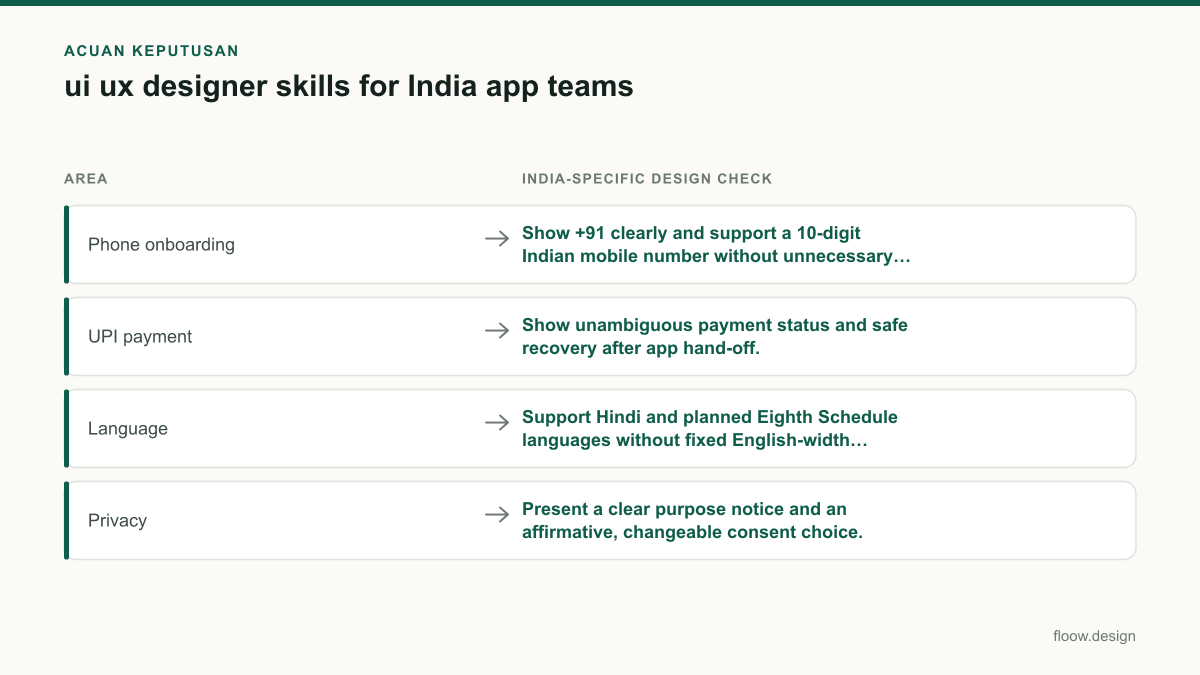
| Area | India-specific design check | States to prototype |
|---|---|---|
| Phone onboarding | Show +91 clearly and support a 10-digit Indian mobile number without unnecessary duplicate entry. | Invalid number, edit number, OTP sent, resend, expired OTP, fallback |
| UPI payment | Show unambiguous payment status and safe recovery after app hand-off. | Initiated, processing, pending, success, failed, retry, status check |
| Language | Support Hindi and planned Eighth Schedule languages without fixed English-width components. | Long label, multi-line action, missing translation, language switch |
| Privacy | Present a clear purpose notice and an affirmative, changeable consent choice. | Accept, decline where applicable, withdraw, confirmation, request status |
Common mistakes
Treating OTP as a single six-digit input with no recovery path.
Design resend, expiry, edit-number, invalid-code and fallback states, then test them on a physical device.
Marking a UPI payment successful immediately after the user leaves the app.
Use an explicit processing or pending state until the product receives a confirmed result, with duplicate-payment protection.
Launching “Hindi support” by translating English text at the end.
Use a localisation content model, native-language review and layout tests for Hindi plus planned Eighth Schedule languages.
Using pre-ticked privacy choices or burying withdrawal in support.
Use clear affirmative consent where consent is the basis, explain the purpose, and make withdrawal reachable and understandable.
Frequently asked questions
What ui ux designer skills are in demand in India?
ui ux designer skills in demand in India include mobile onboarding with +91 phone-number and OTP patterns, UPI payment states, multilingual interface design, ux writing, accessible component systems and privacy controls. Teams value designers who can handle pending payments, low-connectivity recovery, Hindi and other Indian-language layouts, and clear consent choices under the DPDP Act, 2023.
Should UI UX designers learn Hindi localisation?
UI UX designers working on Indian apps should learn how Hindi localisation affects layout, terminology, content review and usability. They should also plan for other languages in the Eighth Schedule of the Indian Constitution, because Hindi alone does not cover every audience. Native-language validation, flexible components and expandable text are more important than literal translation.
Do UI UX designers need to understand UPI flows?
UI UX designers for Indian payment or commerce apps should understand UPI flows because users may move into another payment app and return with a completed, failed or pending result. Designers need screens for amount and payee confirmation, processing, status checks, retry and duplicate-payment prevention. They should never design a flow that asks users to disclose a UPI PIN or OTP.
How should a designer apply DPDP Act, 2023 requirements to an app interface?
A designer should translate approved DPDP Act, 2023 requirements into clear notices, purpose-specific language where needed, affirmative consent actions and an easy route to withdraw consent. The interface should not use preselected consent controls or obscure material information. Designers should work with legal and product owners on children’s data, data requests and the product’s actual processing purposes.
Where this leaves you
India app teams need designers who can make consequential mobile moments understandable: a number verification, a UPI status, a language choice and a privacy decision. Generate payment, onboarding and multilingual screen concepts in floow.design, then stress-test the states users will actually encounter.
Design the screens first
Describe the app in plain language and floow.design draws the iOS and Android screens for you, ready to refine and hand off.
Sources
Design your mobile app with AI.
Generate pixel-perfect iOS and Android screens in seconds, then export to Figma or code.
You might also like…
 Insights20 September 2026ui ux developer salary in India: INR pay guideCompare UI UX developer pay in India with frontend and product design roles, coding skills, city hiring patterns and mobile-screen handoff steps.By floow.design Team, Mobile Design
 Guides20 September 2026ux writing for Indian mobile appsA practical guide to UX copy for Indian apps: UPI, OTP, KYC, payment failures, multilingual expansion and DPDP Act consent wording.By floow.design Team, Mobile Design
 Insights20 September 2026ui ux designer salary for freshers: India bandsIndia fresher UI/UX salary bands by employer type and hiring hub, with portfolio proof, paid internship routes and PPO guidance for entry-level roles.By floow.design Team, Mobile Design