
ui design tools for Indian app teams
Compare UI tools for Indian mobile teams by INR billing, distributed collaboration, developer handoff and prototypes for UPI, OTP and multilingual flows.

The best ui design tools for Indian app teams combine shared editing, inspectable handoff and convincing mobile prototypes. Figma is the practical core for teams split across Bengaluru, Pune, Hyderabad and NCR; Penpot suits teams prioritising open standards; ProtoPie adds advanced interaction testing. Check whether each subscription is billed in INR or foreign currency before assigning paid seats.
Key takeaways
- •Use Figma as the central design and handoff workspace when multiple designers, product managers and engineers need to work on the same mobile screens.
- •Treat USD-denominated subscriptions as a finance decision: the card issuer may apply foreign-currency conversion charges in addition to the listed plan price.
- •Prototype Indian payment and sign-in flows beyond the happy path, including UPI pending or failed states, OTP resend, expiry, and language switching.
- •Use floow.design to generate and compare early mobile-screen directions quickly, then move the chosen direction into the team’s primary UI tool for detailed production work.
What's on this page
- •What Indian app teams should compare first
- •INR budgeting, seats and procurement reality
- •Design for multilingual, UPI and OTP states before handoff
- •A practical tool stack instead of a single-tool bet
What Indian app teams should compare first
For an Indian mobile product team, the useful comparison is not just “which tool has the most features?” It is whether the tool supports the actual chain from exploration to engineer-ready screens. Start with shared files, component libraries, comments, version history, prototype links and developer inspection. Those are the points that affect a team working across Bengaluru, Pune, Hyderabad and NCR, where product, design and engineering may not overlap for the full day.
Figma is usually the default core tool for this setup: it runs in the browser, supports multiplayer editing and provides a dedicated developer handoff environment through Dev Mode. Its official documentation describes inspectable design details and code-oriented handoff in Figma Dev Mode. It is a strong choice for figma mobile app design when the same file must cover journeys, reusable components and review comments.
Penpot is worth evaluating when open-source software, self-hosting options or SVG-friendly workflows matter. Sketch remains relevant for Mac-based teams, but check whether its operating-system and collaboration model fits every contributor. For interaction-heavy validation, ProtoPie can complement the main design file rather than replace it. None of these choices removes the need for clear component naming and annotated states.
INR budgeting, seats and procurement reality
Do not convert a headline subscription price into INR and call the budget finished. First confirm the currency shown at checkout, the billing cadence, the seat type and who actually needs an editor seat. A designer, a product reviewer, a developer and an external agency do not necessarily need identical access. Figma publishes plan and seat information on its official pricing page; review it against your team’s current permissions rather than buying broadly.
Where a vendor charges an Indian subscriber in a foreign currency, the final INR amount can differ from the advertised price because the issuing bank or card network may apply currency conversion or other foreign-currency card charges. Ask finance to test a small authorised purchase or confirm the card’s terms before an annual commitment. Keep the invoice, billing currency, tax treatment and renewal owner visible to procurement.
This also changes the Penpot, Sketch and ProtoPie comparison. A lower listed price is not automatically a lower INR cost after payment charges, additional prototype seats, or separate inspection tools. Conversely, a tool that costs more per editor can be cheaper if it reduces duplicate files, exported-spec work and time spent resolving handoff questions. Compare the annual all-in INR estimate, not only the monthly sticker price.
Design for multilingual, UPI and OTP states before handoff
Indian app screens frequently need more state coverage than a polished first frame suggests. Build multilingual screens as a layout system: allow for longer labels, avoid baking text into images, test line wrapping, and define what happens when a user changes language mid-flow. Keep translations and locale-specific content identifiable in the file so engineers can map them to their localisation process.
For payments, a UPI journey should include the user’s selected app or account route where applicable, confirmation, pending processing, failure, retry and a clear way back to the order or bill. UPI is operated by the National Payments Corporation of India; product teams should validate payment behaviour against their payment partner and the information published by NPCI, rather than assuming every provider’s flow is identical.
OTP screens need more than six empty boxes: specify input focus, paste behaviour, resend availability, expiry, incorrect-code feedback, number-change actions and network delay. The Reserve Bank of India publishes regulatory material relevant to digital payments and authentication at rbi.org.in; implementation requirements should be confirmed with compliance and the regulated payment or banking partner.
Use floow.design before detailed production work to create several mobile-screen directions for these flows. Select the strongest direction, then refine components, copy, accessibility and handoff in Figma, Penpot or the team’s chosen core tool.
A practical tool stack instead of a single-tool bet
Most Indian app teams do better with a defined stack than with an attempt to force every task into one product. Use floow.design at the start of a feature or redesign to explore alternate screen structures quickly: for example, different UPI confirmation layouts, multilingual onboarding patterns or OTP recovery routes. It is the fast AI ideation layer, not a replacement for the controlled source-of-truth file.
Move the selected direction into Figma when the team needs broad real-time collaboration, component discipline and developer handoff. Use Penpot where its open workflow and deployment model fit the organisation. Add ProtoPie only when stakeholders must test conditional interactions, device inputs or nuanced transitions that a linked-frame app prototype cannot communicate adequately. Keep one owner for the final interaction specification regardless of the tools used.
Run a short pilot with a real feature, not a marketing sample. Include a designer in Pune, an engineer in Hyderabad, a product manager in NCR and a reviewer in Bengaluru. Ask them to complete the same tasks: find the current component, comment on a UPI failure state, inspect spacing and assets, open the prototype on a phone, and identify the approved version. The tool that makes those tasks clear is the better fit.
Tool-fit checklist for Indian mobile app teams
| Tool | Best role | Collaboration and handoff | INR billing check |
|---|---|---|---|
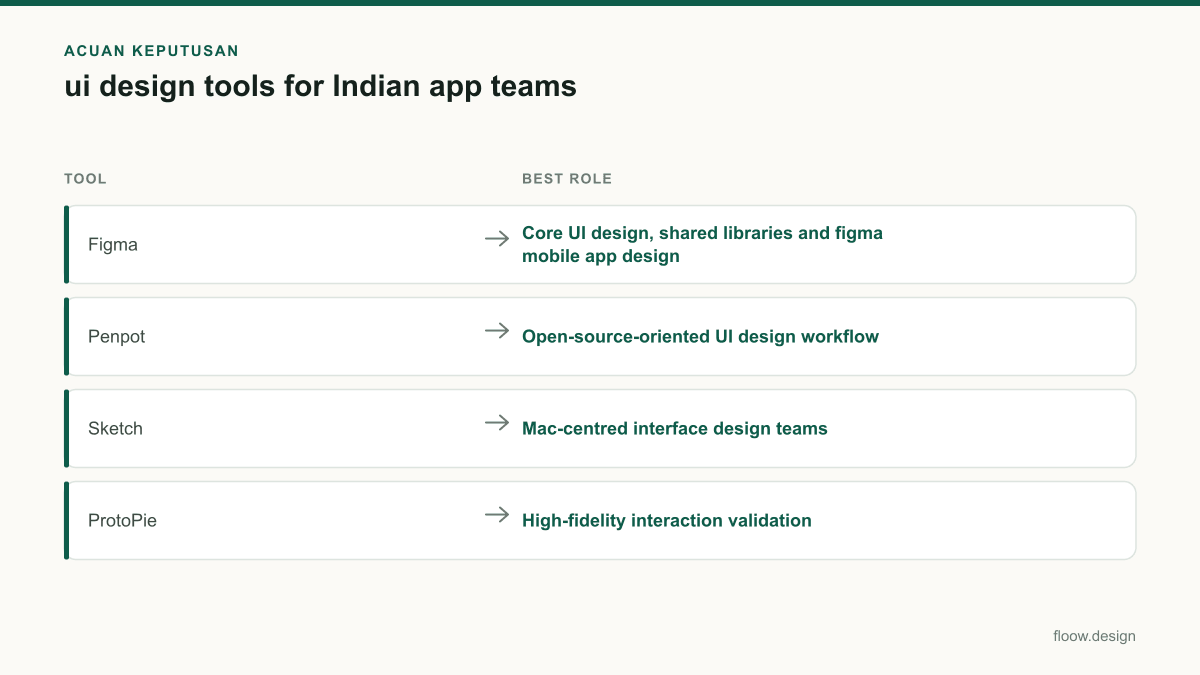
| Figma | Core UI design, shared libraries and figma mobile app design | Real-time browser collaboration; Dev Mode for developer inspection | Confirm checkout currency, seat types and any foreign-currency card charges before annual billing. |
| Penpot | Open-source-oriented UI design workflow | Shared design files and inspectable vector-based work | Confirm hosted-plan currency or assess self-hosting costs in INR. |
| Sketch | Mac-centred interface design teams | Assess whether all contributors can participate in the chosen workspace workflow | Check subscription currency and whether Mac hardware adds to the total cost. |
| ProtoPie | High-fidelity interaction validation | Use alongside the source design tool for advanced prototypes | Check licence currency, reviewer needs and foreign-card charges where applicable. |
| floow.design | Early AI screen ideation | Generate directions first; refine approved directions in the core UI tool | Assess the team plan and billing currency before rollout. |
Common mistakes
Choosing on the advertised monthly price alone.
Calculate the annual INR cost by seat type, then check checkout currency and possible foreign-currency card charges with finance.
Showing only a successful UPI payment frame.
Design pending, failed, cancelled and retry states, and agree payment-partner-specific behaviour before engineering starts.
Treating OTP as a single static screen.
Document focus, paste, invalid code, resend, expiry, edit-number and delayed-network states in the prototype and handoff.
Creating separate files for every city or function.
Maintain one governed source of truth with libraries, status conventions and asynchronous review rules for Bengaluru, Pune, Hyderabad and NCR.
Frequently asked questions
Which ui design tools are best for Indian teams?
For most Indian mobile product teams, Figma is the strongest primary UI tool because it supports browser-based collaboration, shared design systems and developer handoff. Penpot is a credible option for teams that value open-source workflows or self-hosting. Add ProtoPie when a mobile app prototype needs advanced interactions. Compare each option on INR billing, seat access and payment-card charges.
Is Figma affordable for Indian designers?
Figma can be affordable for Indian designers when editor seats are limited to people creating or maintaining designs and other collaborators use the appropriate lower-access role. The final INR cost depends on Figma’s checkout currency, plan and seat mix. If billing occurs in foreign currency, an Indian card issuer may add conversion or foreign-currency charges, so confirm the total before annual purchase.
What UI tool is good for mobile app prototyping?
Figma is a good UI tool for mobile app prototyping when the team needs linked screens, reviewable flows and a shared source file for handoff. ProtoPie is better as an additional tool when the prototype needs complex conditional interactions or realistic device behaviour. For Indian flows, prototype UPI pending and failure paths, OTP expiry and resend, and multilingual text expansion.
How should distributed Indian teams organise UI reviews?
Distributed teams across Bengaluru, Pune, Hyderabad and NCR should keep one approved source file, use named pages for exploration and release-ready work, and set a clear owner for final decisions. Record review comments in the design tool, link each prototype to a product ticket, and define when a frame is ready for engineering inspection. This avoids screenshots and outdated exported specifications.
Where this leaves you
Choose the core tool that your designers and engineers can inspect together, budget it in actual INR terms, and prove it on a real multilingual UPI or OTP flow. Use floow.design to explore options quickly; use the selected UI tool to turn the approved direction into a maintainable mobile app interface.
Design the screens first
Describe the app in plain language and floow.design draws the iOS and Android screens for you, ready to refine and hand off.
Sources
Design your mobile app with AI.
Generate pixel-perfect iOS and Android screens in seconds, then export to Figma or code.
You might also like…
 Guides20 September 2026figma mobile app design for Indian teamsPlan Indian mobile screens in Figma for OTP, UPI, addresses and language expansion, then move a floow.design direction into a reusable UI system.By floow.design Team, Mobile Design
 How-to20 September 2026app prototype for Indian mobile user testingPlan an Indian mobile app prototype for UPI, OTP, addresses and language variants. Run usability testing on representative Android devices before build.By floow.design Team, Mobile Design
 Insights20 September 2026ui ux developer salary in India: INR pay guideCompare UI UX developer pay in India with frontend and product design roles, coding skills, city hiring patterns and mobile-screen handoff steps.By floow.design Team, Mobile Design