
ui ux designer role in Pakistan mobile teams
A practical career guide to UI/UX designer deliverables, design systems, prototypes, handoff, and team habits for Pakistan mobile products.

A ui ux designer in Pakistan mobile teams turns product requirements into usable app flows, tested screen designs, a maintained design system, and developer-ready specifications. The role includes planning handoffs across Pakistan Standard Time (UTC+5), documenting Android and iOS states, and aligning designs with local product, engineering, and support teams.
Key takeaways
- •Own the journey from user flow to released-screen QA, not only polished UI files.
- •Deliver a reusable design system, interactive prototype, annotated states, and export-ready assets.
- •Make handoff explicit: define behaviours, empty states, errors, loading, permissions, and edge cases.
- •Use shared working hours in Pakistan Standard Time (UTC+5) to shorten product and engineering review loops.
What's on this page
- •What the role owns in a Pakistan mobile product team
- •Build deliverables that engineers can implement
- •Work rhythm: from brief to release QA
- •A practical ownership boundary
What the role owns in a Pakistan mobile product team
A UI/UX designer owns the interface decisions that make a mobile feature understandable before engineering starts and verifiable after it ships. In a Pakistani team, that normally begins with a brief: the user problem, business goal, target platform, constraints, and success signal. Convert it into a task flow, screen inventory, content hierarchy, and clickable prototype.
The job is broader than making high-fidelity screens. A designer should define first-use guidance, sign-in and permission routes, validation, loading, offline or retry behaviour, empty states, confirmation states, and support-facing error copy. These are the screens engineers and QA need when the happy path stops being enough.
Set review windows in Pakistan Standard Time, UTC+5, especially when founders, clients, or distributed engineers are involved. A short daily decision slot prevents designs sitting in review while requirements shift. For market context, the Pakistan Software Houses Association for IT and ITES is commonly known as P@SHA; its ecosystem is relevant for designers working with software houses and product teams. The practical standard is ownership: if a screen’s behaviour is unclear in development, the designer should be able to resolve it.
Build deliverables that engineers can implement
A developer-ready package should let an engineer answer four questions without guessing: what appears on screen, what happens after each action, which component is used, and what changes in every state. Keep the source file structured by feature and use clearly named pages for flows, components, tokens, and release-ready screens.
The design system is the shared layer: colour roles, typography styles, spacing, icons, buttons, fields, navigation patterns, alerts, sheets, and accessibility states. Do not create a separate one-off button for every feature. Add component rules and examples so engineers know when to use each variant.
A prototype is useful for behaviour that static frames hide: bottom-sheet transitions, multi-step forms, tab changes, checkout confirmations, and recovery from errors. Pair it with a handoff note that calls out input rules, API-dependent content, truncation, and platform differences. Pakistan’s technology export body is the Pakistan Software Export Board, a useful official point of reference for teams building technology services and products for clients beyond Pakistan. Whether the team serves a local or export client, implementation notes should be written for the engineer receiving them, not as a presentation script.
Work rhythm: from brief to release QA
Start each feature with a short alignment session involving product, engineering, and the designer. Agree on the primary user task, required data, technical limitations, and what can be deferred. Then work from low-fidelity flow to visual direction to final screens; jumping straight to polished UI makes requirement changes expensive.
Before handoff, run a structured review. Check that every route has a back action, that destructive actions need appropriate confirmation, that forms describe invalid input, and that long content does not break the layout. Include Android and iOS conventions only where the product supports both; do not assume one platform’s navigation pattern automatically fits the other.
After implementation, compare the build against the approved screens on real device sizes. Log mismatches by impact: blocked task, incorrect behaviour, visual inconsistency, or minor polish. This release QA is part of UI/UX ownership because it protects the intended experience. For fast concept exploration, use floow.design to move from a product brief to developer-ready screen concepts quickly, then refine the selected direction with the team’s design system and product rules.
A practical ownership boundary
A UI/UX designer should be accountable for clarity and consistency, while product managers own priority and engineers own implementation architecture. In smaller Pakistan mobile teams, these boundaries can overlap, but the deliverable must still show who decides what. The designer can recommend a simpler flow, flag a risky interaction, and document an alternative when a technical constraint changes the plan.
Avoid treating the design file as the final output. The useful output is a package that survives implementation: source frames, components, interaction notes, assets, and a review trail for decisions. Maintain a change log when a release differs from the approved prototype, so later features do not copy an obsolete pattern.
A good designer also makes feedback concrete. Replace “make it cleaner” with a specific issue such as “the field error is only visible after scrolling” or “the primary action is unavailable while the keyboard covers it.” This gives product and engineering a decision they can act on during their UTC+5 working day.
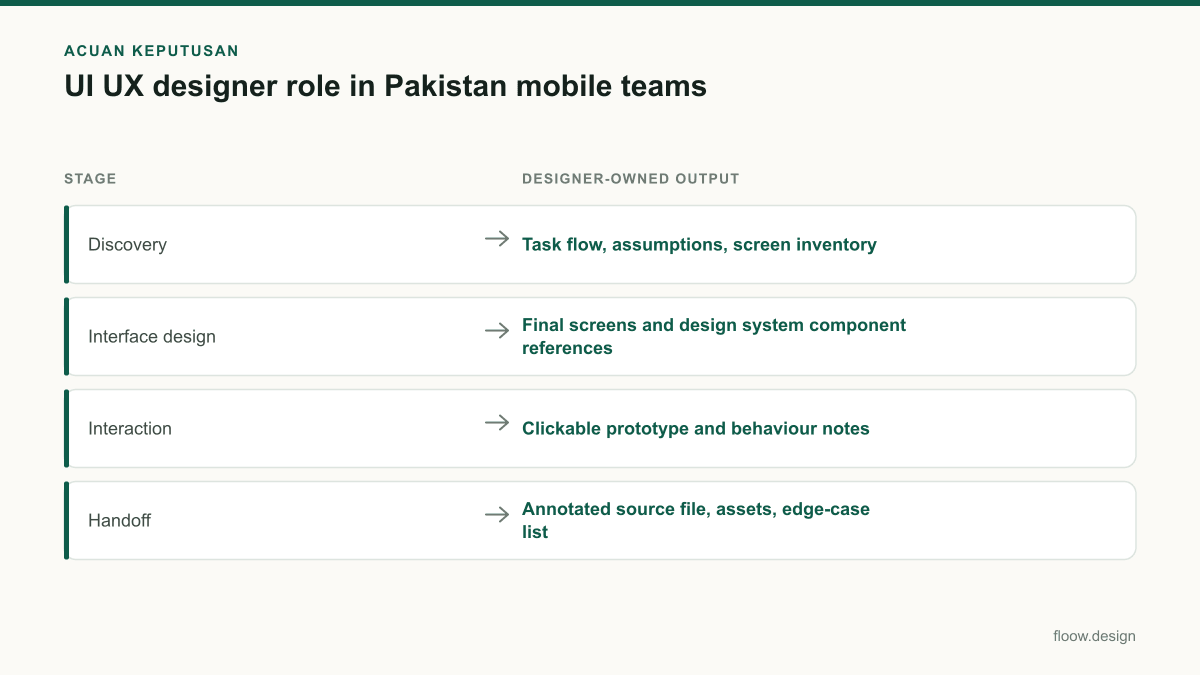
Mobile UI/UX delivery checklist for a feature handoff
| Stage | Designer-owned output | Implementation check |
|---|---|---|
| Discovery | Task flow, assumptions, screen inventory | Product and engineering confirm scope and data needs |
| Interface design | Final screens and design system component references | All states use defined variants and tokens |
| Interaction | Clickable prototype and behaviour notes | Navigation, validation, loading, and recovery are understood |
| Handoff | Annotated source file, assets, edge-case list | No interaction relies on visual guesswork |
| Release QA | Build comparison and prioritised issues | Blocked tasks and behavioural defects are resolved first |
Common mistakes
Handing over only ideal-state screens.
Design and annotate loading, empty, error, permission, validation, disabled, success, and retry states.
Calling a collection of components a design system.
Document component purpose, variants, states, spacing, typography, and usage rules so the team can reuse it consistently.
Using a prototype as the only specification.
Use the prototype to demonstrate flow, then add written behaviour notes for rules that cannot be reliably inferred from a tap path.
Skipping post-build review.
Review the implemented mobile build on target device sizes and record functional as well as visual mismatches.
Frequently asked questions
What does a UI UX designer do in Pakistan?
A UI/UX designer in Pakistan defines how a mobile app feature looks and works, from user flow and wireframes to final screens, prototypes, component rules, and implementation review. In Pakistan Standard Time (UTC+5), the designer also coordinates timely reviews with product and engineering teams and clarifies edge cases before development.
What files should a UI UX designer deliver?
A UI/UX designer should deliver an organised source design file, a clickable prototype where interaction needs demonstration, design-system components and style rules, final screen states, exportable assets, and handoff notes. The handoff notes should explain navigation, field validation, loading, empty states, errors, permissions, and any platform-specific behaviour.
Do UI UX designers need to code?
UI/UX designers do not need to be production developers, but they should understand mobile implementation constraints well enough to design realistic components, states, and behaviours. Familiarity with layout principles, platform conventions, APIs, and developer handoff improves collaboration and reduces rework, even when engineers write all application code.
How does a design system help a mobile team?
A design system helps a mobile team reuse approved interface patterns such as buttons, fields, typography, spacing, alerts, and navigation. It reduces inconsistent screens, makes design changes easier to apply, and gives engineers a shared reference for component states. It should include usage rules, not only a visual component library.
Where this leaves you
For a Pakistan mobile team, the UI/UX designer role is defined by dependable deliverables: clear flows, reusable components, explicit states, and build QA. Use floow.design to turn a product brief into developer-ready screen concepts quickly, then validate the selected screens, prototype behaviour, and design-system choices with product and engineering.
Design the screens first
Describe the app in plain language and floow.design draws the iOS and Android screens for you, ready to refine and hand off.
Sources
- •Pakistan Software Houses Association for IT and ITES (P@SHA)
- •Pakistan Software Export Board
- •Pakistan Meteorological Department
Related reading
Design your mobile app with AI.
Generate pixel-perfect iOS and Android screens in seconds, then export to Figma or code.
You might also like…
 Insights20 September 2026ui ux jobs in lahore: mobile portfolio guideBuild a mobile portfolio for Lahore product roles: case-study proof, review-ready screens, and a focused application plan for UI UX designers locally.By floow.design Team, Mobile Design
 Insights20 September 2026ui ux design course for Pakistan: mobile career guideCompare a ui ux design course in Pakistan by mobile-app practice, portfolio depth, Figma skills, feedback, pricing in PKR, and career outcomes.By floow.design Team, Mobile Design
 How-to20 September 2026mobile app development: Pakistan design handoffA Pakistan mobile UI handoff checklist for PKR, Urdu right-to-left layouts, Raast payment states, prototypes, and a build-ready design system.By floow.design Team, Mobile Design