
Design system for bilingual Pakistan apps
Build a design system for Pakistan mobile apps with Urdu RTL patterns, English UI support, typography rules, and reusable PKR money components.

A design system for bilingual Pakistan apps should define one shared component library with language-aware layout rules: Urdu content renders right-to-left, while English remains available for the commercial and administrative UI patterns Pakistani users commonly encounter. Add semantic typography tokens, RTL component variants, and a reusable PKR money-format component from the start.
Key takeaways
- •Treat language direction as a component property, not as a late-stage screen flip.
- •Use semantic typography and spacing tokens so Urdu and English can change independently without breaking hierarchy.
- •Standardize Pakistan rupee display in a single PKR money-format component.
- •Generate and review both Urdu RTL and English screen directions for every important flow.
What's on this page
- •Start with language-aware foundations
- •Define components that survive RTL, mixed text, and money
- •Ship the system through bilingual screen reviews
- •Token reference for Pakistan mobile products
Start with language-aware foundations
Build the design system around content direction, not around a single default mock-up. Urdu is written right-to-left, so each screen needs a direction setting that controls alignment, reading order, icon placement, navigation transitions, and gesture expectations. English is also used widely in Pakistani commercial and administrative interfaces, so the same product may legitimately present English labels, documents, names, or support content alongside Urdu.
Create tokens with semantic names rather than language-specific values: text-primary, text-secondary, space-inline-start, space-inline-end, icon-leading, and icon-trailing. Logical inline tokens let a card or list row adapt when the locale changes; hard-coded left and right values do not.
For typography, define separate font stacks and text styles for Urdu and English under the same roles: display, heading, body, label, caption, and numeric. Test line height, baseline alignment, wrapping, and truncation with real Urdu strings. Do not assume an English label’s fixed height will suit Urdu. Keep numbers, codes, phone numbers, and account identifiers deliberately specified, because they can remain left-to-right inside an RTL user interface design.
Define components that survive RTL, mixed text, and money
Make direction a documented component input. A locale or direction property should switch the layout of navigation bars, back controls, tabs, lists, form fields, bottom sheets, snackbars, steppers, carousels, and chat rows. In RTL Urdu screens, mirror directional icons such as back arrows, chevrons, next controls, progress movement, and send placement when their meaning is directional. Do not mirror universally understood symbols such as a plus, close, play, calendar, or brand mark.
Build mixed-language rules into the component specification. For example, an Urdu order summary can use right-aligned Urdu labels while preserving left-to-right order IDs, tracking references, URLs, and email addresses. Define overflow behavior for both scripts, including whether a label wraps, truncates, or expands.
Pakistan’s currency is PKR. Create a Money component with a currency code, amount, locale, optional sign, and emphasis level rather than typing currency strings into screens. It should govern the placement of PKR, digit grouping, decimal precision when needed, negative values, and alignment in transaction lists. This prevents different teams from presenting balances, fees, refunds, and totals inconsistently. The State Bank of Pakistan identifies the Pakistani rupee as the country’s currency: https://www.sbp.org.pk/
Ship the system through bilingual screen reviews
Document every component with an English example and an Urdu RTL example, then make both mandatory in design review for high-volume flows: onboarding, sign-in, payments, transfers, delivery tracking, support, and settings. Review screenshots on mobile-sized devices, not only isolated Figma components. The failure often appears in a long Urdu address, a two-line button label, or a transaction row containing PKR plus an English merchant name.
Use acceptance criteria that product, design, and engineering can check: visual order follows the selected direction; focus order follows reading order; directional icons mirror correctly; English identifiers remain readable inside Urdu copy; and all monetary values come from the Money component. Keep content tokens separate from layout tokens so an English-to-Urdu translation does not require manual spacing repairs.
Use floow.design to generate consistent component-driven screen directions for a bilingual product. Prompt with the selected locale, direction, component names, states, and PKR examples, then compare the English and Urdu outputs against the same component contract. This makes user interface design decisions reviewable across teams instead of relying on one-off screen adjustments.
Token reference for Pakistan mobile products
Keep the token layer small enough that designers and engineers use it consistently. The most useful Pakistan-specific rule is not a separate visual theme for each language; it is a shared semantic system that resolves direction, typography, and currency at render time.
For example, a payment confirmation screen can call space-inline-start for padding, text-body for its description, direction: rtl for Urdu, and currency: PKR for the total. The English version uses the same component and semantic roles, with direction: ltr. This protects hierarchy and interaction patterns while allowing each script to read naturally.
Record fallback behavior too. If localized Urdu content is unavailable, show the approved English string rather than an unreviewed machine translation. If a value is an identifier rather than a monetary amount, use a dedicated code style instead of the money component. These distinctions make the design system usable in real product operations, where English and Urdu content may arrive from different services.
Suggested bilingual token and component rules for Pakistan mobile apps
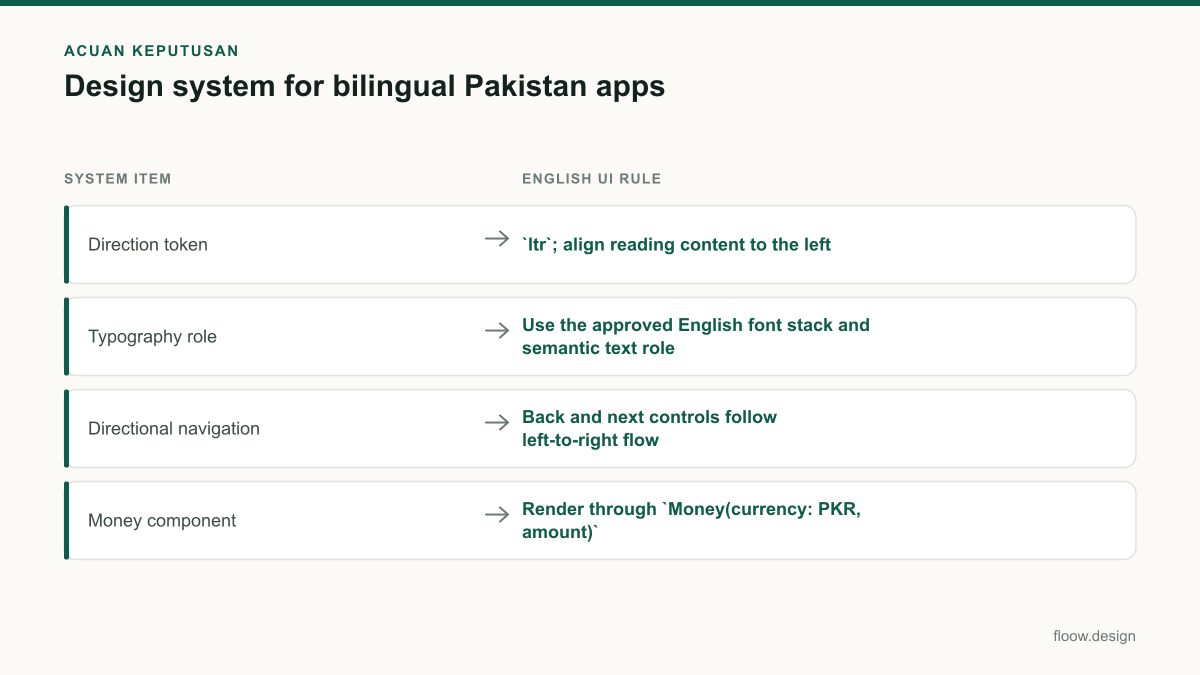
| System item | English UI rule | Urdu UI rule | Pakistan-specific note |
|---|---|---|---|
| Direction token | ltr; align reading content to the left | rtl; align reading content to the right | Urdu is written right-to-left. |
| Typography role | Use the approved English font stack and semantic text role | Use the approved Urdu font stack under the same semantic role | Check real translated copy for wrapping and line height. |
| Directional navigation | Back and next controls follow left-to-right flow | Mirror directional controls for right-to-left flow | Keep non-directional symbols unchanged. |
| Money component | Render through Money(currency: PKR, amount) | Render through the same component in the Urdu screen | PKR is Pakistan’s currency; avoid manually typed amount formats. |
| Mixed identifiers | Keep codes, URLs, emails, and account IDs legible left-to-right | Isolate left-to-right identifiers within RTL content | Specify this behavior in component documentation. |
Common mistakes
Flipping an entire English screen horizontally to create Urdu.
Use RTL-aware layout primitives and mirror only directional structure and icons; preserve the intended direction of numbers, URLs, identifiers, and non-directional symbols.
Using one fixed text box height for both languages.
Define typography roles with tested Urdu and English metrics, allow wrapping where appropriate, and test long localized strings in real mobile screen contexts.
Formatting prices manually in each payment or transaction screen.
Route every monetary value through one PKR money-format component with documented rules for signs, grouping, precision, and emphasis.
Treating English content as an edge case in an Urdu product.
Support English as a first-class locale and document mixed-script behavior because English is widely used in Pakistani commercial and administrative interfaces.
Frequently asked questions
How do I build a design system for Urdu and English?
Build a design system for Urdu and English with shared semantic tokens and components, then resolve layout direction by locale: Urdu uses RTL and English uses LTR. Define separate font stacks under the same typography roles, document mixed-script rules for IDs and URLs, and review each core mobile flow in both languages before release.
Which components need RTL variants?
RTL variants are needed for any mobile component whose meaning depends on reading direction: app bars, back and next controls, tabs, lists, form rows, steppers, carousels, drawers, chat layouts, and progress indicators. Mirror directional placement and arrows for Urdu, but do not automatically mirror universal icons such as close, plus, play, or brand marks.
How should PKR amounts be tokenized?
PKR amounts should be tokenized through a reusable money component, such as Money(currency: PKR, amount, locale, emphasis), rather than entered as screen text. The component should own currency-code placement, digit grouping, optional decimals, negative values, and alignment in lists so balances, charges, refunds, and totals stay consistent across Pakistan app screens.
How can floow.design help a bilingual Pakistan app team?
Use floow.design to generate component-driven mobile screen directions for both English and Urdu versions of a Pakistan product. Include the locale, LTR or RTL direction, approved typography roles, component states, and PKR examples in the direction. Review the generated screens against the same design-system rules before handing them to engineering.
Where this leaves you
A bilingual Pakistan app works best when Urdu RTL, English LTR, typography, and PKR formatting are system decisions rather than screen-by-screen fixes. Put those rules into tokens and component contracts, validate both language versions in mobile flows, and use floow.design to keep generated screen directions aligned with the system.
Design the screens first
Describe the app in plain language and floow.design draws the iOS and Android screens for you, ready to refine and hand off.
Sources
Related reading
Design your mobile app with AI.
Generate pixel-perfect iOS and Android screens in seconds, then export to Figma or code.
You might also like…
 How-to20 September 2026User interface design for Pakistani mobile appsPractical user interface design rules for Pakistani mobile apps: CNIC inputs, +92 phone numbers, PKR pricing, Urdu support, and confirmation states.By floow.design Team, Mobile Design
 How-to20 September 2026Typography for Urdu and English Mobile AppsPractical typography guidance for Urdu and English mobile UI in Pakistan: hierarchy, RTL layout, line height, PKR amounts and phone numbers.By floow.design Team, Mobile Design
 How-to20 September 2026figma tutorial for Pakistani mobile app flowsLearn a figma tutorial for Pakistani bilingual payment and booking flows: Urdu RTL layouts, +92 sign-up, reusable PKR price components, and prototypes.By floow.design Team, Mobile Design