
App design for Pakistan: local screen plan
Plan mobile app screens for Pakistan with local phone entry, Urdu-ready copy, Raast and wallet payments, low-data states, and practical support flows.

App design for Pakistan should begin with a compact mobile flow: onboarding, +92 phone verification, the core task, payment choice, confirmation, and support. Make copy ready for Urdu and English, show familiar options such as Raast, Easypaisa, and JazzCash when relevant, and design every important action to recover from a weak or interrupted connection.
Key takeaways
- •Use a +92 phone-number field with a visible country selector, clear OTP states, and an editable number before verification.
- •Treat Raast, Easypaisa, and JazzCash as distinct payment contexts, not as one generic wallet button.
- •Prepare layouts for Urdu and English from the first wireframe; translated text can change line length and hierarchy.
- •Design loading, retry, saved-progress, and delayed-confirmation states alongside the happy path.
- •Give users a visible support route from payment, verification, and order-status screens.
What's on this page
- •Start with one Pakistani mobile task
- •Make identity and support screens recoverable
- •Design payment as a choice with clear status
- •Build for interrupted connectivity, then generate the plan
Start with one Pakistani mobile task
Start app design by naming one task a person can finish on a phone: pay a bill, book an appointment, place an order, or check a delivery. Build the first wireframe around that task rather than around a feature list. A useful initial sequence is: welcome, sign in or register, phone verification, task input, review, confirmation, and help.
For phone entry, preselect Pakistan only when the product is Pakistan-only; otherwise show a country picker and format the local number under +92, Pakistan’s country calling code. Let people correct the number before they request another OTP. Keep the verification screen explicit about what will happen next and provide resend and change-number actions.
Plan copy for both Urdu and English early. Do not assume a translated label will fit the same width, or that a mixed-script address, name, or amount will scan like English-only text. Test the key action, errors, and confirmation states in the languages your product will ship. The result is a screen plan grounded in the task, not a decorative set of mockups.
Make identity and support screens recoverable
Identity flows need more than a form and a success state. In Pakistan, the mobile regulator is the Pakistan Telecommunication Authority; use its name accurately when your product genuinely needs to explain telecom-related verification or account rules. Do not imply that PTA endorses the app or handles your product’s customer support.
In the prototype, include states that teams often omit: incorrect OTP, expired OTP, too many attempts, an unavailable network, a pending verification, and a route back to edit the number. Avoid trapping someone on a spinner. Preserve typed data, say what can be retried, and expose a clear support action.
Support should be reachable from the places where users are likely to need it: verification, payment failure, a pending transaction, and the final receipt. Offer an in-app help route plus the contact methods your operations team can actually answer. On the help screen, include the transaction or request reference where appropriate, but make it easy to copy and avoid exposing sensitive account details in screenshots or notifications.
Design payment as a choice with clear status
Do not place a single vague “Pay now” button in the wireframe and leave the rest to implementation. If the product accepts local rails or wallets, name the options users recognise: Raast, Easypaisa, and JazzCash. Their presence should reflect the payment methods your business and integration actually support, not a visual attempt to look local.
Give each option a distinct selection state, then show the amount, merchant or recipient, fee disclosure where applicable, and the next step before the user leaves the app or authorises payment. Raast is operated within the State Bank of Pakistan’s payments ecosystem; consult the State Bank of Pakistan for authoritative scheme information. Confirm wallet requirements with Easypaisa and JazzCash before finalising labels or hand-off behaviour.
A payment flow also needs pending, failed, cancelled, and completed screens. A pending screen should say that confirmation is still being checked, retain a reference, and avoid encouraging duplicate payment. A completed screen should show the next useful action: receipt, order tracking, return to home, or contact support.
Build for interrupted connectivity, then generate the plan
Connectivity assumptions show up in small decisions. Keep first screens light, defer nonessential media, cache a visible draft where the task allows it, and make retry actions specific: “Try again,” “Check payment status,” or “Save and finish later.” Do not erase a long form because a request failed. For actions with financial or booking consequences, distinguish “not sent” from “status unknown”; they require different user guidance.
Turn this into a prototype before visual polish. Link the core journey plus the failure branches: no connection before submit, connection loss after submit, OTP timeout, payment pending, and support escalation. Test the prototype on an ordinary mobile viewport and ask participants to complete the task without explaining your labels.
Then hand the brief to floow.design: describe the app’s core task, Pakistan as the target market, Urdu and English copy readiness, +92 phone verification, the payment methods supported, support channels, and low-connectivity recovery states. Ask it to generate the initial local screen plan. Review that output as a product flow first; only then refine components, brand styling, and edge-case copy.
Pakistan-specific inputs to place in the initial mobile screen plan
| Screen area | Local reference | Design decision |
|---|---|---|
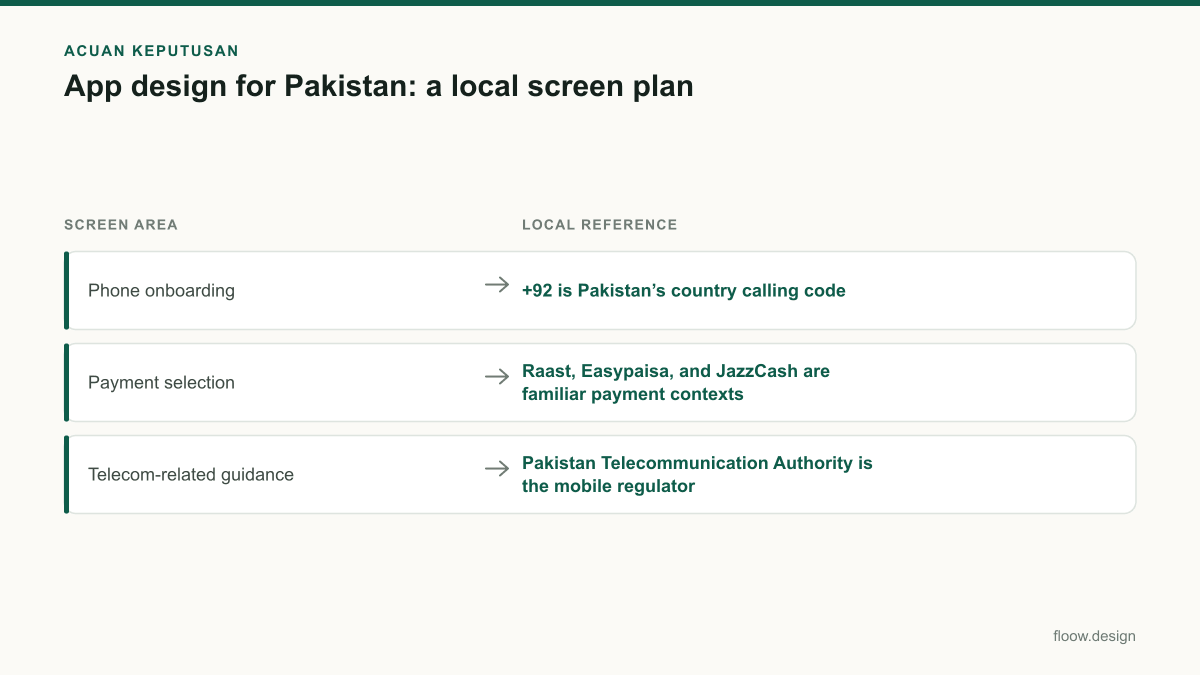
| Phone onboarding | +92 is Pakistan’s country calling code | Show a country selector and validate the phone-entry format before OTP submission. |
| Payment selection | Raast, Easypaisa, and JazzCash are familiar payment contexts | List only supported methods by name and give each a dedicated pending and completion state. |
| Telecom-related guidance | Pakistan Telecommunication Authority is the mobile regulator | Use the correct regulator name only when explaining a relevant verification or telecom matter. |
Common mistakes
Treating the +92 prefix as decorative text beside an unrestricted phone field.
Use a country selector, a structured phone input, editable-number flow, and OTP error states.
Showing Raast, Easypaisa, and JazzCash as logos without stating what happens after selection.
Prototype the hand-off or authorisation step, return state, pending state, failure state, and receipt.
Designing only for a successful network request.
Add saved input, retry, offline explanation, and status-unknown screens before visual handoff.
Adding Urdu after layouts are approved.
Test translated labels, mixed-script content, and critical error messages in the initial wireframe.
Frequently asked questions
How do I start app design in Pakistan?
Start app design in Pakistan by choosing one mobile task and mapping its shortest complete journey: entry, +92 phone verification where needed, task completion, confirmation, and support. Create a wireframe for the happy path and failure states, then test Urdu- and English-ready copy, payment choices, and interrupted-connection recovery before polishing visuals.
Which local details should app screens include?
Pakistani app screens should include a correctly handled +92 phone flow, language-ready layouts for Urdu and English where relevant, clear support access, and recovery from poor or interrupted connections. For products that accept them, present Raast, Easypaisa, and JazzCash as explicit payment options with clear pending, failed, and successful transaction states.
How many screens should an MVP have?
An MVP should have only enough screens to complete one valuable task safely, usually including entry, authentication if required, the core task, review, confirmation, and help or recovery states. Count states rather than just pages: OTP expiry, payment pending, no connection, and validation errors can be essential screens in a mobile MVP.
How should I use floow.design for a Pakistan-focused app?
Use floow.design by describing the app’s core task and specifying Pakistan as the target market. Include +92 phone verification, Urdu and English copy readiness, any supported Raast, Easypaisa, or JazzCash payment routes, support needs, and low-connectivity states. Generate the initial local screen plan, then review the linked prototype for task completion and recovery paths.
Where this leaves you
A Pakistan-first mobile plan is not a collection of flags or wallet logos. It is a tested task flow that handles +92 identity entry, language variation, recognisable payment choices, reachable support, and uncertain connection states. Generate the first version in floow.design, then validate the prototype with the people who will use it.
Design the screens first
Describe the app in plain language and floow.design draws the iOS and Android screens for you, ready to refine and hand off.
Sources
Related reading
Design your mobile app with AI.
Generate pixel-perfect iOS and Android screens in seconds, then export to Figma or code.
You might also like…
 How-to20 September 2026Wireframe a Pakistani mobile payment flowLearn how to wireframe Pakistani transfer, cash-out and bill-payment screens with Raast IDs, wallet choices, error states and local user personas.By floow.design Team, Mobile Design
 How-to20 September 2026Prototype a Pakistan mobile app before buildingPrototype Pakistan app flows for trust, address entry, CNIC context and cash on delivery, then run focused usability testing before development.By floow.design Team, Mobile Design
 Guides20 September 2026startup in pakistan: MVP mobile UI playbookChoose the essential mobile MVP screens for a Pakistani startup: onboarding, payments, trust, support and prototype tests before a full build.By floow.design Team, Mobile Design