
Wireframe a Pakistani mobile payment flow
Learn how to wireframe Pakistani transfer, cash-out and bill-payment screens with Raast IDs, wallet choices, error states and local user personas.

To wireframe a Pakistani mobile payment flow, map the task before styling: select a transfer, cash-out, or bill-payment path; capture recipient details; support registered Raast IDs for Raast payments; show review and confirmation states; and design recoverable errors. Include Easypaisa and JazzCash only where the product’s actual payment options support them.
Key takeaways
- •Start with the user’s job: send money, withdraw cash, or pay a bill—not with a generic payment screen.
- •A Raast transfer wireframe needs a clear recipient identifier, amount, review step, and a distinct success or failure result.
- •Treat errors, pending status, and cancellation as first-class screens in the low-fidelity flow.
- •Use a user persona to decide what guidance, reassurance, and information appear at each step.
- •Use floow.design after the outline is settled to turn the wireframe into polished mobile screen alternatives.
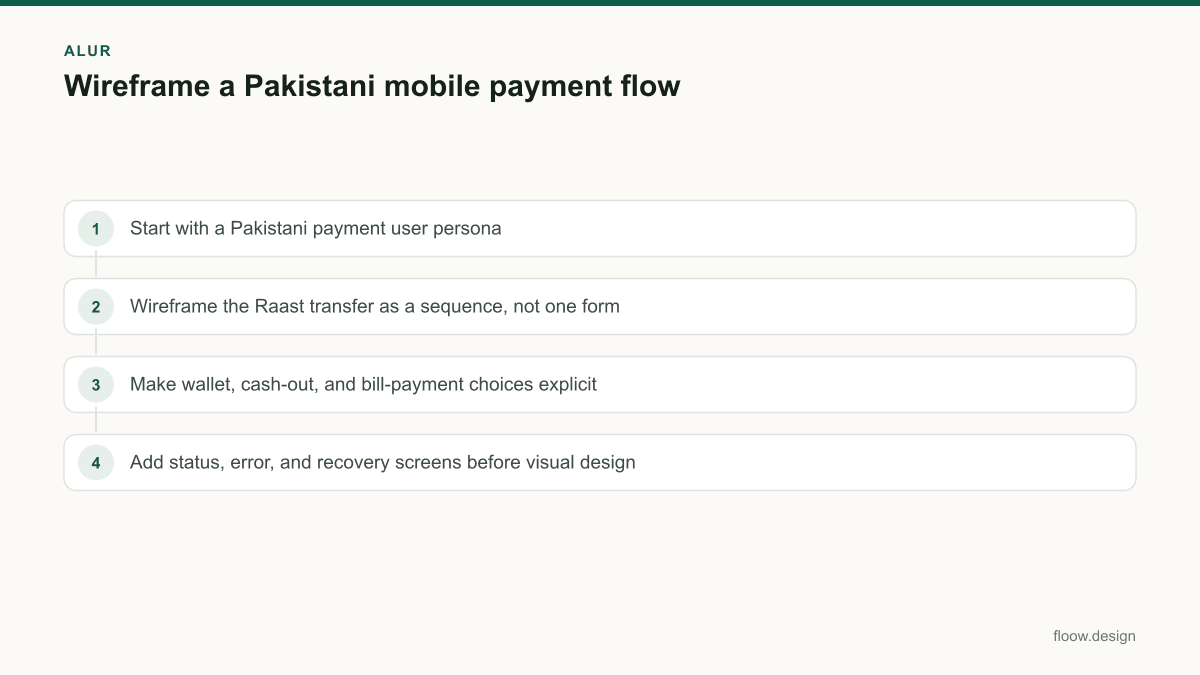
What's on this page
- •Start with a Pakistani payment user persona
- •Wireframe the Raast transfer as a sequence, not one form
- •Make wallet, cash-out, and bill-payment choices explicit
- •Add status, error, and recovery screens before visual design
Start with a Pakistani payment user persona
Create a user persona around a real payment situation, then wireframe the shortest credible path through it. For example, a salaried user may send money to family, a small merchant may collect a payment, and a wallet user may need to cash out. Their goals differ, so their screens should differ too.
For each persona, write down the trigger, the information already known, the information that must be entered, and the point where the user needs reassurance. A sender who has a recipient’s registered Raast ID needs an identifier field and recipient verification; someone paying a bill needs a biller, consumer reference, amount, and payment result. A cash-out flow may require a destination or agent-related choice depending on the product model.
Keep the first wireframe deliberately plain: screen title, fields, primary action, back action, notices, and result states. Do not decide colours, illustrations, or component styling yet. The State Bank of Pakistan is Pakistan’s financial regulator, so financial-product teams should validate the eventual journey and disclosures against applicable product and regulatory requirements rather than assuming a generic global flow is sufficient. Source: State Bank of Pakistan.
Wireframe the Raast transfer as a sequence, not one form
A useful raast payment wireframe starts by choosing the rail or transfer method, then moves through a small set of decision screens. Raast payments can use registered Raast IDs, so include an explicit recipient-ID entry or selection state. Do not label the field vaguely as “account”; make it clear what identifier the product accepts.
Sketch these low-fidelity screens in order:
- •Choose transfer method — include Raast where the product offers it.
- •Enter or select registered Raast ID — provide input guidance and a contact-picker route only if the app can support it.
- •Recipient check — reserve space for the returned recipient details and a mismatch warning.
- •Enter amount and optional note — show any relevant limits or fees only when confirmed by the product.
- •Review transfer — recipient, Raast ID, amount, funding source, and final action.
- •Authenticate and submit — represent the product’s actual security step without inventing one.
- •Result — success, pending, or failed, with a reference and next action where available.
The review screen is essential: it gives users a final chance to catch an incorrect Raast ID or amount before submission.
Make wallet, cash-out, and bill-payment choices explicit
Pakistani users may recognise established wallet brands such as Easypaisa and JazzCash. In a wireframe, show those brands only when the app genuinely supports that route; recognition is not a reason to imply an unavailable integration. A generic “wallet” option can create false expectations and hide important routing decisions.
For a wallet-related transfer, draw the choice screen first: selected funding source, recipient route, and any eligibility or availability message. Then keep the confirmation page specific to the selected route. If the product supports cash-out, do not bury it inside “Send money.” Give it a separate task entry and map the information needed to complete it, including the destination or collection method the product actually uses.
For bill payment, wireframe a biller-selection screen, consumer or customer reference input, bill-detail retrieval state if applicable, review, confirmation, and receipt. Include an empty state for no recent billers and a correction path when the reference is invalid. This avoids a common low-fidelity mistake: drawing only the ideal path and discovering later that the app has nowhere to explain an unavailable biller, an incorrect reference, or an interrupted payment.
Add status, error, and recovery screens before visual design
Payment wireframes are incomplete until they show what happens when the transaction does not finish immediately. Draw failure and recovery states beside the happy path, not as annotations left for later. At minimum, include invalid recipient information, unavailable service, insufficient available balance where relevant, authentication failure, network interruption, duplicate-submission prevention, and a pending result.
Each state needs a practical next action. An invalid registered Raast ID should let the user edit the identifier. A connectivity problem should allow retrying without re-entering every field where the product can safely preserve it. A pending payment should avoid telling the user to submit again; instead, provide a status-check route and explain that the outcome is not yet confirmed.
Keep messages factual in the wireframe. Reserve a line for a support or transaction reference when the backend provides one. Do not promise instant completion, guaranteed reversal, or fixed service times unless those claims are approved for the product. Once the flow covers normal, empty, loading, confirmation, pending, and error states, use floow.design to move from the wireframe outline to polished mobile screen alternatives.
Common mistakes
Using one generic “Send money” form for every route.
Separate Raast transfer, wallet-related transfer, cash-out, and bill-payment entry points when their required information or outcomes differ.
Treating a Raast ID as an unlabelled account field.
Label the registered Raast ID input clearly, reserve a recipient-verification state, and add an edit path before confirmation.
Showing Easypaisa or JazzCash as decorative brand options.
Include established wallet brands only for routes the product actually supports, then wireframe the specific selection and confirmation logic.
Designing only a successful transaction receipt.
Add pending, failed, invalid-input, and retry states with an action that prevents accidental duplicate payment.
Frequently asked questions
What is a wireframe in mobile app design?
A wireframe in mobile app design is a low-fidelity layout that defines a screen’s structure, content, actions, and navigation before visual styling. For a Pakistani payment app, it should show the transfer or bill-payment steps, fields such as a registered Raast ID where relevant, review screens, and recovery states without committing to final colours or UI components.
How do I wireframe a Raast transfer?
To wireframe a Raast transfer, map a sequence for selecting the transfer method, entering or choosing a registered Raast ID, checking recipient details, entering an amount, reviewing the payment, authenticating, and viewing success, pending, or failed status. Include edit paths for an incorrect identifier or amount and prevent a user from resubmitting a payment while its result is pending.
Should payment wireframes include error states?
Yes. Payment wireframes should include error states because invalid recipient details, interrupted connectivity, unavailable services, authentication problems, and pending outcomes change what the user must do next. Each error screen should state what happened in plain language, preserve safe input where possible, and offer a specific action such as edit, retry, check status, or return to the payment home.
When should I show Easypaisa or JazzCash in a payment wireframe?
Show Easypaisa or JazzCash in a Pakistani payment wireframe only when the app genuinely provides that wallet route or payment option. Both are established Pakistani wallet brands, but a recognisable brand label should not imply availability. Wireframe the route selection, required details, review, and result screens that the supported integration actually needs.
Where this leaves you
A strong Pakistani payment wireframe makes the route, recipient details, review point, and outcome unmistakable. Map Raast ID handling, wallet options, cash-out or bill-payment tasks, and recovery states before styling. Then use floow.design to explore polished mobile screen alternatives from the validated flow.
Design the screens first
Describe the app in plain language and floow.design draws the iOS and Android screens for you, ready to refine and hand off.
Sources
Related reading
Design your mobile app with AI.
Generate pixel-perfect iOS and Android screens in seconds, then export to Figma or code.
You might also like…
 How-to20 September 2026User persona for Pakistan mobile app researchBuild a user persona for Pakistan mobile apps with practical fields for language, city, device and Easypaisa, JazzCash or bank/Raast payment access.By floow.design Team, Mobile Design
 How-to20 September 2026ui and ux design for Pakistan mobile appsA mobile-first workflow for Pakistan apps: research language, PKR cash journeys, CNIC inputs and device-aware onboarding before building screens.By floow.design Team, Mobile Design
 How-to20 September 2026Design thinking for Pakistan mobile app problemsApply design thinking to a Pakistan payment-confirmation problem: research users, define friction, prototype mobile screens, and test locally.By floow.design Team, Mobile Design