
User persona for Pakistan mobile app research
Build a user persona for Pakistan mobile apps with practical fields for language, city, device and Easypaisa, JazzCash or bank/Raast payment access.

A user persona for Pakistan mobile app research should record a user’s primary task, city or service area, language comfort, device constraints, connectivity context and payment access. Distinguish between Easypaisa, JazzCash and bank/Raast use rather than assuming every Pakistani user pays the same way. Use these fields to make ux design decisions without reducing people to demographics.
Key takeaways
- •Segment by task and access conditions, not by province, income label or a presumed cultural profile.
- •Capture language preference separately for content, support and transaction confirmation; Urdu is the national language and English is also official.
- •Treat Easypaisa, JazzCash and bank/Raast as different payment contexts with different flows, trust cues and fallback needs.
- •Start with a small set of evidence-backed personas, then test whether they explain meaningful differences in mobile behaviour.
What's on this page
- •Start with the job, then add Pakistan-specific context
- •Use payment access as a behavioural field, not a demographic label
- •A practical persona template for mobile research
- •Turn the persona into screens and research checks
Start with the job, then add Pakistan-specific context
A useful user persona is a decision tool, not a decorative profile. Begin with the person’s concrete mobile task: paying a bill, sending money, ordering repeat goods, checking a delivery, applying for a service or resolving an account issue. State the trigger, desired outcome, frequency and the point where the task can fail.
Then add only context that changes a screen decision. For Pakistan, this commonly includes city or service area, preferred interface language, handset and storage constraints, data or connectivity conditions, and available payment routes. Pakistan includes provinces with distinct linguistic contexts, including Punjab and Sindh, so province can be a research-recruitment attribute when it affects language or service coverage. It is not a shortcut for personality, literacy or purchasing power.
Record Urdu and English separately. Urdu is Pakistan’s national language, while English is also official; a participant may navigate English labels yet prefer Urdu explanations or support. Test that distinction with observed tasks rather than guessing from education or location. This is design thinking in practice: frame a specific user problem, gather evidence, prototype a response and revise it after testing.
Use payment access as a behavioural field, not a demographic label
Payment preference belongs in a Pakistan persona when the app asks users to pay, receive funds, cash out, subscribe or verify a transaction. The field should describe access and observed behaviour, not a claim that one method is universally preferred.
For example, write: “Usually completes merchant payments through Easypaisa; needs a clear confirmation and a recoverable failure state.” A different persona might use JazzCash for transfers and expect its familiar wallet journey. Another may use a bank account and Raast, Pakistan’s instant payment system, where account-linked transfers and recipient confirmation are central. These are different local payment contexts, even when the app’s commercial goal is identical.
For ux design, map each context to a screen requirement: available payment method, instructions before handoff, amount and recipient review, status after return, and a support path for pending or failed payments. Do not infer wallet use from city, gender, province or job title. Ask participants which methods they can use, which they choose for this task, whether they can receive a one-time code, and what proof of payment they trust. Payment methods may also vary by merchant category and transaction value, so keep the field task-specific.
A practical persona template for mobile research
Keep the template short enough that a product team can use it while designing screens. Each persona should contain:
- •Name and evidence note: a neutral label and the interviews, usability sessions or product data supporting it.
- •Primary mobile task: one outcome the person is trying to achieve.
- •Trigger and urgency: what starts the task and what happens if it is delayed.
- •City or service area: only where delivery, availability, support or network conditions differ.
- •Language comfort: preferred language for navigation, explanatory copy and support; note whether Urdu, English or another language is preferred in each setting.
- •Device reality: handset age or capability, screen size, free storage, shared-device risk and notification access when evidence shows relevance.
- •Connectivity reality: typical data availability, interruption points and willingness to retry.
- •Payment access: Easypaisa, JazzCash, bank/Raast, cash or another verified route; include confidence and fallback behaviour.
- •Trust and support need: what confirmation, receipt, human help or error explanation enables completion.
- •Design implications: three screen-level requirements and one assumption to test.
Avoid invented quotes and vague traits such as “tech-savvy.” Replace them with an observable behaviour: “abandons when a payment handoff returns without a status screen.”
Turn the persona into screens and research checks
Use a persona to choose a primary flow, not to generate a generic visual style. Convert the primary task into a scenario with a starting state, key decision, failure case and completion proof. If the persona uses an Urdu explanation but can handle English transaction terms, test that content split on the relevant payment and help screens. If the persona relies on a wallet, include the handoff and return states instead of designing only the in-app checkout.
Feed a persona’s primary task into floow.design to create screens tailored to that user’s context. Include the task, language preference, device constraint, payment route and required confirmation in the prompt. For example: “Create a mobile bill-payment flow for a user who prefers Urdu help text, pays with JazzCash and needs an obvious pending-payment status.” Review the generated screens against the persona’s stated barriers before treating them as a solution.
Run usability sessions across the conditions that matter: language preference, city or service area where relevant, device capability and payment access. Measure task completion, comprehension of fees or status, recovery from interruption and confidence after payment. Update or retire a persona when new evidence no longer supports a meaningful behavioural difference.
Pakistan persona fields that change mobile screen decisions
| Field | What to record | Screen decision it informs |
|---|---|---|
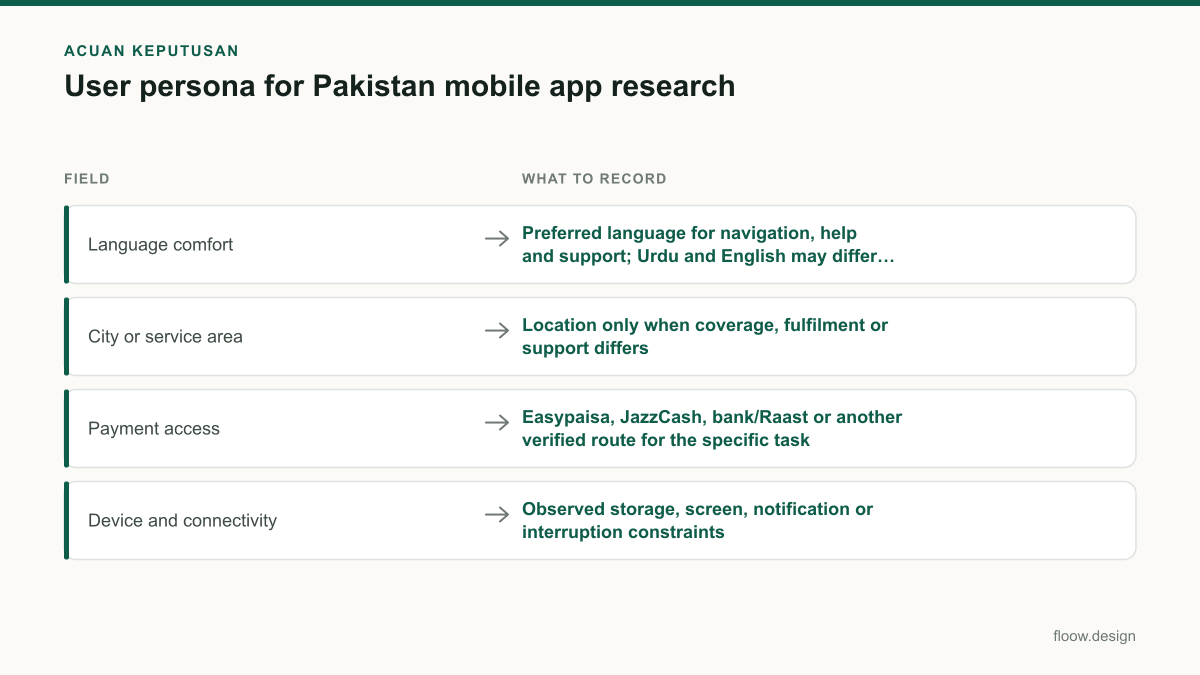
| Language comfort | Preferred language for navigation, help and support; Urdu and English may differ by task | Label language, explanatory copy, help entry points and error messages |
| City or service area | Location only when coverage, fulfilment or support differs | Availability messaging, address flow and service expectations |
| Payment access | Easypaisa, JazzCash, bank/Raast or another verified route for the specific task | Payment selection, handoff instructions, receipt and failure recovery |
| Device and connectivity | Observed storage, screen, notification or interruption constraints | App weight, form length, save-and-resume behaviour and status visibility |
Common mistakes
Creating one “Pakistani user” profile for every product decision.
Create personas around distinct tasks and access conditions. Use Punjab, Sindh or another location only when research shows linguistic, service or operational relevance.
Using Urdu, English or province as a proxy for digital confidence.
Record the language needed for each task and test comprehension on the actual screen. Describe observed behaviour rather than assumed capability.
Listing all payment methods without identifying the user’s available route.
Document whether the task is completed with Easypaisa, JazzCash, bank/Raast or another method, plus the expected confirmation and fallback path.
Writing a persona before research and treating it as fact.
Mark assumptions, attach evidence sources and revise the persona after interviews, analytics review and usability testing.
Frequently asked questions
What should a Pakistan user persona contain?
A Pakistan user persona should contain a primary mobile task, trigger, desired outcome, city or service area when it affects service delivery, language comfort, device and connectivity constraints, payment access, trust needs and evidence-backed design implications. Record Urdu and English preferences separately where relevant, and include provincial context such as Punjab or Sindh only when research shows it changes the experience.
Should a persona include wallet preference?
A Pakistan app persona should include wallet preference when payment or money movement is part of the task. Specify whether the person can and chooses to use Easypaisa, JazzCash, bank/Raast or another route, then document the expected confirmation, handoff and fallback behaviour. Wallet preference should come from research, not be inferred from location, age or income.
How many personas does a local app need?
A local app usually needs only enough personas to represent meaningful differences in tasks, constraints and decisions. Start with three to five evidence-backed personas, then combine profiles that lead to the same screen requirements. Add another persona only when a distinct language need, payment context, device constraint or service flow changes what the mobile app must do.
How do I use a persona in ux design for Pakistan?
Use a Pakistan persona to define one mobile scenario, including the user’s task, language comfort, device context and payment route. Design the happy path, interruption state and completion proof for that scenario, then test them with comparable participants. A persona should guide screen priorities and content choices, not dictate stereotypes or replace user research.
Where this leaves you
A Pakistan-focused user persona becomes useful when it explains a different mobile decision: language support, service availability, device handling or payment recovery. Keep each profile tied to evidence and a primary task. Then use floow.design to turn that task and its local context into testable mobile screens.
Design the screens first
Describe the app in plain language and floow.design draws the iOS and Android screens for you, ready to refine and hand off.
Sources
- •State Bank of Pakistan — Raast and payment-system information
- •Easypaisa — official product information
- •JazzCash — official product information
- •Pakistan Code — official legal resource
- •Pakistan Bureau of Statistics — official statistics
Related reading
Design your mobile app with AI.
Generate pixel-perfect iOS and Android screens in seconds, then export to Figma or code.
You might also like…
 How-to20 September 2026ui and ux design for Pakistan mobile appsA mobile-first workflow for Pakistan apps: research language, PKR cash journeys, CNIC inputs and device-aware onboarding before building screens.By floow.design Team, Mobile Design
 How-to20 September 2026Design thinking for Pakistan mobile app problemsApply design thinking to a Pakistan payment-confirmation problem: research users, define friction, prototype mobile screens, and test locally.By floow.design Team, Mobile Design
 How-to20 September 2026Wireframe a Pakistani mobile payment flowLearn how to wireframe Pakistani transfer, cash-out and bill-payment screens with Raast IDs, wallet choices, error states and local user personas.By floow.design Team, Mobile Design