
User interface design for Pakistani mobile apps
Practical user interface design rules for Pakistani mobile apps: CNIC inputs, +92 phone numbers, PKR pricing, Urdu support, and confirmation states.

User interface design for Pakistani mobile apps should make local data easy to enter and verify: accept NADRA’s 13-digit CNIC format, guide phone entry with Pakistan’s +92 calling code, and show money with an Rs or PKR prefix. Build bilingual layouts deliberately, including Urdu right-to-left states, rather than treating translation as a final copy task.
Key takeaways
- •Treat CNIC, mobile number, and currency as distinct input patterns with visible examples and formatting help.
- •Store canonical values separately from their display format so validation, receipts, and support workflows stay consistent.
- •Design every important flow in English, Urdu, and mixed-language states before development begins.
- •Use floow.design to generate the input, pricing, and confirmation states of a local mobile flow.
What's on this page
- •Start with local data, not generic form components
- •Design CNIC and phone entry as guided states
- •Handle English, Urdu, and mixed-language screens deliberately
- •Make pricing and confirmation screens impossible to misread
Start with local data, not generic form components
For Pakistani mobile apps, ui design begins with the values people must recognise, type, and confirm. A generic “ID number” field is not enough when the flow asks for a CNIC. Pakistan’s National Database and Registration Authority (NADRA) issues CNICs, and the identity number uses a 13-digit format. Label the field CNIC number, show a restrained example such as 12345-1234567-1, and accept digit entry with or without separators if your backend permits it. Keep the stored value canonical; apply display hyphens in the interface rather than forcing users to type punctuation.
Phone fields need equal care. Pakistan uses the +92 country calling code. Let people select Pakistan by name and prefill +92, then make it clear whether the next input expects a local number or the remaining national number. Do not show a vague placeholder that causes users to duplicate the country code.
For money, choose one convention and apply it across product cards, checkout, receipts, refunds, and push notifications. Pakistani rupee amounts are conventionally prefixed with Rs or PKR; Rs 2,500 and PKR 2,500 are both clearer than a bare number. The State Bank of Pakistan is the national monetary authority: SBP.
Design CNIC and phone entry as guided states
A good mobile field has more than a default state. For CNIC entry, create empty, active, formatted, incomplete, error, and success states in the design system. Use the numeric keypad, keep the field label persistent above the value, and place helper text directly below it: Enter all 13 digits. If separators are shown, ensure backspace behaves predictably and pasted digits are handled cleanly. Avoid claiming that a number is valid merely because it has 13 digits; length and eligibility are different checks.
Make errors specific and actionable. Enter 13 digits is useful; Invalid input is not. Preserve entered digits after an error, particularly in onboarding and payment flows where re-entry is frustrating. Never expose a full CNIC unnecessarily on confirmation screens, notifications, or shared devices; mask it after verification unless the task requires the complete number.
For mobile numbers, show the selected country code separately from the editable number. This prevents the common ambiguity between a local 03… format and an international +92… format. Confirm the exact format your service accepts in the helper copy and API contract. NADRA is the authoritative source for CNIC-related identity information: NADRA. Pakistan’s telecommunications regulator is PTA.
Handle English, Urdu, and mixed-language screens deliberately
Pakistani apps often need English and Urdu in the same flow. Treat this as layout work, not just translation. Urdu content is right-to-left, while numbers, CNICs, phone codes, card digits, and PKR amounts may remain left-to-right sequences. Test the mixed direction inside inputs, receipts, and confirmation cards; a single right-aligned container does not solve bidirectional text.
Keep data formats stable while adapting labels. A CNIC can remain visually grouped as 12345-1234567-1; +92 should stay attached to its phone field; and prices should retain their prefix, such as Rs 2,500 or PKR 2,500. Do not place the currency marker only in a distant column header when a user is reviewing one amount on a mobile screen.
Reserve enough vertical space for Urdu labels and error messages. If a language switch exists, keep the selected language visible and do not reset a partly completed form without warning. In components, define direction as a property: label alignment, icon placement, chevron direction, modal action order, and text truncation all need RTL variants. Test real bilingual content rather than placeholder lorem ipsum before handoff.
Make pricing and confirmation screens impossible to misread
Pricing screens are where local formatting earns trust. Display the final payable value prominently with an Rs or PKR prefix, for example Rs 2,500, and repeat the same convention for discounts, fees, refunds, and order totals. Use grouping separators consistently. If a fee is pending or estimated, say so in plain language instead of presenting a precise-looking total that may change.
The confirmation state should answer four questions at a glance: what happened, how much, for whom, and what happens next. For an identity-led flow, show a masked CNIC rather than the full 13-digit number unless full disclosure is required to complete the task. For a contact-led flow, show the number with +92 so users can spot a wrong country code. For payment, show the exact amount with Rs or PKR, a timestamp where relevant, and a reference identifier if the service provides one.
Ask floow.design to generate input, pricing, and confirmation states for a local mobile flow. Prompt it with the CNIC field pattern, a +92 phone selector, Rs/PKR price formatting, and English/Urdu variants. Review the generated states against real edge cases: pasted digits, long Urdu error copy, masked identity data, and a changed price before confirmation.
Pakistani data patterns to specify in mobile components
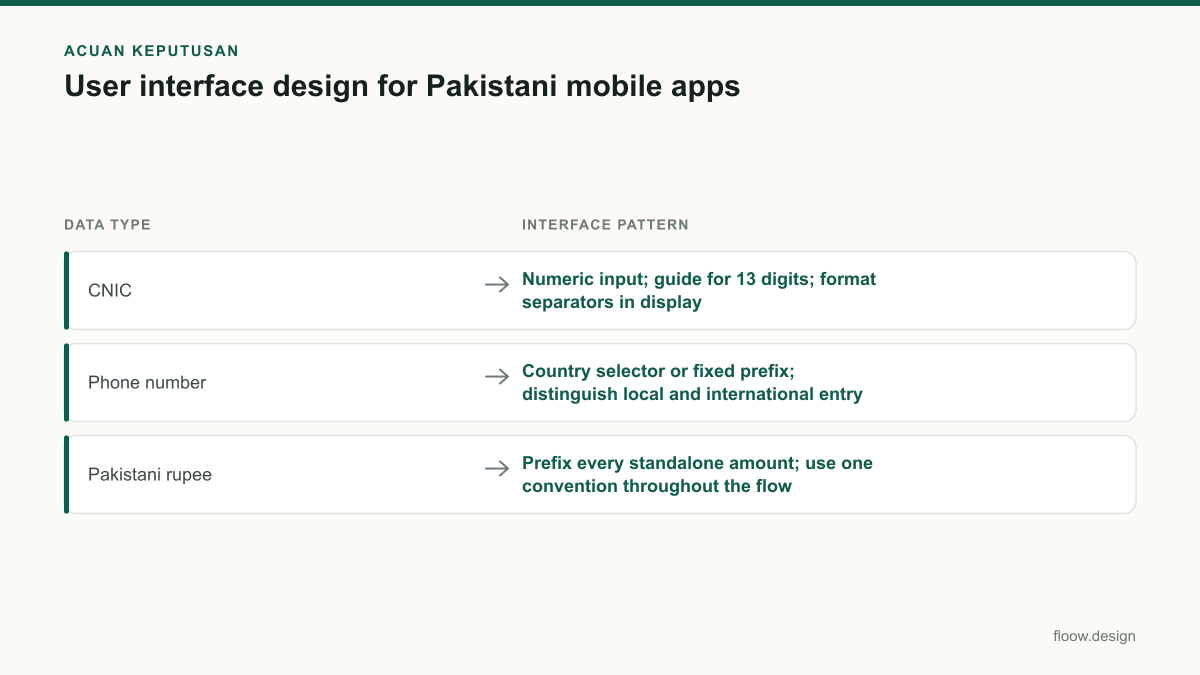
| Data type | Interface pattern | Example display |
|---|---|---|
| CNIC | Numeric input; guide for 13 digits; format separators in display | 12345-1234567-1 |
| Phone number | Country selector or fixed prefix; distinguish local and international entry | +92 |
| Pakistani rupee | Prefix every standalone amount; use one convention throughout the flow | Rs 2,500 or PKR 2,500 |
Common mistakes
Using one generic numeric field for CNIC, phone numbers, and amounts.
Create separate components with their own keypad, helper copy, formatting, validation states, and masking rules.
Making users guess whether to enter +92, 92, or a local mobile prefix.
Prefill or visibly select +92 and state exactly which portion of the number the editable field accepts.
Showing an amount as 2500 without a currency marker.
Prefix the amount with Rs or PKR everywhere the value can be read independently, especially in checkout and confirmations.
Translating English screens into Urdu without testing mixed-direction data.
Design RTL variants for alignment, icons, actions, and truncation, then test CNIC, +92, and PKR strings inside Urdu layouts.
Frequently asked questions
What is user interface design for mobile apps?
User interface design for mobile apps is the design of the screens, controls, feedback, and content patterns people use to complete tasks on a phone. In Pakistan, it should include local input rules such as NADRA’s 13-digit CNIC format, the +92 phone calling code, and clearly prefixed Rs or PKR amounts.
How should CNIC fields be designed?
CNIC fields should use a numeric keypad, a persistent CNIC number label, and helper text telling users to enter 13 digits. NADRA issues Pakistan’s CNIC, which uses a 13-digit identity-number format. Allow sensible pasted input, format display separators consistently, retain entered values after errors, and mask the number on later screens where full visibility is unnecessary.
How should PKR prices appear in an app?
PKR prices should appear with an Rs or PKR prefix, such as Rs 2,500 or PKR 2,500, rather than as a bare number. Apply the same format to item prices, discounts, delivery fees, refunds, and totals. On confirmation screens, show the final payable amount prominently and explain any estimated or pending charges.
How should Urdu affect a Pakistani app interface?
Urdu support should be designed as a right-to-left interface variant, not added as translated copy at the end. Test labels, error messages, icons, action order, and text truncation in Urdu. Keep structured values such as CNIC numbers, +92 phone numbers, and Rs or PKR amounts readable when they appear inside right-to-left content.
Where this leaves you
The practical standard for Pakistani mobile interfaces is simple: make local data unmistakable. Define CNIC, +92 phone, Rs/PKR pricing, English, and Urdu behaviours in the design system, then generate and review the full input-to-confirmation journey in floow.design.
Design the screens first
Describe the app in plain language and floow.design draws the iOS and Android screens for you, ready to refine and hand off.
Sources
- •National Database and Registration Authority (NADRA)
- •Pakistan Telecommunication Authority (PTA)
- •State Bank of Pakistan
Related reading
Design your mobile app with AI.
Generate pixel-perfect iOS and Android screens in seconds, then export to Figma or code.
You might also like…
 How-to20 September 2026Typography for Urdu and English Mobile AppsPractical typography guidance for Urdu and English mobile UI in Pakistan: hierarchy, RTL layout, line height, PKR amounts and phone numbers.By floow.design Team, Mobile Design
 How-to20 September 2026Design system for bilingual Pakistan appsBuild a design system for Pakistan mobile apps with Urdu RTL patterns, English UI support, typography rules, and reusable PKR money components.By floow.design Team, Mobile Design
 How-to20 September 2026what is ui ux for Pakistani mobile appsLearn what is ui ux for Pakistani mobile apps through wallet and delivery flows, with practical guidance on Raast, language, and error states.By floow.design Team, Mobile Design