
Design brief for a Pakistani mobile app
Use this Pakistan-ready design brief checklist to define PKR pricing, Raast and wallet payments, Urdu content, compliance, and app screens.

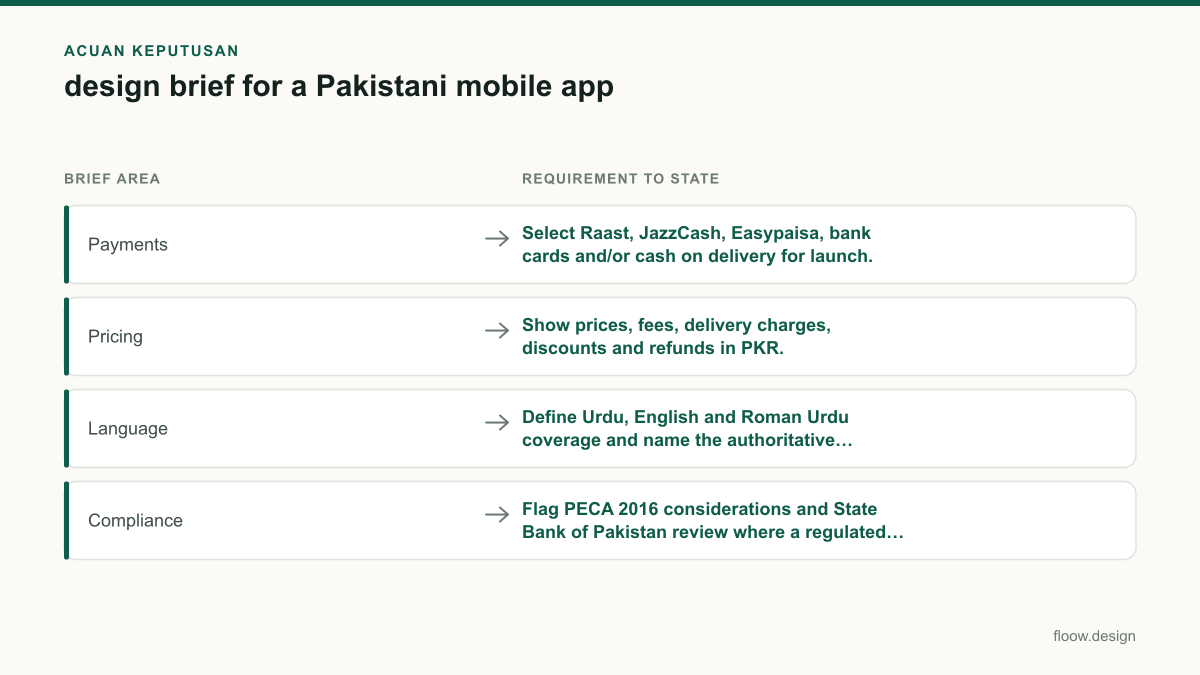
A Pakistan-ready design brief turns product decisions into screen requirements: name the payment methods—Raast, JazzCash, Easypaisa, bank cards or cash on delivery—set all prices and refunds in PKR, and define Urdu, English and Roman Urdu content. It should also flag PECA 2016 considerations and any State Bank of Pakistan rules affecting regulated payment flows.
Key takeaways
- •List only the payment methods your product will launch with, then describe their success, failure, pending and refund screens.
- •Write prices, delivery fees, service fees, discounts and refund timing in PKR, with the exact labels users will see.
- •Assign an authoritative language for transactional messages; do not leave Urdu, English and Roman Urdu as a vague translation task.
- •Escalate PECA 2016 and State Bank of Pakistan questions before UI production when data handling or a regulated payment flow is involved.
- •Paste the completed brief into floow.design to generate an initial flow grounded in Pakistani screen requirements.
What's on this page
- •Start with a screen-level app UI brief
- •Turn Pakistan payment choices into explicit screens
- •Make PKR pricing and refunds unambiguous
- •Set a language hierarchy before copy and UI work
- •Put compliance and handoff decisions in the brief
Start with a screen-level app UI brief
A useful design brief is not a feature wishlist. It gives the designer enough decisions to map the first mobile flow: who starts it, what they need to enter, what can go wrong, and what confirms completion.
For each core journey, write a short requirement in this format:
- •User and goal: “A first-time customer wants to place an order without creating friction.”
- •Entry screen: home, campaign link, push notification or saved cart.
- •Required screens: product detail, address, delivery selection, payment, review, confirmation and order tracking.
- •Inputs and validation: Pakistani mobile number format, address fields, optional landmark, error copy and retry action.
- •State changes: loading, payment pending, payment failed, order accepted, cancelled and refunded.
- •Owner and launch scope: which team supplies copy, pricing, payment integration and support handling.
This is where a generic UX project brief becomes buildable. Name the Android and iOS scope, minimum launch flows, and screens that are explicitly out of scope. If your audience includes lower-confidence users, request clear labels and recovery paths rather than relying on icons alone. Keep the brief about mobile app behavior: taps, fields, permissions, bottom sheets, confirmations and notifications.
Turn Pakistan payment choices into explicit screens
Do not write “support local payments.” State whether launch must support Raast, JazzCash, Easypaisa, bank cards, cash on delivery, or a defined subset. These are different payment contexts, so each changes the flow and operational copy.
For every selected method, specify:
- •where it appears in payment selection and its display order;
- •the data collected, such as a card field or a mobile-account handoff;
- •redirect, app-switch or in-app return behavior where applicable;
- •loading, pending, success, decline, cancellation and retry states;
- •whether an order is reserved while a payment is pending;
- •refund destination, refund status and support escalation.
Cash on delivery needs its own confirmation language, delivery-fee disclosure, cancellation rules and any verification step; it is not simply a failed online-payment fallback. For Raast, wallet and card journeys, ask the payment provider and engineering team to confirm the integration model before finalising UI states.
If the product processes a regulated payment flow, flag the relevant State Bank of Pakistan requirements during discovery. The brief should identify the regulated partner and who validates the flow; it should not imply that a designer can determine regulatory compliance from screens alone. See the State Bank of Pakistan at https://www.sbp.org.pk/.
Make PKR pricing and refunds unambiguous
Use PKR throughout the brief, prototypes and acceptance criteria. Dollar placeholders create avoidable decisions later, especially when the product has delivery charges, discounts, platform fees, deposits or partial refunds.
Define the price model screen by screen:
- •product or service price in PKR;
- •delivery charge in PKR and when it changes;
- •discount amount or promotion condition;
- •any service, convenience or processing fee in PKR;
- •subtotal, total payable and cash-on-delivery total;
- •cancellation charge, if one exists;
- •refund amount, destination and status labels.
Write the rule, not just the label. For example: “The review screen must show item subtotal, delivery fee, discount and final total in PKR before the customer confirms.” Add the source of truth for price changes and what the app displays when a price expires between cart and checkout.
Your mobile app requirements should also say whether prices include applicable taxes or whether tax is shown separately. Confirm the commercial policy with the business owner rather than inventing a fee or refund window in the UI. Give customer support a reference ID on order, payment and refund-status screens so disputes can be located without asking users to repeat their full transaction details.
Set a language hierarchy before copy and UI work
Pakistan launches often require Urdu, English and Roman Urdu, but “multilingual” is not enough instruction. State which journeys receive each language, whether users choose a language, and how long content may become before a component wraps or needs a different layout.
Set one language as authoritative for transactional messages. For example, the brief can require English as the authoritative record for payment confirmations, receipts, refund notices and terms, while providing Urdu and Roman Urdu support copy where the product needs it. The right choice depends on your legal, support and operating model; document the decision and use it consistently across app, SMS, email and support templates.
Ask for Urdu copy in its proper script, not a transliteration substituted for Urdu. Roman Urdu can be valuable in onboarding, prompts and conversational help, but it needs a controlled tone and terminology list. Do not mix three language versions in one dense confirmation screen unless users can understand the hierarchy.
Include right-to-left review requirements for Urdu text, even where the overall app structure remains familiar to English readers. Test numbers, PKR amounts, dates, names, line breaks, buttons and error messages on real mobile widths. Give translators the screen purpose and character limits, not isolated strings.
Put compliance and handoff decisions in the brief
Add a short risk and compliance section before design starts. It should identify the data collected—phone number, location, identity information, card-related data, wallet references or order history—the retention owner, consent moments and deletion or support requests. This gives legal, security and product teams concrete screens to review.
Flag PECA 2016 considerations early when the app handles accounts, communications, user-generated content, access controls or sensitive personal data. The brief should ask the appropriate legal and security owners to review the product’s use case and copy; it should not make unsupported claims about what PECA 2016 permits. An official text is available through Pakistan Code at https://pakistancode.gov.pk/.
For a regulated payment flow, record the State Bank of Pakistan review owner, regulated partner, required disclosures and escalation process. Keep payment credentials out of ordinary support-chat fields and specify safe alternatives for support verification.
Finish with an acceptance checklist: required payment states are designed, PKR totals are visible before confirmation, transactional-language authority is assigned, Urdu layouts are tested, and compliance owners have reviewed flagged flows. Then paste your completed brief into floow.design to turn Pakistani payment, language and screen requirements into an initial app flow.
Pakistan-ready requirements to paste into an app UI brief
| Brief area | Requirement to state | Screen impact |
|---|---|---|
| Payments | Select Raast, JazzCash, Easypaisa, bank cards and/or cash on delivery for launch. | Payment selector, handoff or entry, pending, failure, confirmation and refund states. |
| Pricing | Show prices, fees, delivery charges, discounts and refunds in PKR. | Cart, checkout, receipt, order detail and refund tracking. |
| Language | Define Urdu, English and Roman Urdu coverage and name the authoritative transactional language. | Language selection, notifications, receipts, error messages and support. |
| Compliance | Flag PECA 2016 considerations and State Bank of Pakistan review where a regulated payment flow is involved. | Consent, account recovery, payment disclosures, support and data-related flows. |
Common mistakes
Writing “local payment methods” without naming the launch methods.
Specify Raast, JazzCash, Easypaisa, bank cards, cash on delivery, or the exact subset. Require pending, failed, cancelled and refund screens for each relevant method.
Using USD examples while expecting Pakistani checkout screens.
Put all user-facing prices, fees, discounts, delivery amounts and refund rules in PKR, including the required breakdown before confirmation.
Requesting “Urdu support” without copy ownership or hierarchy.
Define Urdu, English and Roman Urdu coverage, assign an authoritative language for transactional messages, and test Urdu text in mobile components.
Treating compliance as a final visual review.
Flag PECA 2016 considerations and State Bank of Pakistan involvement at discovery, then assign legal, security and regulated-partner review owners.
Frequently asked questions
What should a mobile app design brief include in Pakistan?
A mobile app design brief for Pakistan should define target users, core mobile journeys, required screens, Android and iOS scope, selected payment methods, PKR prices and refund rules, and Urdu, English and Roman Urdu content. It should also flag PECA 2016 considerations and State Bank of Pakistan review when the product includes a regulated payment flow.
Should my design brief specify JazzCash or Easypaisa payments?
Yes. A Pakistani app design brief should explicitly state whether JazzCash, Easypaisa, Raast, bank cards and cash on delivery are in launch scope. Each choice needs its own payment-selection, handoff or entry, pending, failure, retry, confirmation and refund requirements, rather than a single generic “payment successful” screen.
How do I write PKR pricing requirements in a UI brief?
Write PKR pricing requirements as visible checkout rules: identify the item price, delivery fee, discount, service or processing fee, subtotal, final payable total, cancellation charge and refund amount. State where each amount appears and whether taxes are included or separate. Do not use generic dollar examples or leave refund timing and destination undefined.
Should an app brief include Urdu and Roman Urdu?
An app brief should include Urdu and Roman Urdu when those forms match the product’s users and support model. It should separately define Urdu-script content, English content and Roman Urdu usage, then name one authoritative language for transactional messages such as payment confirmations, receipts and refunds. Test Urdu text, amounts and wrapping on real mobile screens.
Where this leaves you
A strong Pakistani brief removes ambiguity before pixels are produced: it names payment methods, makes PKR totals and refunds visible, sets a language authority, and routes compliance questions to the right owners. Paste that completed brief into floow.design to create an initial mobile app flow with those requirements already in view.
Design the screens first
Describe the app in plain language and floow.design draws the iOS and Android screens for you, ready to refine and hand off.
Sources
Related reading
Design your mobile app with AI.
Generate pixel-perfect iOS and Android screens in seconds, then export to Figma or code.
You might also like…
 How-to21 September 2026Color contrast for Pakistani mobile app UIA practical checklist for color contrast in Pakistani mobile apps: bilingual Urdu testing, WCAG 2.2 targets, sunlight checks and Android review.By floow.design Team, Mobile Design
 How-to20 September 2026how to start freelancing in pakistan: UI checklistA practical checklist for Pakistan-based UI designers: build a three-screen sample, package mobile deliverables, quote clearly, and collect payments.By floow.design Team, Mobile Design
 How-to20 September 2026Raast payment: mobile app UI checklistA practical checklist for Raast transfer and merchant-payment screens, Raast ID handling, review states, receipts, and recoverable errors in Pakistan.By floow.design Team, Mobile Design