
ui ux design for Pakistani service apps
Design Pakistani service-app flows from discovery to booking, PKR payments and support, with practical screen priorities, states and prototype tests.

ui ux design for Pakistani service apps should map one complete job: find a service, choose a slot, confirm an address, pay in PKR, track progress and get help. Start with a short, low-friction booking flow, then prototype exception states such as unavailable providers, changed prices and cancelled visits. Pakistan’s Digital Pakistan initiative, launched in 2018, makes this service-flow focus timely.
Key takeaways
- •Design the booking journey as a sequence of decisions, not as a catalogue of isolated screens.
- •Keep PKR totals, fees, payment status and cancellation consequences visible before confirmation.
- •Treat provider delay, no availability, address uncertainty and support as first-class mobile screens.
- •Test the prototype with Pakistani users before handing detailed flows into mobile app development.
What's on this page
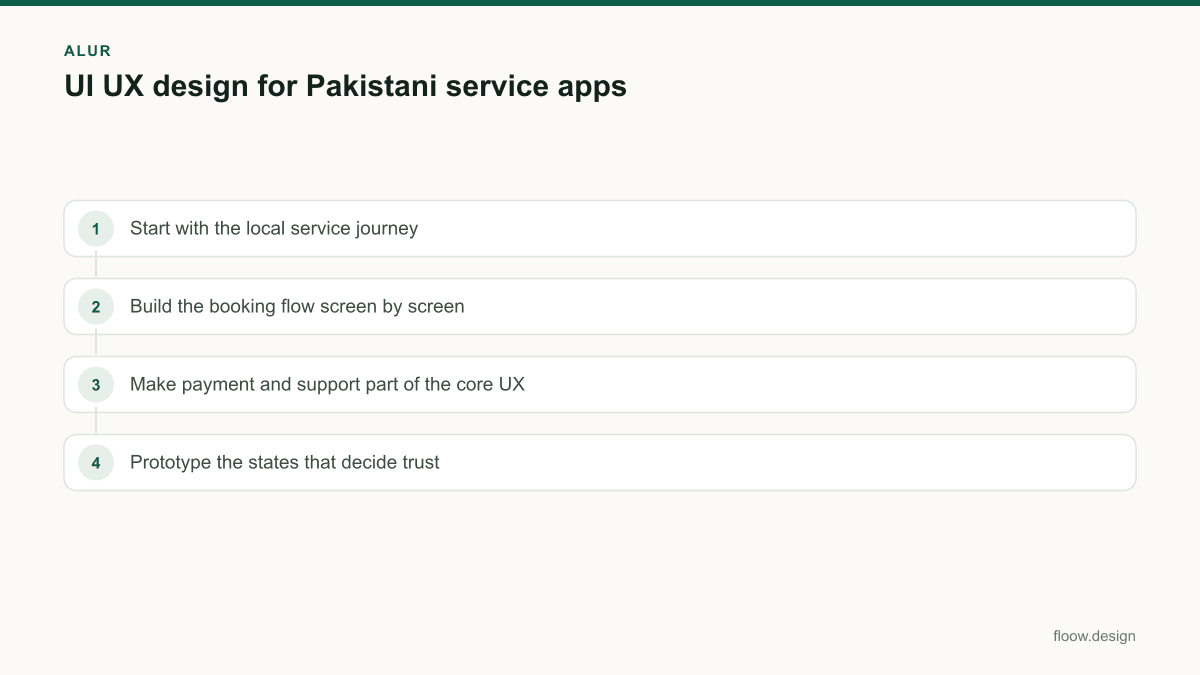
- •Start with the local service journey
- •Build the booking flow screen by screen
- •Make payment and support part of the core UX
- •Prototype the states that decide trust
Start with the local service journey
For an on-demand cleaning, repair, delivery or appointment app, begin with the moment a person decides they need help. The first screens should answer: what can I book, where is it available, when can it happen and what will I pay in PKR? Keep the home screen focused on a few service categories, recent bookings and a clear location entry point rather than a crowded promotional feed.
The Digital Pakistan policy initiative was launched by Pakistan’s government in 2018. In practice, that context supports designing for a broader digital-service journey, but it does not remove the need to make each step understandable on a small screen. Use plain service names, show the service area before users spend time configuring a request, and preserve entered details if they switch apps or lose their place.
Define the operational rules before drawing UI: service zones, lead times, provider assignment, rescheduling, cancellation and refund handling. Those rules determine which screens and states are necessary. A believable prototype must include the awkward paths, not only a successful booking.
Build the booking flow screen by screen
A practical service-app flow has a clear progression:
- •Discovery: category list, search if the catalogue is large, service detail and eligibility or coverage check.
- •Configuration: address, job details, date and time, optional add-ons and notes.
- •Review: itemised PKR estimate, selected slot, address, payment method and cancellation terms.
- •Confirmation and fulfilment: booking ID, status timeline, provider or rider details when available, contact actions and reschedule or cancel controls.
- •Completion: final receipt, rating, repeat booking and problem-report entry.
Do not hide a changing amount until after confirmation. If an estimate can change after inspection or fulfilment, label it as an estimate and explain what causes the adjustment. If no provider is available, show nearby alternative slots or a waitlist action; do not leave the user on a spinner.
Generate the service-app flow, including booking and support screens, in floow.design. Use the generated flow to check that the same booking details appear consistently in the review, status and support screens before implementation begins.
Make payment and support part of the core UX
Payment is not a final button; it is a chain of states. Let users choose from the methods your operation can actually reconcile, including cash only when the service model supports it. For every method, show the payable PKR amount, whether it is paid now or after fulfilment, and the result: pending, successful, failed or refunded. A failed digital payment needs a retry action and a safe route back to the booking review without duplicating the request.
Support should open from the active booking, not force people to restate the problem in a generic contact form. Pre-fill the booking ID, service, time and status. Offer issue categories such as provider late, cannot find address, payment issue, service quality and cancellation. For urgent fulfilment problems, place contact or escalation actions in the live-status screen; for non-urgent matters, provide a ticket or message history.
The National Information Technology Board is a federal public-sector IT organization in Pakistan, while the Pakistan Software Export Board supports the country’s IT and IT-enabled-services sector. These institutions are useful local reference points when teams frame public-sector or export-oriented mobile app development work; product screens still need validation against the service operator’s own process.
Prototype the states that decide trust
A polished happy path can conceal the failures that cause support demand. In your prototype, test a user who enters an unsupported address, finds no slot, changes the date, chooses cash, sees a payment failure, receives a provider delay, cancels, and reports a completed-service issue. Each case needs a specific next action and a clear statement of what happened.
Run short task tests on a phone. Ask participants to book a service, identify the final PKR amount, change their slot and find help for a delayed provider. Watch for uncertainty around labels such as “confirm,” “request,” “estimated” and “paid.” If users cannot tell whether a booking is final, revise the review screen and confirmation copy before visual refinement.
Then turn approved flows into implementation-ready screen groups: discovery, booking, payment, live order, history and support. Keep components consistent for location cards, slot selectors, price rows, status chips and bottom actions. This gives engineering a defined state model rather than a set of disconnected mockups, and gives operations a flow they can review against real fulfilment rules.
Common mistakes
Treating the confirmation screen as the end of the product flow.
Design fulfilment status, delay, cancellation, receipt, rating and support states alongside booking.
Showing only a single final price label.
Use an itemised PKR review and clearly distinguish fixed prices from estimates that may change.
Adding cash as a generic checkbox.
Offer cash only if operations can collect and reconcile it, then show when payment is due and what the user should expect.
Sending users to generic support with no booking context.
Open support from the active booking and carry the booking details into the issue flow.
Frequently asked questions
How do I plan UI UX design for a service app?
Plan ui ux design for a service app by mapping the complete customer job: discover a service, confirm coverage, select a slot, enter details, review the PKR amount, choose payment, follow fulfilment and get support. Define service rules first, then prototype both successful bookings and failures such as no availability, payment failure, delay and cancellation.
What screens does a Pakistani service app need?
A Pakistani service app needs discovery, service detail, location or coverage check, address, slot selection, job details, PKR price review, payment selection, booking confirmation, live status, booking history, receipt, rating and support screens. It should also include states for unavailable areas, no slots, failed payments, provider delays, cancellations and refunds where those actions are offered.
Should a service app offer cash payment?
A service app should offer cash payment only when its fulfilment operation can collect, reconcile and handle disputes for cash. If cash is available, the mobile UI should state the PKR amount, when it is due, whether change can be handled under the operator’s process, and what happens if the booking is cancelled or the final amount changes.
How should I test a service-app prototype before development?
Test a service-app prototype on a phone with tasks that include booking, checking the final PKR amount, changing a time slot, handling a failed payment and finding help for a delayed provider. Record where participants hesitate, especially at price review and confirmation. Revise labels, error states and next actions before starting mobile app development.
Where this leaves you
A Pakistani service app earns confidence when the journey remains clear after the initial booking: users can see their PKR commitment, understand the current status and reach help with their booking context intact. Build and test that complete flow in floow.design before committing it to mobile app development.
Design the screens first
Describe the app in plain language and floow.design draws the iOS and Android screens for you, ready to refine and hand off.
Sources
- •Ministry of Information Technology and Telecommunication, Government of Pakistan
- •National Information Technology Board
- •Pakistan Software Export Board
Related reading
Design your mobile app with AI.
Generate pixel-perfect iOS and Android screens in seconds, then export to Figma or code.
You might also like…
 How-to20 September 2026Prototype a Pakistan mobile app before buildingPrototype Pakistan app flows for trust, address entry, CNIC context and cash on delivery, then run focused usability testing before development.By floow.design Team, Mobile Design
 Guides20 September 2026startup in pakistan: MVP mobile UI playbookChoose the essential mobile MVP screens for a Pakistani startup: onboarding, payments, trust, support and prototype tests before a full build.By floow.design Team, Mobile Design
 How-to20 September 2026mobile app development: Pakistan design handoffA Pakistan mobile UI handoff checklist for PKR, Urdu right-to-left layouts, Raast payment states, prototypes, and a build-ready design system.By floow.design Team, Mobile Design