
mobile app development: Pakistan design handoff
A Pakistan mobile UI handoff checklist for PKR, Urdu right-to-left layouts, Raast payment states, prototypes, and a build-ready design system.

For mobile app development in Pakistan, hand developers a screen-by-screen specification covering PKR display, Urdu right-to-left layouts, input behavior, and every Raast payment outcome. Pakistan’s mobile ecosystem is overseen by the Pakistan Telecommunication Authority, while Raast sits within the State Bank of Pakistan payment ecosystem. Pair annotated screens with a clickable prototype and a versioned design system.
Key takeaways
- •Specify PKR formatting, Urdu right-to-left behavior, and local phone-number input before development begins.
- •Document Raast payment loading, success, failure, cancellation, timeout, and retry states as named screens or components.
- •Give developers a clickable prototype, inspectable spacing and typography tokens, asset exports, and an acceptance checklist.
- •Use floow.design to establish a shareable mobile screen baseline before requirements move to the development team.
What's on this page
- •Pakistan mobile UI handoff checklist
- •Lock down PKR, Urdu, and input behaviour
- •Specify Raast as a payment state machine
- •Package the handoff developers can build
Pakistan mobile UI handoff checklist
Use this checklist as the release package for a Pakistan app, not as a loose collection of Figma links:
- •Screen inventory: Name every screen, entry point, modal, empty state, error state, and permission state.
- •Prototype paths: Provide a clickable prototype for onboarding, sign-in, primary task completion, payment, and recovery paths.
- •Design system: Hand over colour, type, spacing, radius, elevation, icon, button, field, and alert tokens with component states.
- •Copy and language rules: Mark each string as English, Urdu, or bilingual. Identify which screens must support Urdu right-to-left reading order.
- •Inputs: Define phone, OTP, CNIC where applicable, amount, and address-field validation rules; do not leave keyboard type or error copy to guesswork.
- •Platform notes: Record Android and iOS differences, minimum supported versions, and any device or network assumptions.
Pakistan’s mobile ecosystem is overseen by the Pakistan Telecommunication Authority. That is a reason to treat mobile permissions, connectivity messaging, and account-verification flows as explicit handoff items rather than implied product behaviour.
Lock down PKR, Urdu, and input behaviour
A local handoff should state how money, language, and forms behave at their smallest UI level. Write monetary examples directly in the component specification, such as PKR 1,250 or your chosen approved product format. Specify whether the currency label is shown in summaries, receipts, confirmations, and editable amount fields; define decimal treatment and rounding with the product and finance teams rather than inventing it in design.
For Urdu, hand over more than translated copy. Mark the app or screen as right-to-left, identify components that mirror, and identify content that stays left-to-right: numeric amounts, phone numbers, OTPs, card or account references, dates, and technical codes. Test mixed Urdu and Latin text in narrow mobile widths, especially inside buttons, transaction rows, and error messages.
For every field, include keyboard type, placeholder, focus state, required marker, validation trigger, error text, paste behaviour, and disabled/loading state. Add examples for a valid and invalid value. This prevents a visually correct screen from becoming an unusable form after implementation.
Specify Raast as a payment state machine
Pakistan’s payment ecosystem includes Raast under the State Bank of Pakistan. In a design handoff, treat Raast as a set of observable customer states, not one “Pay” button. The development team needs an agreed screen or component for each state that the product can surface.
Document: payment review; customer confirmation; processing/loading; successful payment; failed payment; cancelled payment; expired or timed-out attempt; unavailable service; retry; duplicate-submission protection; and receipt or transaction-history entry. For each state, define the title, body copy, amount presentation, recipient or reference details, primary action, secondary action, back behaviour, and whether users can safely retry.
Also describe what remains visible during uncertainty. A customer should not be encouraged to submit again merely because a response is delayed. Use a pending state with clear next steps when the product cannot yet confirm an outcome. Attach these states to the prototype and include them in the design system as reusable payment-feedback components, so implementation does not replace them with generic alerts.
Package the handoff developers can build
Before engineering estimation, create one source of truth with a version number and owner. Link each user story to its screens, prototype path, component variants, assets, and acceptance criteria. Annotate anything not obvious from the visual: API-dependent labels, permission timing, offline handling, animation duration, analytics events, and conditions that reveal a state.
Run a 30-minute developer walkthrough on a real mobile viewport. Ask the team to trace the happy path, an invalid form, Urdu mode, a long recipient name, a slow network, and every Raast outcome. Log unanswered questions as decisions; do not bury them in comments on individual frames.
Use floow.design to create a shareable screen baseline before handing requirements to a development team. Start with the core task flow, then generate consistent variants for loading, error, empty, and confirmation screens. Exporting a baseline does not remove the need for product decisions, but it makes visual scope, component reuse, and missing states visible before code starts.
Pakistan-specific items to record in the mobile handoff
| Handoff item | What to specify | Example acceptance check |
|---|---|---|
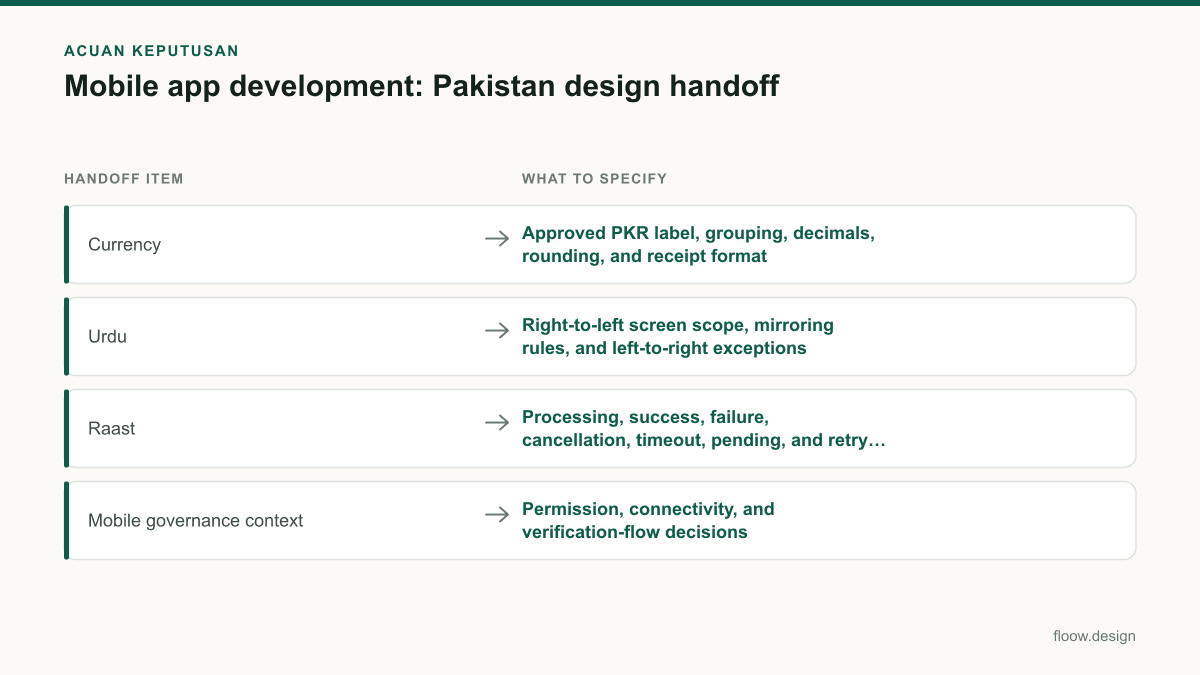
| Currency | Approved PKR label, grouping, decimals, rounding, and receipt format | A transaction amount remains readable in summaries, fields, confirmations, and history. |
| Urdu | Right-to-left screen scope, mirroring rules, and left-to-right exceptions | Urdu copy, a PKR amount, and an OTP render correctly together on a narrow screen. |
| Raast | Processing, success, failure, cancellation, timeout, pending, and retry states | A delayed outcome does not expose an unsafe duplicate-payment action. |
| Mobile governance context | Permission, connectivity, and verification-flow decisions | The team has reviewed relevant mobile assumptions in the Pakistan Telecommunication Authority context. |
Common mistakes
Handing over only happy-path frames.
Include loading, offline, invalid input, empty, permission-denied, pending, and recovery screens in the same package.
Treating Urdu as a copy replacement.
Specify right-to-left direction, component mirroring, alignment, truncation, and exceptions for numbers and codes.
Using a generic payment success modal for every outcome.
Create distinct Raast processing, pending, failed, cancelled, timed-out, and receipt states with safe next actions.
Leaving money formatting to the development team.
Put approved PKR examples in the design system and acceptance criteria for each relevant component.
Frequently asked questions
What should designers hand over for mobile app development?
For mobile app development, designers should hand over annotated mobile screens, a clickable prototype, a versioned design system, exported assets, copy, component states, and acceptance criteria. In Pakistan, the package should also explicitly cover PKR formatting, Urdu right-to-left layout rules, local input behaviour, and Raast payment outcomes.
How do developers implement Urdu app screens?
Developers implement Urdu app screens by enabling right-to-left layout direction where required, mirroring eligible navigation and component layouts, and preserving left-to-right treatment for numbers, OTPs, phone numbers, amounts, dates, and codes when appropriate. The handoff should provide real Urdu strings and mixed-direction test cases for narrow mobile screens.
How should Raast payment states be specified?
Raast payment states should be specified as separate, named mobile UI states: review, confirmation, processing, success, failure, cancellation, timeout, pending or uncertain outcome, retry, and receipt. Each state needs its copy, PKR amount display, reference details, available actions, back behaviour, and duplicate-submission rule. Raast is part of Pakistan’s payment ecosystem under the State Bank of Pakistan.
Why should a Pakistan app handoff include PTA context?
A Pakistan app handoff should include PTA context because the Pakistan Telecommunication Authority oversees the country’s mobile ecosystem. Teams should therefore make mobile-specific decisions visible: permission timing, connectivity messages, verification journeys, supported-device assumptions, and recovery behaviour when a user cannot complete a network-dependent task.
Where this leaves you
A build-ready Pakistan handoff makes local behaviour testable before development: PKR is formatted consistently, Urdu screens have defined directionality, and Raast outcomes have safe customer actions. Use floow.design to share the starting screen baseline, then hand engineering one reviewed package rather than scattered frames and assumptions.
Design the screens first
Describe the app in plain language and floow.design draws the iOS and Android screens for you, ready to refine and hand off.
Sources
Related reading
Design your mobile app with AI.
Generate pixel-perfect iOS and Android screens in seconds, then export to Figma or code.
You might also like…
 Insights20 September 2026ui ux designer role in Pakistan mobile teamsA practical career guide to UI/UX designer deliverables, design systems, prototypes, handoff, and team habits for Pakistan mobile products.By floow.design Team, Mobile Design
 Guides20 September 2026ui ux design for Pakistani service appsDesign Pakistani service-app flows from discovery to booking, PKR payments and support, with practical screen priorities, states and prototype tests.By floow.design Team, Mobile Design
 How-to20 September 2026Raast payment: mobile app UI checklistA practical checklist for Raast transfer and merchant-payment screens, Raast ID handling, review states, receipts, and recoverable errors in Pakistan.By floow.design Team, Mobile Design