
user research methods for Indian mobile apps
Choose research methods for Indian mobile apps across metro, tier-2 and tier-3 users, regional languages, device constraints and payment journeys.

Effective user research methods for Indian mobile apps combine moderated usability testing, contextual interviews, diary studies and prototype comparisons across metro, tier-2 and tier-3 cities. Run sessions in Hindi and relevant regional languages, test on participants’ own Android devices where possible, and obtain clear consent before recording or studying payment and identity flows under the DPDP Act, 2023.
Key takeaways
- •Recruit separately in metro, tier-2 and tier-3 cities; location changes device access, network conditions, language preference and digital-payment habits.
- •Offer Hindi plus the regional language relevant to each research location. English-only sessions can hide comprehension and trust problems.
- •Use moderated usability testing for task failures, contextual interviews for real-world constraints, and diary studies for repeated payment or service use.
- •Treat recordings, contact details, payment screenshots and identity-related data as personal-data handling: explain the purpose, minimise collection and capture clear consent.
- •Use floow.design to turn evidence into competing mobile-flow hypotheses, then ask participants to compare and explain their preference.
What's on this page
- •Start with a research matrix, not a single “Indian user”
- •Match the method to the decision you need to make
- •Design language research into the study
- •Handle consent carefully for payment and identity research
- •Run a field-ready Indian mobile research plan
Watch: UX Research Tutorial for UX Designers
Video by Aliena Cai, embedded from YouTube.
Start with a research matrix, not a single “Indian user”
India is not one recruitment segment. Build a matrix around city type, language, device context and task risk before choosing a method. For a consumer app, compare metro users with tier-2 and tier-3 users rather than treating a national sample as interchangeable.
Metro participants may be easier to recruit through professional panels, workplaces or existing digital communities, and may have more exposure to app conventions. In tier-2 cities, local recruiters, community networks and regional-language outreach can produce better attendance and more representative samples. In tier-3 cities, plan for assisted onboarding, variable connectivity, shared devices and a stronger need to verify that participants personally perform the target task. Do not assume low familiarity: instead, test the actual flow on the devices and connections people use.
Define quotas that force comparison: for example, recruit each key task across city types, Android price bands, language preference and prior use of UPI or the relevant payment method. Keep findings tagged by segment. A problem seen only in Hindi-first tier-3 participants is not a minor usability note; it may be a launch blocker for that audience.
Match the method to the decision you need to make
Use usability testing when the team needs to know whether people can complete a mobile task: finding a product, entering an address, understanding a fee, linking a payment option or recovering from an error. Give participants realistic scenarios and ask them to use a prototype or app while explaining what they expect to happen. Measure completion, wrong turns, hesitation and the language participants use for confusing labels.
Use contextual interviews when environment matters: delivery hand-offs, family decision-making, patchy networks, use of a shared handset or reliance on a local shop or agent. Run diary studies for behaviours that recur over days or weeks, such as bill payment, recharges, repayment reminders or repeat shopping. Ask for brief entries after the event, not reconstructed memories at the end of the week.
Use prototype comparison when choosing between two flows. With floow.design, turn observed findings into competing mobile-flow hypotheses—for example, an upfront payment explanation versus one shown immediately before confirmation. Participants can react to both flows and explain which wording, sequence and reassurance earns their trust. This keeps the ui ux design process tied to evidence rather than internal preference.
Design language research into the study
Plan sessions in Hindi and the relevant regional languages, not only English. The right language depends on the city and the product’s intended users: Hindi may be appropriate in some markets, while Tamil, Telugu, Marathi, Bengali, Kannada, Malayalam or another regional language may be needed elsewhere. Recruit and moderate in the participant’s preferred language whenever the product supports or expects that language.
Translate the discussion guide for meaning, not word-for-word. Pilot task prompts with a native-speaking moderator or reviewer. Product terms such as “continue,” “verify,” “beneficiary,” “refund” and “mandate” can be understood differently from direct English translations. Preserve the exact labels participants see in the interface, then probe what they believe each label means.
For analysis, retain original quotes alongside an English translation. Mark whether a failure came from unfamiliar vocabulary, unclear interaction design, a translation issue or missing local context. Do not “correct” speech in transcripts: code-switching between English, Hindi and regional languages can itself reveal which labels feel natural. Test font rendering, text expansion, numeral formats and error messages on the mobile devices used in sessions.
Handle consent carefully for payment and identity research
The Digital Personal Data Protection Act, 2023 sets obligations around digital personal data and consent. For UX research, give participants a clear, plain-language notice describing what you collect, why you collect it, how long you retain it, who can access it and how they can withdraw or contact you about their data. Seek affirmative consent before recording audio, video, screens or interviews. The Ministry of Electronics and Information Technology publishes the Act and related materials at meity.gov.in.
Take extra care with payment and identity flows. Avoid asking participants to disclose UPI PINs, card details, passwords, OTPs, Aadhaar numbers or screenshots containing sensitive account information. Use test accounts, masked data, synthetic notifications and staged payment states. If an authentic flow is necessary, ask participants to complete it privately and discuss only what they are comfortable sharing; do not capture credentials or secrets in recordings.
Data minimisation is practical research design: collect only the contact details and demographic fields required for recruitment and analysis. Separate participant identifiers from notes, restrict access, define deletion dates and brief moderators on what to do if sensitive information appears on screen. For payment-system context, consult the Reserve Bank of India’s official guidance at rbi.org.in.
Run a field-ready Indian mobile research plan
Begin with a short discovery round: interviews across metro, tier-2 and tier-3 participants to map vocabulary, trust signals, device practices and payment habits. Then create two or three mobile-flow hypotheses in floow.design and conduct moderated usability testing with representative users in each priority market. Test on participants’ own phones when possible, while keeping a controlled device available to isolate product defects from handset-specific issues.
Schedule sessions around local routines. A participant may be commuting, working in a shop, studying, caring for family or managing intermittent data access; a rigid office-hours schedule can skew who attends. Confirm language preference during screening, not after the session starts. Pay incentives through a method participants can comfortably receive, but never make payment conditional on sharing financial credentials.
After every round, split the evidence by city type, language and task. Prioritise issues by severity and reach: a confusing consent screen affecting every segment ranks differently from a handset-specific rendering problem. Re-test the revised flow with the segments that exposed the problem. This loop gives the ui ux design process a defensible record of what changed, for whom and why.
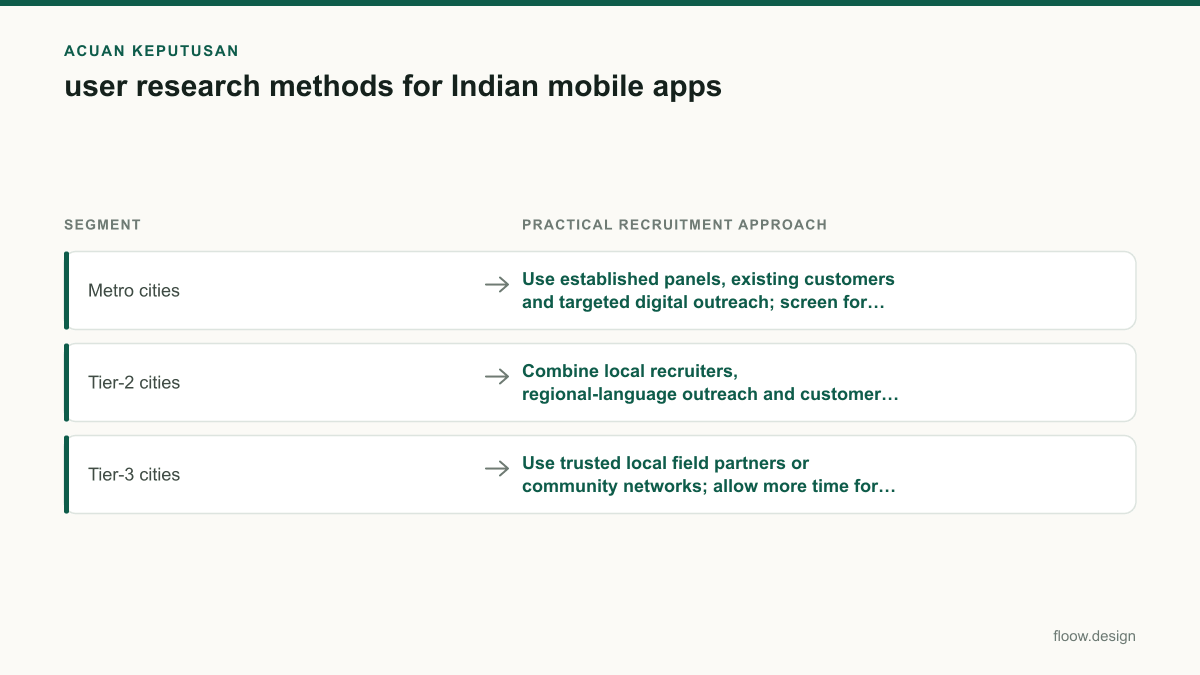
Recruitment differences to plan for in Indian mobile-app research
| Segment | Practical recruitment approach | What to test explicitly |
|---|---|---|
| Metro cities | Use established panels, existing customers and targeted digital outreach; screen for actual task experience rather than assuming expertise. | App-navigation expectations, multi-app habits, payment choice and rapid task completion. |
| Tier-2 cities | Combine local recruiters, regional-language outreach and customer referrals; confirm preferred language and device access before booking. | Language comprehension, trust cues, network recovery and onboarding without prior familiarity. |
| Tier-3 cities | Use trusted local field partners or community networks; allow more time for attendance confirmation and device setup. | Shared-device scenarios, assisted use, connectivity interruptions and clarity of payment or identity explanations. |
Common mistakes
Recruiting only English-speaking users from major metros.
Set quotas for metro, tier-2 and tier-3 participants and offer Hindi plus the regional languages relevant to the launch markets.
Using a translated script without validating interface language.
Pilot prompts with native speakers, retain original-language quotes and test whether participants understand the UI labels themselves.
Recording a live payment journey by default.
Use test data and staged screens; never collect PINs, OTPs, passwords, card details or Aadhaar numbers.
Treating all Android users as one device segment.
Test on participants’ own phones where possible and tag findings by handset, operating-system behaviour, connection quality and shared-device use.
Frequently asked questions
Which user research methods work best in India?
The best user research methods in India usually combine moderated usability testing, contextual interviews and prototype comparison. Use usability testing to find task failures, contextual interviews to understand device sharing, network conditions and trust, and diary studies for repeated behaviours such as recharges or payments. Run studies across metro, tier-2 and tier-3 cities in Hindi and relevant regional languages.
How do I recruit mobile-app users in tier-2 cities?
Recruit mobile-app users in tier-2 Indian cities through local field recruiters, regional-language outreach, customer lists where permission allows, and trusted community networks. Screen for the real behaviour you need to study, preferred language, handset access and payment experience. Confirm attendance by phone, allow time for setup, and avoid assuming that English-speaking or panel-based participants represent the target market.
Do I need consent for UX research in India?
UX research in India should obtain clear, informed consent before collecting or recording participants’ digital personal data, including interview recordings, screen recordings and contact details. For payment or identity flows, minimise data collection and do not capture PINs, OTPs, passwords, card details or Aadhaar numbers. The DPDP Act, 2023 is the key statutory reference; seek legal advice for your specific processing and retention practices.
Should I test payment flows with real UPI transactions?
Usually, test payment flows with test accounts, synthetic states or masked data rather than real UPI transactions. Real transactions can expose account details, notifications or credentials that are unnecessary for usability testing. If a live payment is essential, participants should complete sensitive steps privately, and the study must not record UPI PINs, OTPs or other authentication secrets.
Where this leaves you
Research for India becomes more useful when it preserves differences instead of averaging them away. Compare metro, tier-2 and tier-3 evidence; work in Hindi and the regional languages users prefer; and protect participant data, especially around payments and identity. Use floow.design to convert those findings into alternative mobile flows, then validate the choice with the people the app is meant to serve.
Design the screens first
Describe the app in plain language and floow.design draws the iOS and Android screens for you, ready to refine and hand off.
Sources
Related reading
Design your mobile app with AI.
Generate pixel-perfect iOS and Android screens in seconds, then export to Figma or code.
You might also like…
 How-to20 September 2026Usability testing with Indian mobile usersPlan usability testing across India’s city tiers, languages, devices and networks. Test UPI, OTP and PIN-code flows safely before development.By floow.design Team, Mobile Design
 How-to20 September 2026ui ux design process for Indian mobile appsA practical ui ux design process for Indian mobile apps: research across languages and city tiers, design UPI and OTP flows, and plan consent.By floow.design Team, Mobile Design
 Insights20 September 2026ui ux case study for Indian app productsBuild a credible Indian mobile app case study with UPI failure states, low-bandwidth flows, Hindi and Tamil testing, and DPDP consent decisions.By floow.design Team, Mobile Design