
ui ux interview questions for Indian companies
Checklist of UI UX interview questions for Indian companies: portfolio reviews, whiteboard tasks, stakeholder rounds, UPI, OTP, consent and accessibility.

ui ux interview questions in Indian hiring usually test how you turn a mobile problem into a defensible flow: explain a UI UX case study, sketch under time pressure, and handle stakeholder trade-offs. Prepare for scenarios such as a failed UPI payment, OTP login recovery, and multilingual onboarding, while explaining consent under the Digital Personal Data Protection Act, 2023.
Key takeaways
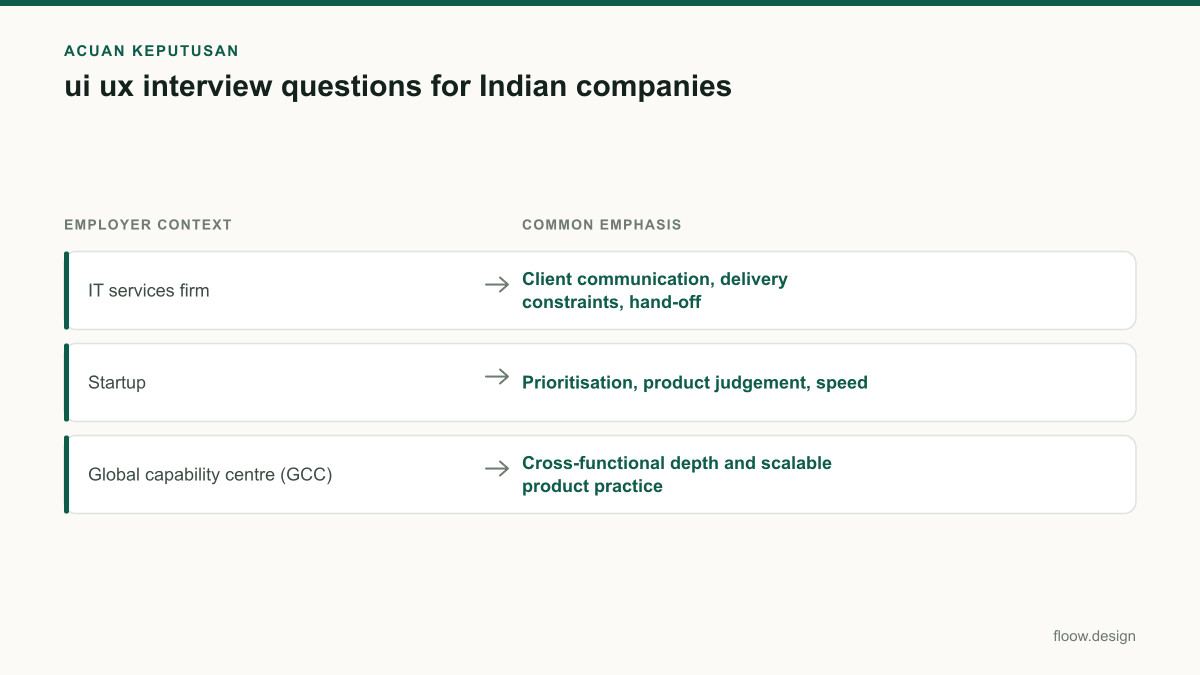
- •Indian IT services firms often assess process, client communication and design-system discipline; startups usually probe product judgement and speed; global capability centres often test depth, collaboration and measurable outcomes.
- •A strong UI UX portfolio walkthrough states the user problem, your role, constraints, decisions, validation and the outcome—not just polished screens.
- •For whiteboard tasks, make assumptions explicit, map the critical mobile flow first, then discuss states such as errors, loading, permissions and recovery.
- •For consent flows, distinguish accessibility practice from DPDP Act obligations: the Act focuses on valid consent and clear notice; accessibility still needs deliberate inclusive design.
What's on this page
- •Checklist: match your preparation to the company format
- •Present a UI UX case study as a decision story
- •Handle whiteboard and take-home mobile challenges
- •Answer stakeholder, accessibility and consent questions precisely
- •Practice answers with alternate flows, not one perfect screen
Checklist: match your preparation to the company format
Indian companies use different interview shapes even when the role title is the same. At an IT services firm, expect a recruiter or delivery lead to ask how you work with client briefs, developers, established design systems, changing requirements and hand-offs. Be ready to explain your process in a clear sequence and show how you defend scope without blocking delivery.
At a startup, portfolio discussions commonly move quickly into product judgement: which problem would you solve first, what would you ship in a constrained release, and what would you measure after launch? Keep one example ready where you made a trade-off rather than pursuing every feature.
At a global capability centre (GCC), interviews may combine a portfolio review with a cross-functional round. Expect questions about working with product, engineering, research, compliance and teams in other locations. Show how you document decisions and use evidence when opinions conflict.
Use this checklist before each round: identify the interviewer’s role, select one relevant mobile case study, prepare a five-minute version and a detailed version, and bring one example of a decision that changed after research, usability feedback or technical input.
Present a UI UX case study as a decision story
A UI UX case study should make your contribution easy to separate from the team’s contribution. Start with the business context and user problem in one or two sentences. Then state your role, the team, the time available and any constraints, such as an existing component library, a required release date or a legacy flow.
For each key screen, use this order: evidence, decision, trade-off, result. For example, if you redesigned an OTP login journey, explain what triggered confusion or drop-off, how you handled number entry and resend states, what assumptions you tested, and how you designed recovery when an OTP does not arrive. Do not claim impact figures you cannot explain.
Interviewers will often challenge the happy path. Prepare screens or annotations for invalid mobile numbers, expired OTPs, rate limits, poor connectivity, loading, support escalation and returning users. If research was limited, say so directly and explain what you would validate next.
Finish with reflection: what you would change with more time, what you learned from engineering or stakeholders, and how the work affected the next iteration. This makes a UI UX portfolio feel like shipped product work rather than a gallery of final mock-ups.
Handle whiteboard and take-home mobile challenges
A whiteboard exercise does not require beautiful UI. It tests whether you can frame a problem, make sensible assumptions and create a usable mobile flow while speaking clearly. Before drawing, repeat the task in your own words and ask only the questions that alter the design: target user, payment state, supported language, risk level and success metric.
For a UPI payment failure prompt, draw the transaction state before choosing the message. Separate pending, failed and successful outcomes; avoid telling a user to retry if the payment may still be processing. Include a transaction reference, a clear next action, a way to check status and a support path. Explain that the final copy and operational rules must align with the payment system’s actual status signals.
For multilingual onboarding, do not treat translation as a final layer. Show language selection early where relevant, leave room for longer strings, avoid meaning carried only by icons and test whether a user can change language later. For OTP login, show keyboard behaviour, resend timing, edit-number access and error recovery.
Narrate your priorities: establish the primary task, cover high-risk states, then explain visual hierarchy. End by naming what you would prototype or test first.
Answer stakeholder, accessibility and consent questions precisely
Stakeholder questions in Indian product and services hiring often ask how you respond when a business request conflicts with user clarity. Use a concrete structure: clarify the goal, identify the user risk, propose options, show the trade-off and agree on the evidence needed for a decision. This is stronger than saying that you would simply "push back."
For accessibility, describe observable design choices: readable type and contrast, labels that work with screen readers, visible focus and error states, touch targets, logical keyboard order where applicable, and instructions that do not rely on colour alone. In multilingual onboarding, test the translated content and interaction order, not only the English layout.
Treat legal consent as a separate, connected concern. The Digital Personal Data Protection Act, 2023 requires consent to be free, specific, informed, unconditional and unambiguous, signified by clear affirmative action. Its notice requirements include clear and plain language and access to English or a language listed in the Eighth Schedule of the Constitution. Design consent as a distinct choice, explain the purpose in the flow, and make withdrawal as easy as giving consent. The Act does not replace practical accessibility testing; raise both topics in your answer. See the official text through India Code: https://www.indiacode.nic.in/.
Practice answers with alternate flows, not one perfect screen
Build interview confidence by rehearsing the same problem through competing mobile flows. Take a prompt such as “design recovery after a UPI payment appears unsuccessful” and generate one flow centred on status checking, one centred on guided retry, and one centred on support escalation. Compare what each flow assumes, where it could mislead a user, and which state information it needs from engineering.
Then practice a two-minute explanation for each alternative. State the user’s goal, the moment of uncertainty, your primary action, the non-happy-path states and the measurement you would inspect after release. This is especially useful for startup whiteboards, where your reasoning matters more than a complete visual system, and for GCC or services interviews, where reviewers may ask how the design fits an existing product.
Use floow.design to generate alternate mobile flows for OTP login, multilingual onboarding and payment recovery. Review the resulting screens as interview material: remove unnecessary steps, check labels and error states, and explain why one version is safer or easier to understand. Do not present generated work as a shipped project; use it to practise screen-design decisions and critique.
Interview preparation checklist by common Indian employer context
| Employer context | Common emphasis | Prepare to show |
|---|---|---|
| IT services firm | Client communication, delivery constraints, hand-off | A structured case study, design-system work and how you handled changing requirements |
| Startup | Prioritisation, product judgement, speed | A concise decision story, a mobile flow and what you would measure |
| Global capability centre (GCC) | Cross-functional depth and scalable product practice | Evidence-led decisions, collaboration and handling stakeholder trade-offs |
Common mistakes
Showing only final UI screens in a UI UX portfolio.
Add the problem, your role, constraints, discarded options, key states and the evidence behind major decisions.
Treating a UPI failure as a simple error toast with a retry button.
Design distinct pending and failed states, provide a reference and status-check route, and avoid a retry instruction when payment status is uncertain.
Calling accessibility a legal-consent feature.
Discuss accessibility as inclusive interaction design, then separately explain clear notice, affirmative consent and easy withdrawal under the DPDP Act.
Starting a whiteboard task by polishing components.
State assumptions, map the critical task and recovery states, then add hierarchy and component detail.
Frequently asked questions
What ui ux interview questions are asked in India?
ui ux interview questions in India commonly cover portfolio decisions, mobile user flows, design critique, stakeholder disagreement, design systems and collaboration with engineers. Indian interviewers may use scenarios such as OTP login recovery, a failed UPI payment or multilingual onboarding. IT services firms often probe client delivery, startups prioritisation, and global capability centres cross-functional product work.
How do I present a case study in a UI UX interview?
Present a UI UX case study by stating the user problem, business context, your role, team and constraints first. Then explain the evidence behind your major decisions, the alternatives you considered, edge cases and outcome. For a mobile flow such as OTP login, include expiry, resend, invalid-number and recovery states rather than showing only the successful path.
Are whiteboard challenges common in Indian UX interviews?
Whiteboard challenges are common enough in Indian UX interviews to merit practice, particularly in startup and product-oriented rounds. They may also appear as a timed collaborative exercise or take-home task. Interviewers usually assess problem framing, assumptions, mobile flow logic, edge cases and communication more than visual polish. Practise narrating UPI, OTP and multilingual scenarios.
How should I discuss consent in an Indian mobile app interview?
Discuss consent by explaining that the Digital Personal Data Protection Act, 2023 requires consent to be free, specific, informed, unconditional and unambiguous, with clear affirmative action. Describe a clear, plain-language notice, purpose-specific choices and an easy withdrawal route. Also note that accessible labels, contrast and screen-reader support need deliberate design and testing.
Where this leaves you
Use this checklist to prepare one credible UI UX case study, one timed whiteboard flow and one stakeholder answer. Then practise alternate mobile solutions in floow.design for UPI recovery, OTP login and multilingual onboarding, so you can explain not just what you designed, but why.
Design the screens first
Describe the app in plain language and floow.design draws the iOS and Android screens for you, ready to refine and hand off.
Sources
- •India Code — official repository of central legislation, including the Digital Personal Data Protection Act, 2023
- •Ministry of Electronics and Information Technology, Government of India
- •Legislative Department, Ministry of Law and Justice — Constitution of India
Related reading
Design your mobile app with AI.
Generate pixel-perfect iOS and Android screens in seconds, then export to Figma or code.
You might also like…
 How-to20 September 2026ui ux resume for India: examples and checklistBuild a ui ux resume for Indian recruiters: match local job titles, state CTC and notice period clearly, and link evidence-rich mobile case studies.By floow.design Team, Mobile Design
 Insights20 September 2026ui ux portfolio for India product jobsBuild a ui ux portfolio for India product jobs with mobile case studies for UPI, COD, OTP and multilingual onboarding, tailored to recruiters.By floow.design Team, Mobile Design
 How-to20 September 2026hire ui ux designer in India: buyer checklistUse this buyer checklist to hire a UI UX designer in India: compare hiring models, test product-flow evidence, and budget in INR with GST.By floow.design Team, Mobile Design